TM Palletizing Operator User’s Manual Product Version: 1.0 / Document Version: 1.0 77
5.2.3 Installing the Control Box
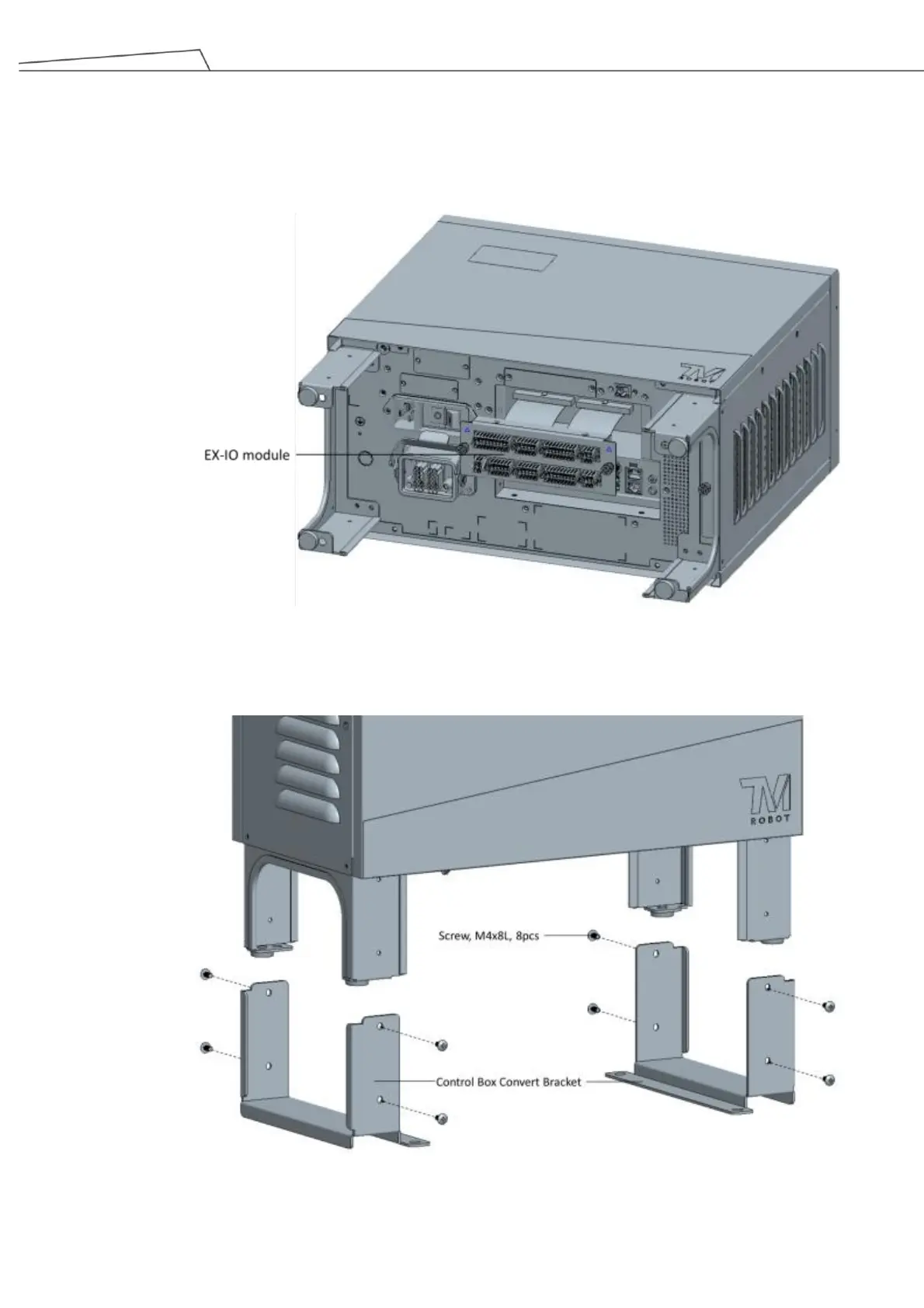
1. Remove the EX-IO module from the control box by unplugging the 44pin & 40pin ribbon cable located
at the rear of the module.
Figure 40: Remove EX-IO module from control box
2. Secure the control box covert brackets to the legs of the control box. Use 4 x M4 screws for each.
Figure 41: Secure the covert brackets to the legs of the control box



 To Next Page