TM Palletizing Operator User’s Manual Product Version: 1.0 / Document Version: 1.0 102
IMPORTANT:
The power supply should be designed with the following:
1. Grounding
2. Main fuse
3. Residual current device (RCD)
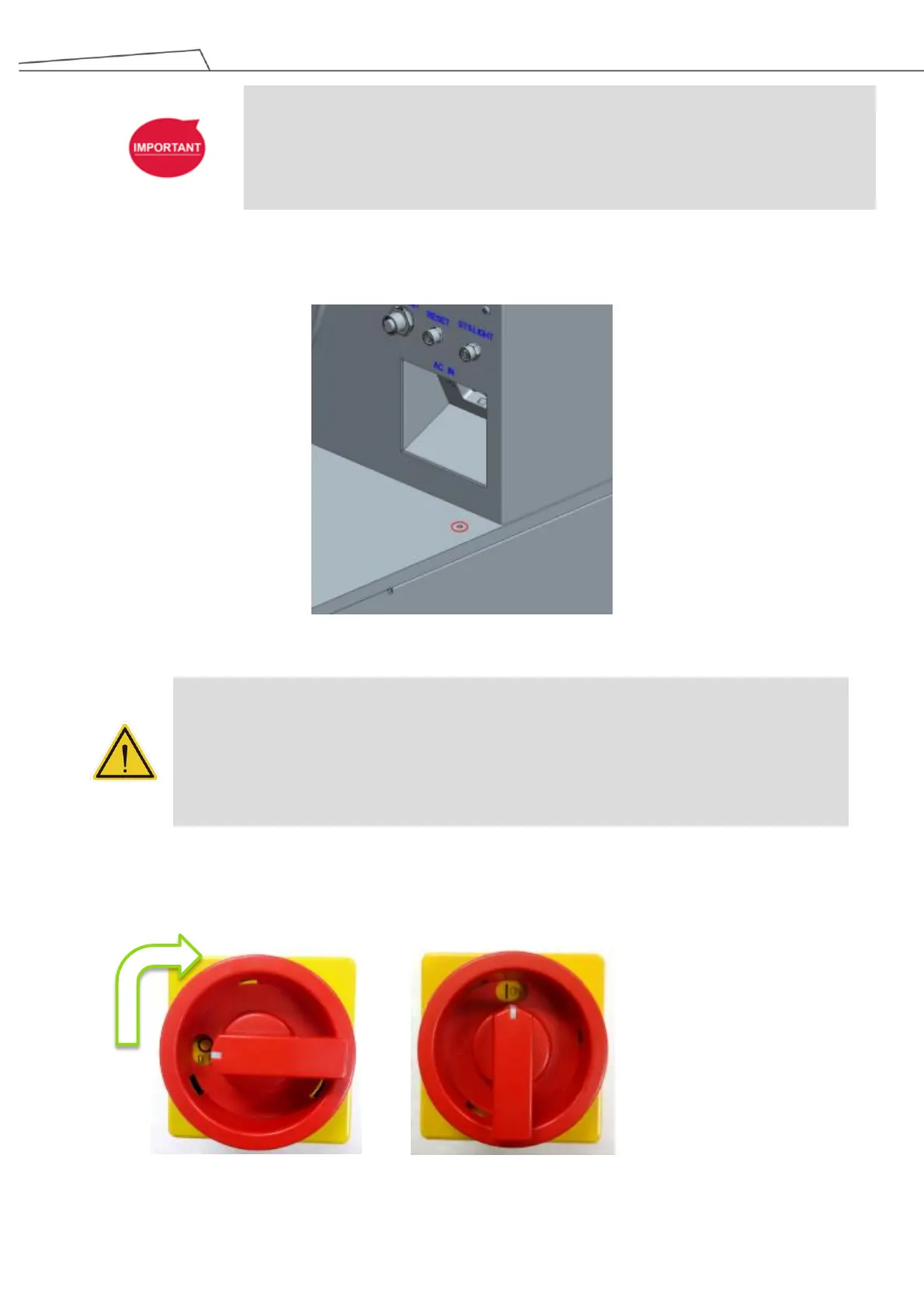
5. Connect the GND (ground) cable through the locations circled in red.
Figure 79: Ground connection
DANGER:
1. Ensure that the robot is correctly grounded (electrical grounding).
2. Ensure that the input current of the palletizing operator is protected by the Residual Current
Device (RCD) and appropriate fuses.
3. Ensure that all cables are correctly connected before powering on the machine. Always use
genuine power cables correctly.
5.9 Activating/Deactivating TM Palletizing Operator
To activate the system:
1. Power on the operator machine. Turn the main switch to the right in a clockwise direction.
Figure 80: Turn the Main Switch in a clockwise direction to power on



 To Next Page