The Tune window Options menu D-15
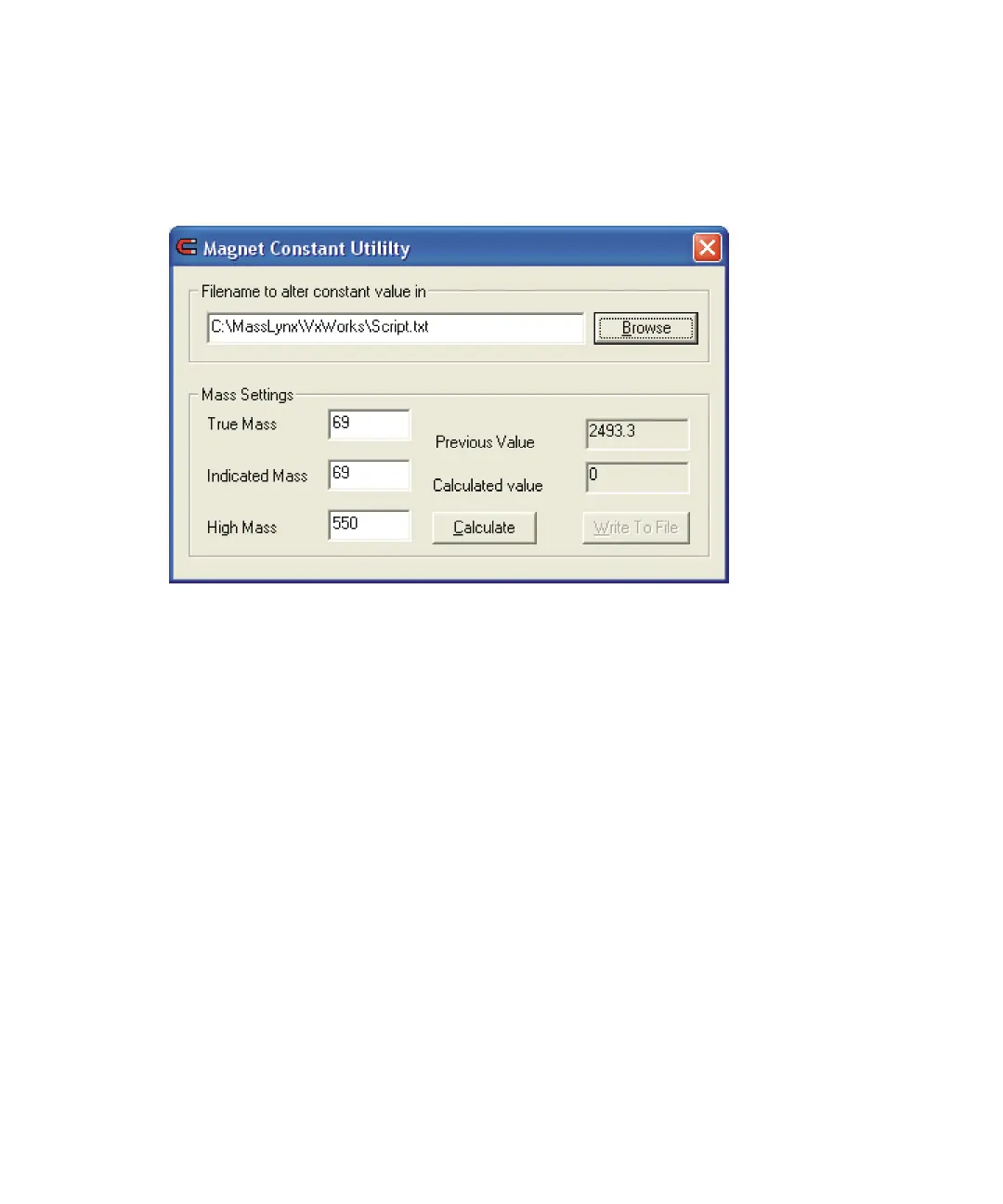
To open the Magnet Constant Utility dialog box
On the Magnet tab, click Setup.
Magnet Constant Utility dialog box
To calculate a new magnet constant
1. Run a magnet scan experiment to acquire a spectrum. See “Magnet
Scan function” on page 3-7.
2. In the Instrument Setup dialog box, click Setup.
3. In the Magnet Constant Utility dialog box, specify a True Mass (that
is, a known reference mass), the Indicated Mass (from the acquired
spectrum), and the High Mass of the experiment.
Tip: Always use a True Mass in the lowest mass region of the spectrum,
to improve accuracy.
4. Click Calculate.
5. Click Write to File to update the magnet constant stored in the file
specified in the File name, to alter the constant value in box.
6. Close the MassLynx Tune window.
7. Reboot the embedded PC to apply the new magnet constant value.
See “Viewing the status of, and rebooting, the instrument’s embedded
PC” on page D-28.











 To Next Page