Function lists and the MS method editor 3-3
The currently selected function is highlighted and enclosed in a rectangular
frame. If the function list contains several functions, select a function by
clicking on it or by using the keyboard arrow keys.
The MS method editor toolbar
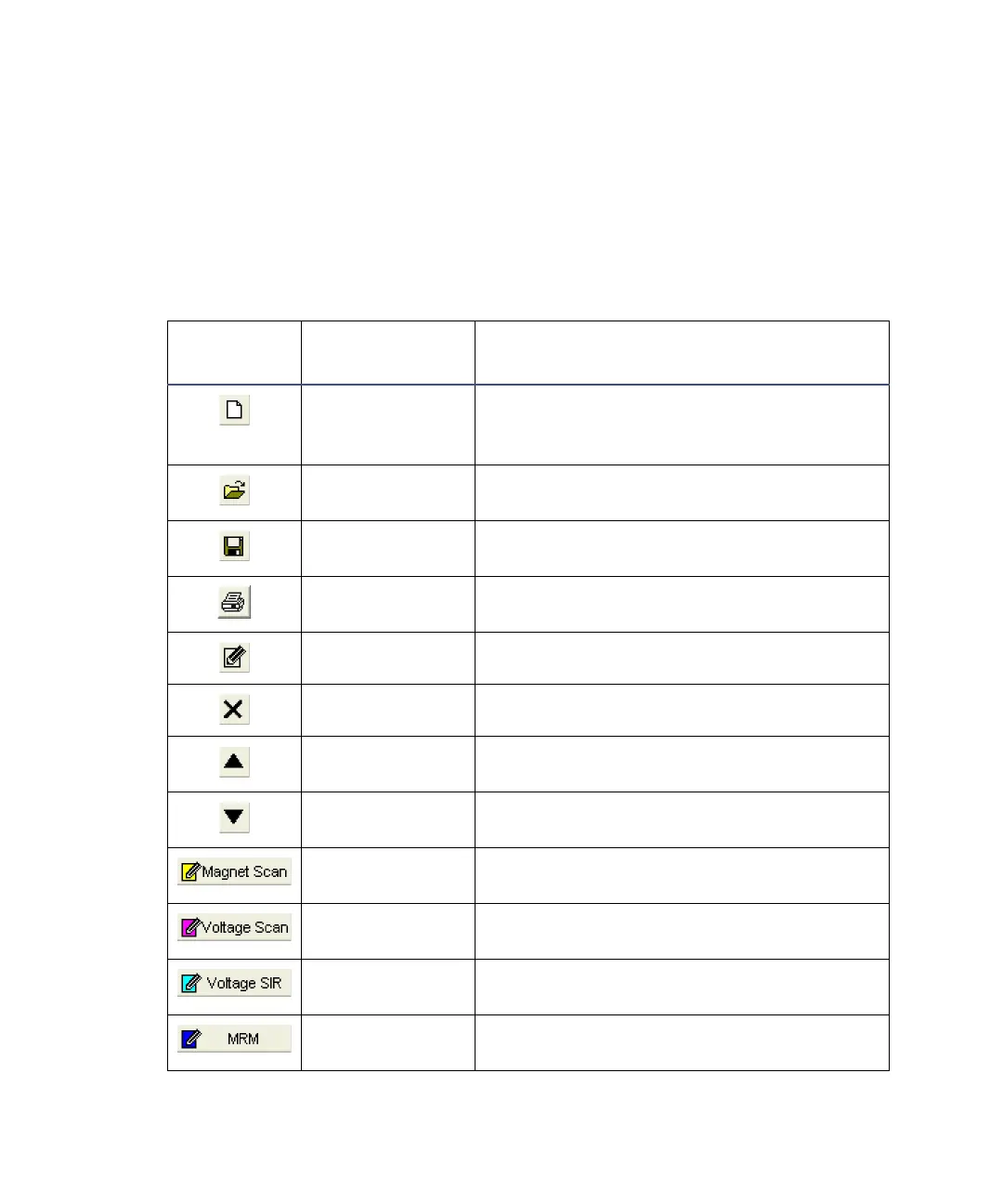
The following table details the MS method editor toolbar buttons.
MS method editor toolbar buttons
Tool
Equivalent
menu item
Function
File > New Deletes the current function list from the
MS method editor, so you can create a new
function list.
File > Open Opens an existing MassLynx experiment
file (.exp).
File > Save Saves the current function list to the
MassLynx experiment file.
File > Print Prints a report of the current MassLynx
experiment.
Edits the selected function.
Edit > Delete Deletes the selected function.
Moves the selected function up the
function list.
Moves the selected function down the
function list.
Functions >
Magnet Scan
Sets up a magnet scan function.
Functions >
Voltage Scan
Sets up a voltage scan function.
Functions >
Voltage SIR
Sets up a voltage SIR function.
Functions >
MRM
Sets up a MRM function.











 To Next Page