3-10 Scanning techniques
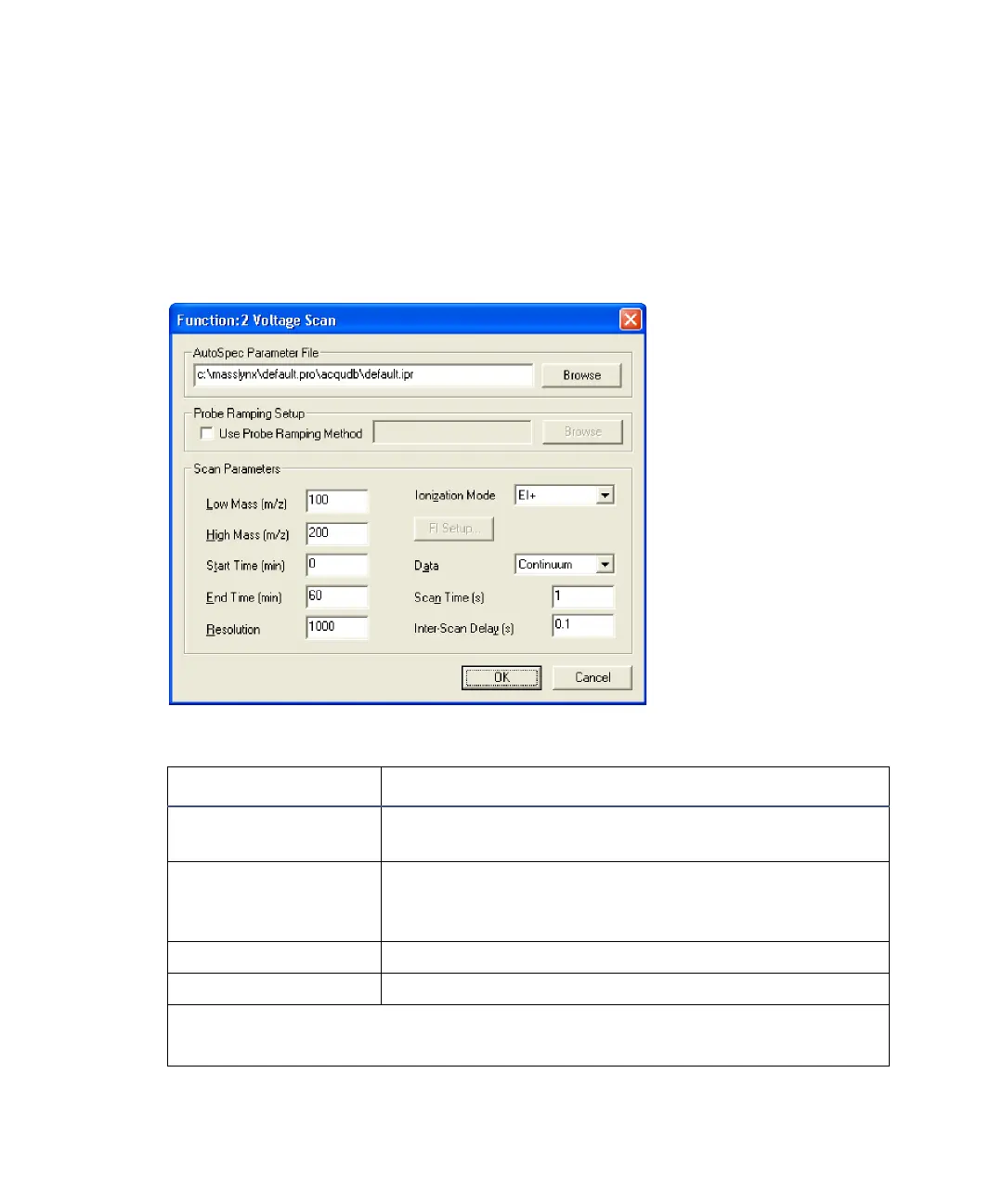
Voltage Scan function
The Voltage Scan function editor is used to set up scans in which the source’s
accelerating voltage is varied, to scan from low to high mass. Use voltage
scanning to scan over smaller mass ranges, but with higher accuracy than
magnet scanning.
Voltage Scan function editor
Voltage Scan function editor parameters :
Parameter Description
AutoSpec Parameter
File
Enter the required parameter file name and path in
the text box, or click Browse.
Use Probe Ramping
Method
When selected, you can specify a probe ramping
method (.prf) file name and path in the text box, or
click Browse.
Low Mass (m/z) The mass at which the scans in the function start.
High Mass (m/z) The mass at which the scans in the function stop.
Recommendation: Use a maximum mass range where
High Mass (m/z) = 2 × Low Mass (m/z).











 To Next Page