Manually correcting a calibration 5-7
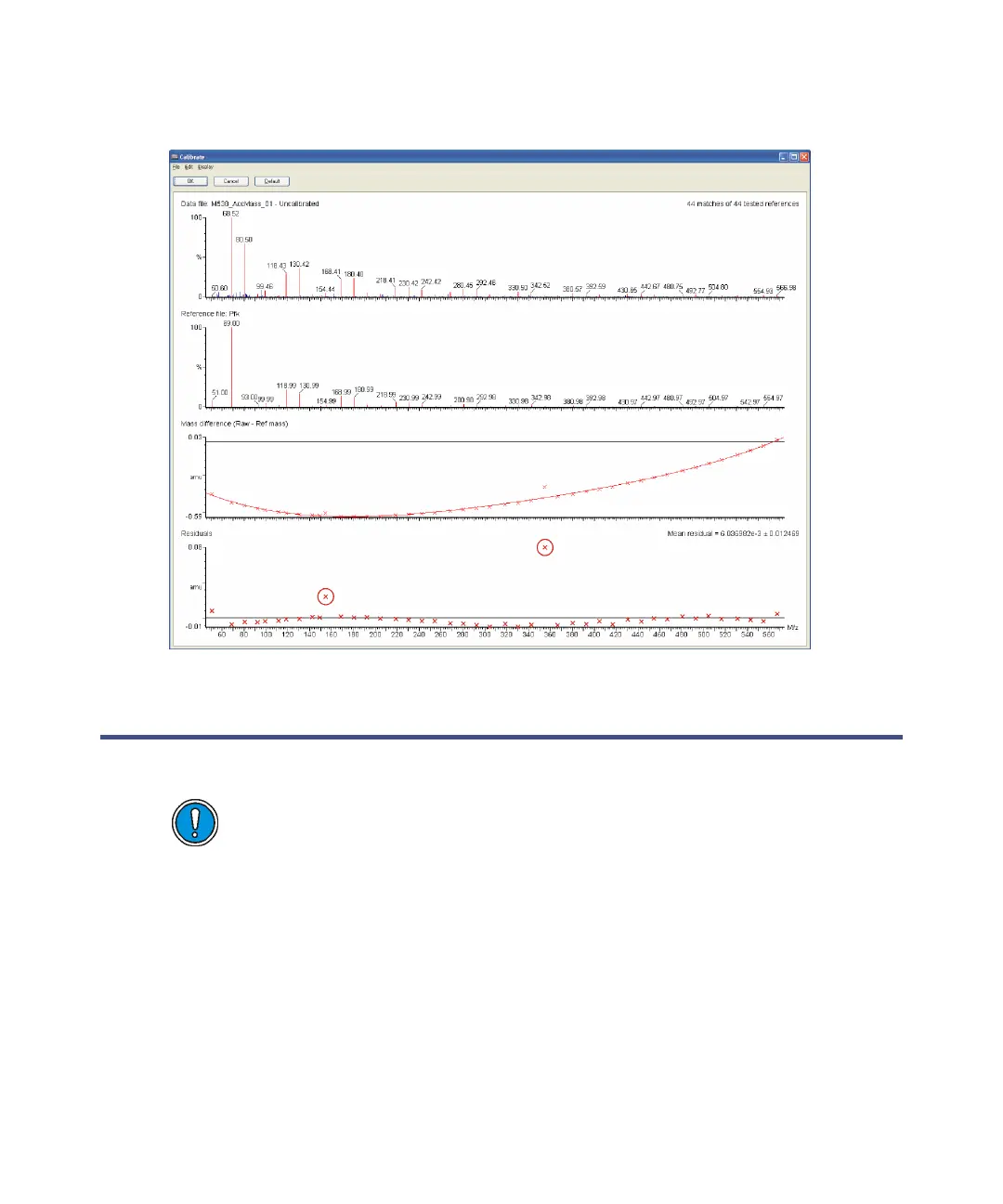
Calibration report window
Manually correcting a calibration
See “Editing the calibration parameters” on page 5-9.
Sometimes you must manually adjust some of the matched peaks during the
calibration process. These mismatched peaks are usually apparent by the
larger-than-normal residual errors they leave. For example, in the following
figure, there are two mismatched peaks with larger residuals (highlighted).
Caution: If you manually correct a calibration but open and close the
Calibration Parameters dialog box with the “Perform auto peak
matching option” selected, the spectrum is automatically recalibrated;
any manual corrections are lost.











 To Next Page