3-2 Scanning techniques
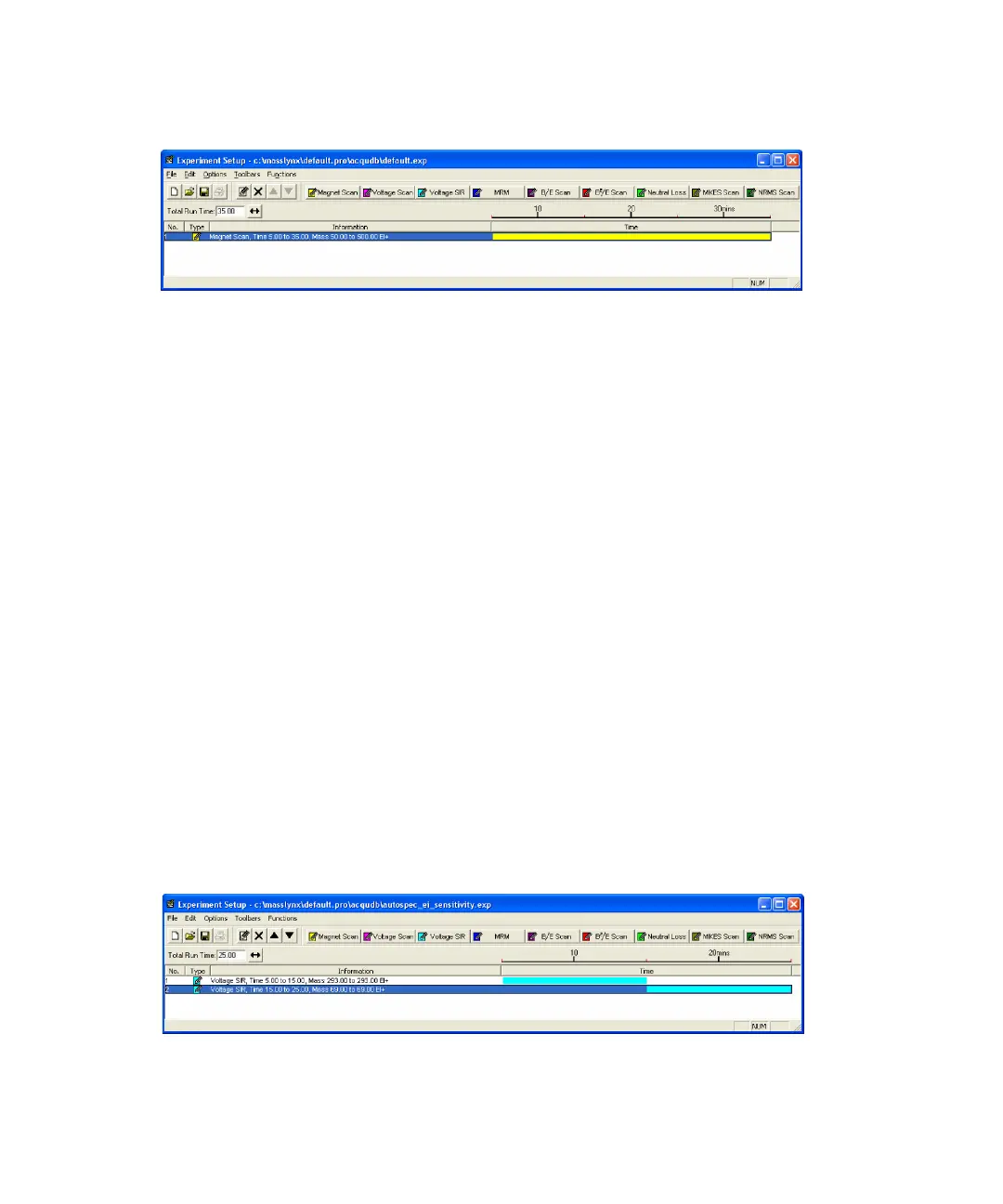
MS method editor with a single function
You can save a function list in a MassLynx experiment file, and then reopen
and edit it at any time.
See “The MassLynx experiment file” on page 3-4.
The figure “MS method editor with a single function” on page 3-2 shows a
simple Function List containing only one function: a Magnet scan between 50
and 500 Da, using EI+ ionization. Immediately above the function bar display
is a time scale, which shows the elapsed time at which the function becomes
active and for how long it runs. In this case, the function starts after
5 minutes and then runs for 30 minutes, terminating after a total elapsed
time of 35 minutes.
Multiple function acquisitions are typically used to acquire different VSIR
groups over different retention windows. A Function List, with two VSIR
functions, each running sequentially for 10 minutes, is shown in figure “MS
method editor with two functions:” on page 3-2.
Tip: Do not start the first function at 0 minutes if it takes some time for the
sample to elute; set the start time to account for this. This initial wait is called
solvent delay, because the solvent usually elutes several minutes after
injection.
MS method editor with two functions:











 To Next Page