Chapter 3—BD Alaris™ Pump Module Model 8100, Alaris™ Pump Module Model 8100, and Alaris™
Syringe Module Model 8110
100 BD Alaris
TM
System with Guardrails
TM
Suite MX User Manual
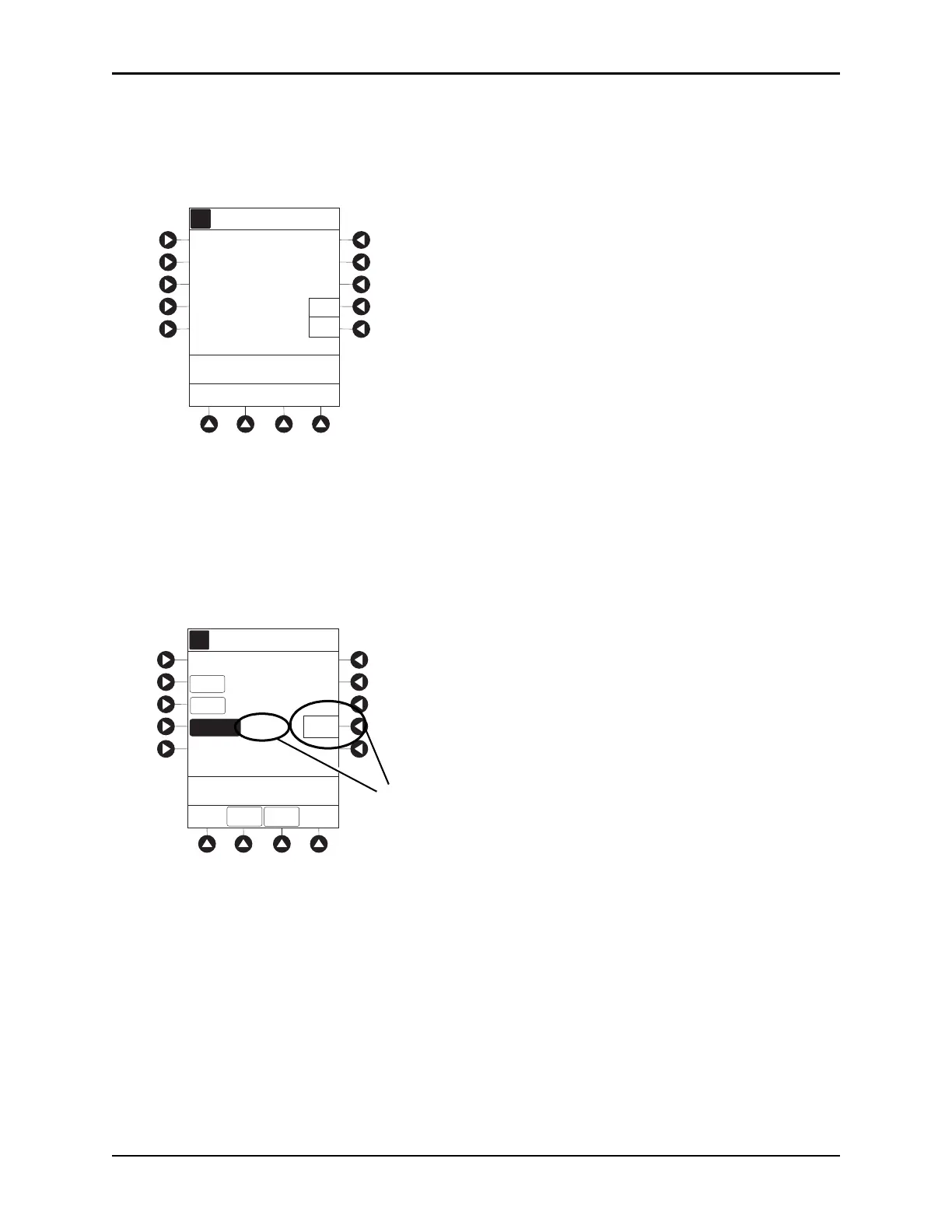
If a Continuous Infusion is running, a prompt to confirm weight change appears.
°
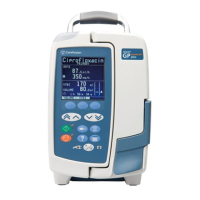
Press the BOLUS soft key.
°
To enter bolus dose, use numeric data entry keys.
5. Press the
DURATION soft key.
6. To enter bolus duration, use numeric data entry keys.
or
To
deliver bolus dose at maximum sa
fe
rate possible for selected drug and setup, and automatically
calculate a bolus duration, press the
Rapid Bolus soft key.
•
TOTAL DOSE alternates with INFUSE AT rate.
7. Verify correct parameters and press the START soft key.
• If the programmed bolus dose and/or bolus dose duration is outside the soft limit for that care area,
an audio alert sounds and a visual prompt appears before
programming can continue. If
Yes soft
key is pressed, programming continues; if
No soft key is pressed, infusion needs to be
reprogrammed.
AA
A
CONTINUOUS INFUSION
Drug Calculation
Heparin
A
>Select Ye s o r No
Yes
No
Guardrails Drug Setup
Patient Weight
change results
in recalculation of
Dose to 105.2
gram/kg/min.
Accept dose change?
0.09
mg/kg
AA
A
DOSE
PATIENT
WEIGHT
BOLUS DOSE
DURATION
SETUP
>Enter Duration
70kg
Rapid
Bolus
__min
(420 mL/h)
TOTAL DOSE = 6.3 mg
BOLUS VTBI = 6.3 mL
CONT-
INUOUS
Alteplase
Stroke


 To Next Page