223
To Enable or Disable the Snap Grid
1. Press N to toggle the Snap to Grid button on or off.
OR
1. To enable the Snap to Grid, click the Snap to Grid combo button in the
Track view toolbar.
2. To disable the Snap to Grid, click the Snap to Grid combo button
once again.
To Change the Snap Options
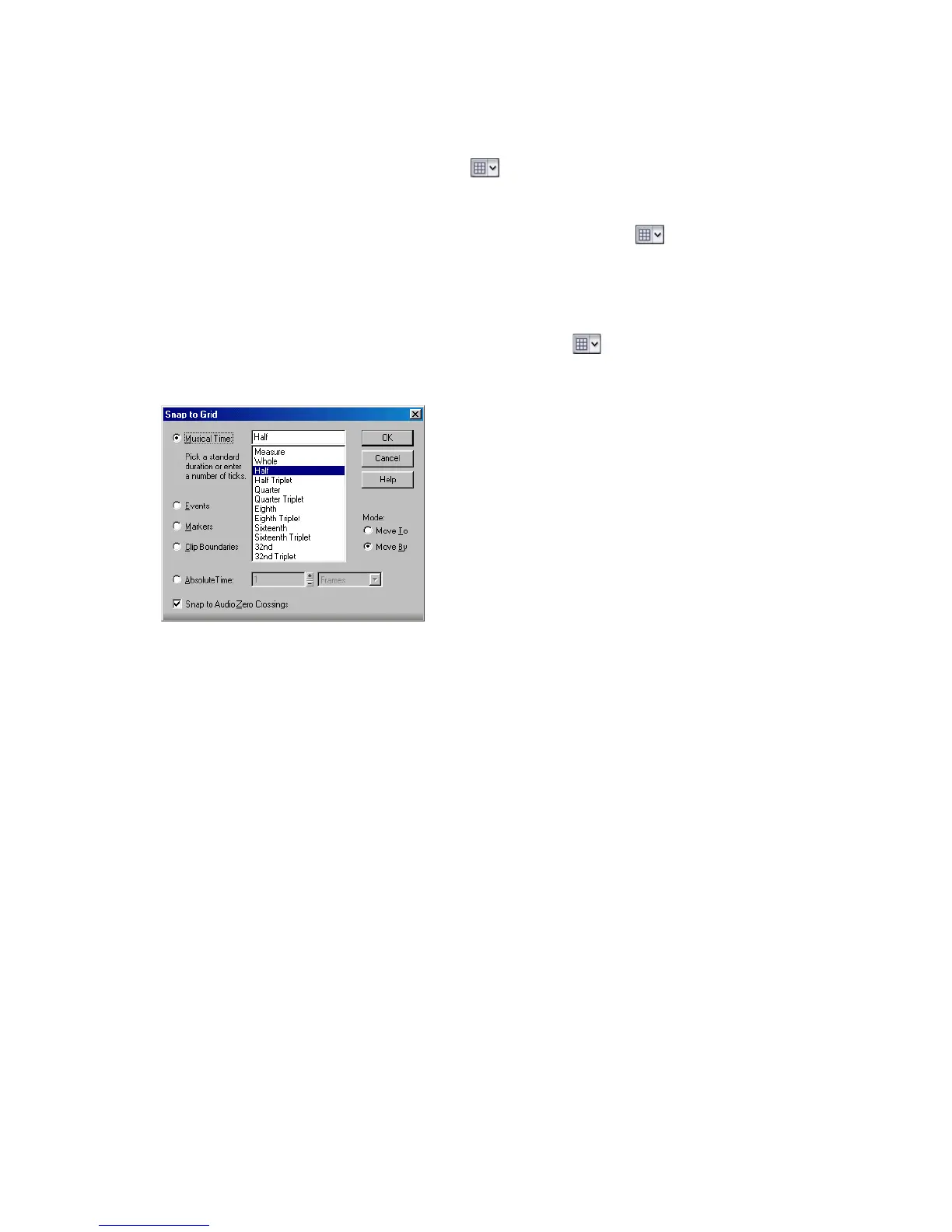
1. Click the down arrow in the Snap to Grid combo button or right-click on
the Time Ruler and select Snap Properties from the popup menu to display
the Snap to Grid dialog box.
2. Select one of the following options:
• Musical Time—note intervals (whole, half, etc.)
• Events—any data in a clip
• Markers—any marker in a project
• Clip Boundaries—the start or end of any clip
• Absolute Time—a number of samples, frames, or seconds set by you
3. If you selected Musical Time or Absolute Time, select Move To to align
selections and clips to the grid, or Move By to move clips by the grid interval.
4. Click OK.
All time selections and drag-and-drop editing operations use the new Snap Grid
interval.



 To Next Page