188
6. Set the Now time to the beginning of the loop.
7. Click , or press r, or choose Transport-Record. If your metronome count-in
is turned on, it will play the count-in measures.
8. Play or perform the material you want to record. At the end of the loop,
SONAR will return to the start of the loop and you can record the next take.
9. If you want to erase the most recent take while loop recording is underway,
choose Transport-Reject Loop Take or press Ctrl+Spacebar.
10. Click , or press the Spacebar, or choose Transport-Stop when you want to
stop recording.
The takes are stored in the manner you requested.
Step Recording
Sometimes you may want to record MIDI material that is too difficult to play. One
way to make this easier is to slow the tempo of the project while you are recording
until it is slow enough to play. Step recording is another method that lets you
record from a MIDI instrument without having to worry at all about your timing.
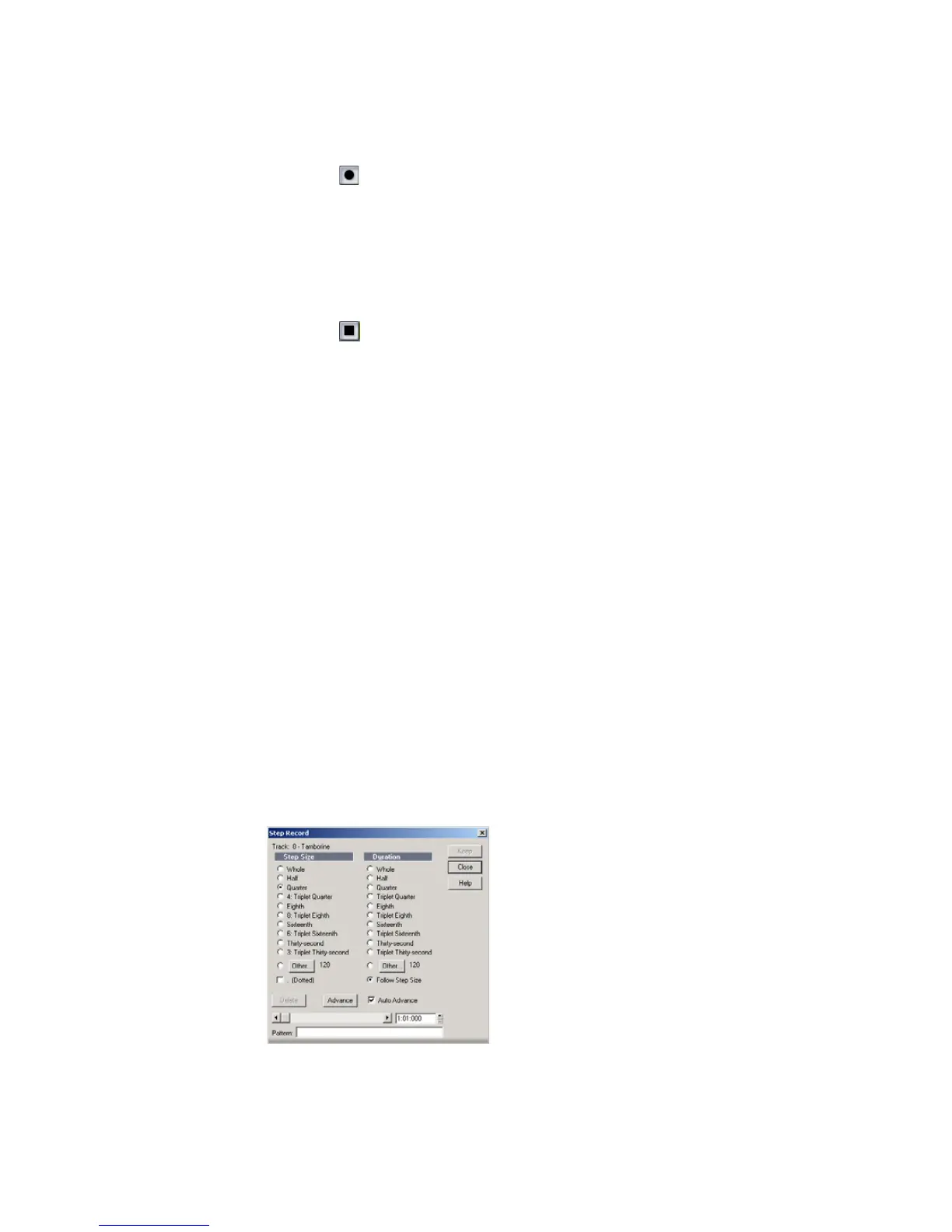
To use step recording, you set a step size, such as a quarter note. Then, you simply
record one step at a time, taking as much time as you need to play each step. You
can also set a note duration that is independent of the step size. If the duration is
shorter than the step size, rests will be inserted between each note and the next
step. If the duration is longer than the step size, the notes will overlap with the
notes recorded at the next step.
MIDI data is recorded using Step Record even if the track is not armed, loop
markers are ignored, and Step Record always uses the Sound on Sound
(blend) record mode, regardless of the current record mode.
You use the Step Record dialog box to perform step recording:



 To Next Page