306
These capabilities can help you find problem spots or errors in a project or make
systematic changes to events that have particular attributes. All of these
capabilities rely on the use of an event filter, which lets you choose the types of
events you want to work with and the range of values in which you are interested.
Event Filters
When you select individual clips, or select portions of clips by dragging the Time
Ruler, you automatically select all the events that fall within the designated time
range. Sometimes you need finer control over which events are selected. For
example, you might want to:
• Select the notes that are played in a certain octave, so you can copy them to
another track
• Select and boost the velocity of notes that have a velocity below a certain
threshold
• Find the first patch change event on a particular track
• Select and change the duration of all notes that occur on the third beat of any
measure
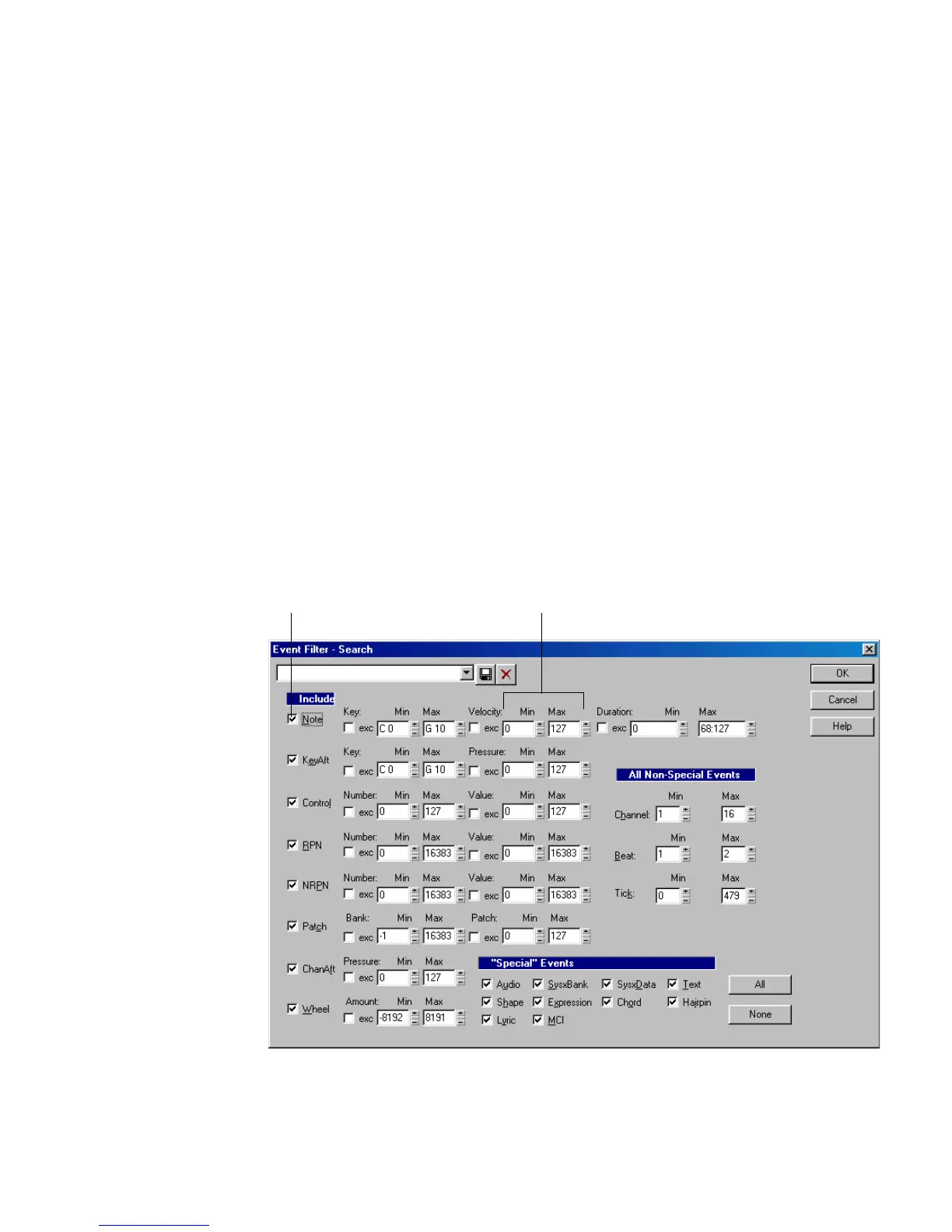
The Event Filter dialog box looks like this:
Check to include this type of event
Enter the range of values for the events you want



 To Next Page