663
A Pad Group in Cyclone DXi has the following controls:
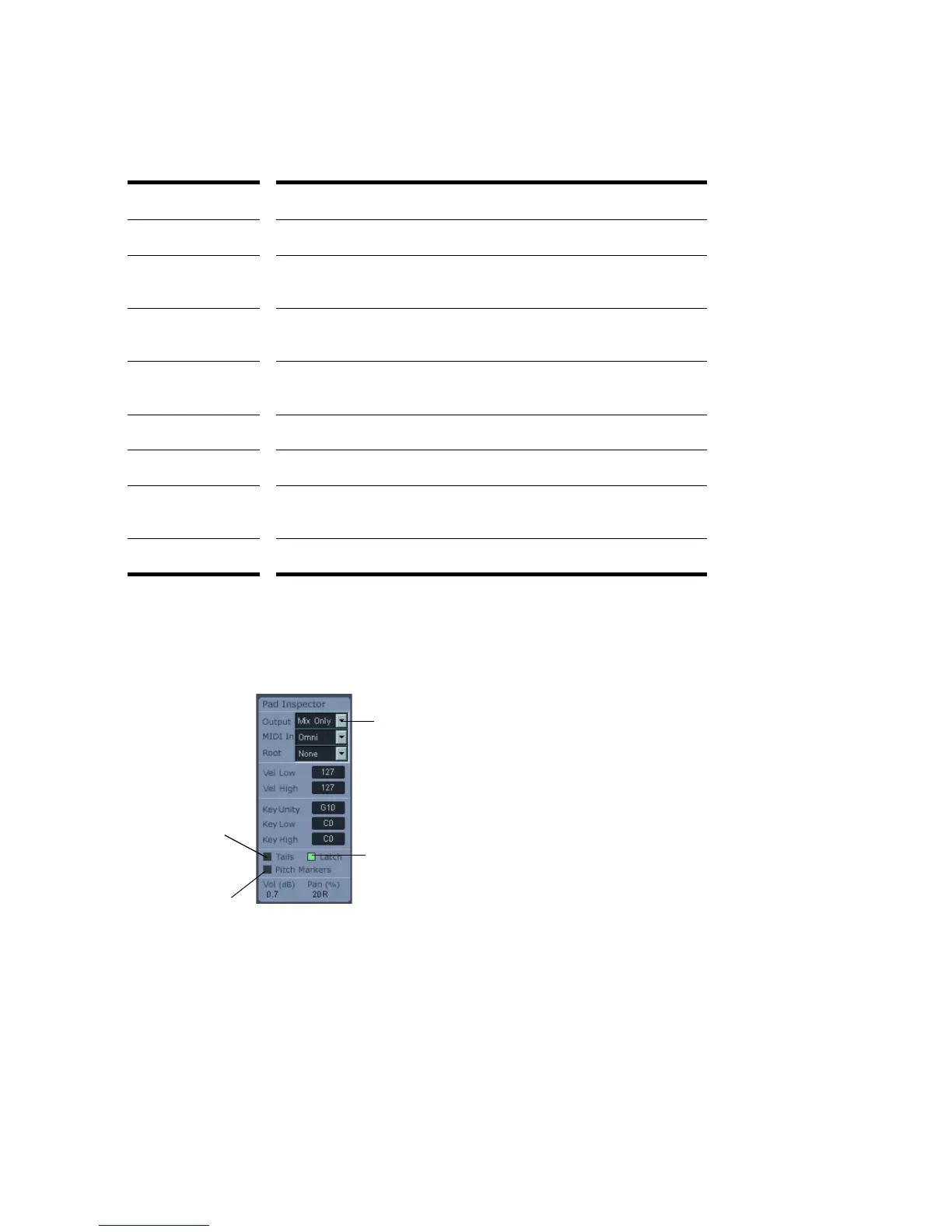
Pad Inspector
The Pad Inspector has additional pad group controls:
Control... Description...
Pad The trigger for playing a loop.
Volume knob Adjusts the volume of the Pad Group. The volume value is displayed
in the Pad Inspector.
Pan knob Adjusts the pan of the Pad Group. The pan value is displayed in the
Pad Inspector.
File Load button Opens the Open dialog where you can navigate to the directory or
directories where you store your files.
Mute button Mutes the playback of the Pad Group.
Solo button When selected, only that Pad Group plays.
Sync button Synchronizes the playback of the Pad Group to SONAR. When
selected, the Pad Group follows SONAR’s tempo and pitch.
Loop button When selected, the playback of the Pad Group repeats continuously.
Select an
audio output
Click to toggle on/off
Latch mode
Click to enable
tails for current
track
Click to force
Cyclone DXi to
follow SONAR’s
Pitch markers



 To Next Page