313
Automation Data
The Track and Console views allow you to record automation data that define
changes in volume, pan and many other parameters throughout a project. The
automation data can include step changes recorded using the snapshot button or
continuous changes recorded while using the knobs, faders, and buttons.
The Track view allows you to create envelopes to adjust several parameters. For
more about automation, see Chapter 13, Using Automation.
Velocity, Pitch Wheel, and Aftertouch
SONAR lets you display and edit several other types of data the same way you do
controller data. These data include:
• MIDI note velocities
• MIDI pitch wheel or pitch-bend messages
• MIDI channel aftertouch (ChanAft) values
• MIDI key aftertouch (KeyAft) values
Remember that note velocity is an attribute of each note and not a completely
separate event. You cannot add or remove velocity events in the Controllers pane,
but you can use the line and draw tools to adjust the velocity values for existing
notes. You can also edit velocities with the Edit-Scale Velocities command. For
more information, see “Adding Crescendos and Decrescendos” on page 290. You
can edit individual note velocities in the Note Properties dialog box, described in
“Changing Note Properties” on page 536.
Using the Controllers Pane
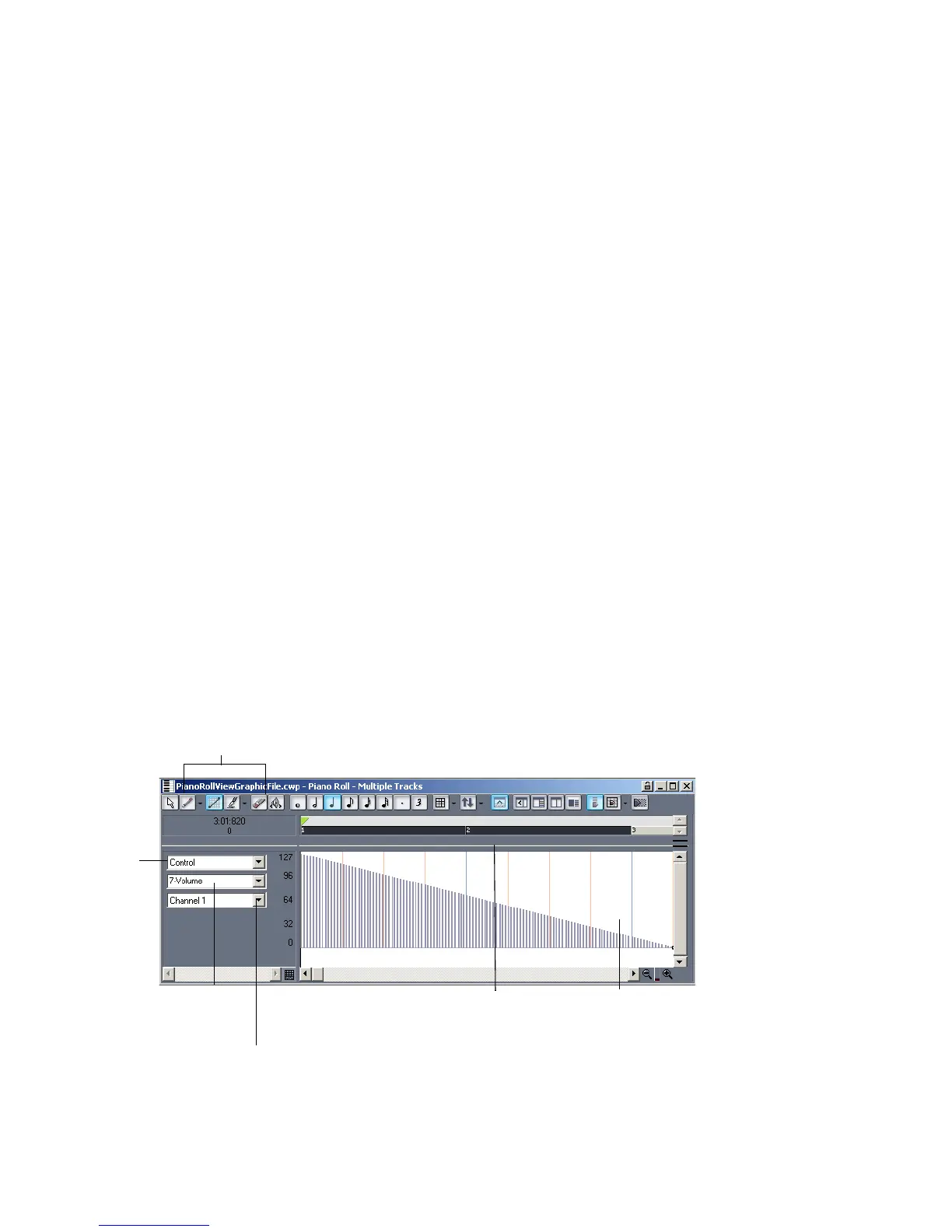
The Controllers pane is the lower half of the Piano Roll view.
Tools for editing controllers
Choose
the type
of data
to edit
Pick the controller
or xRPN to change
Choose the MIDI channel, if any
Controllers
pane
Splitter bar



 To Next Page