238
Track Folders
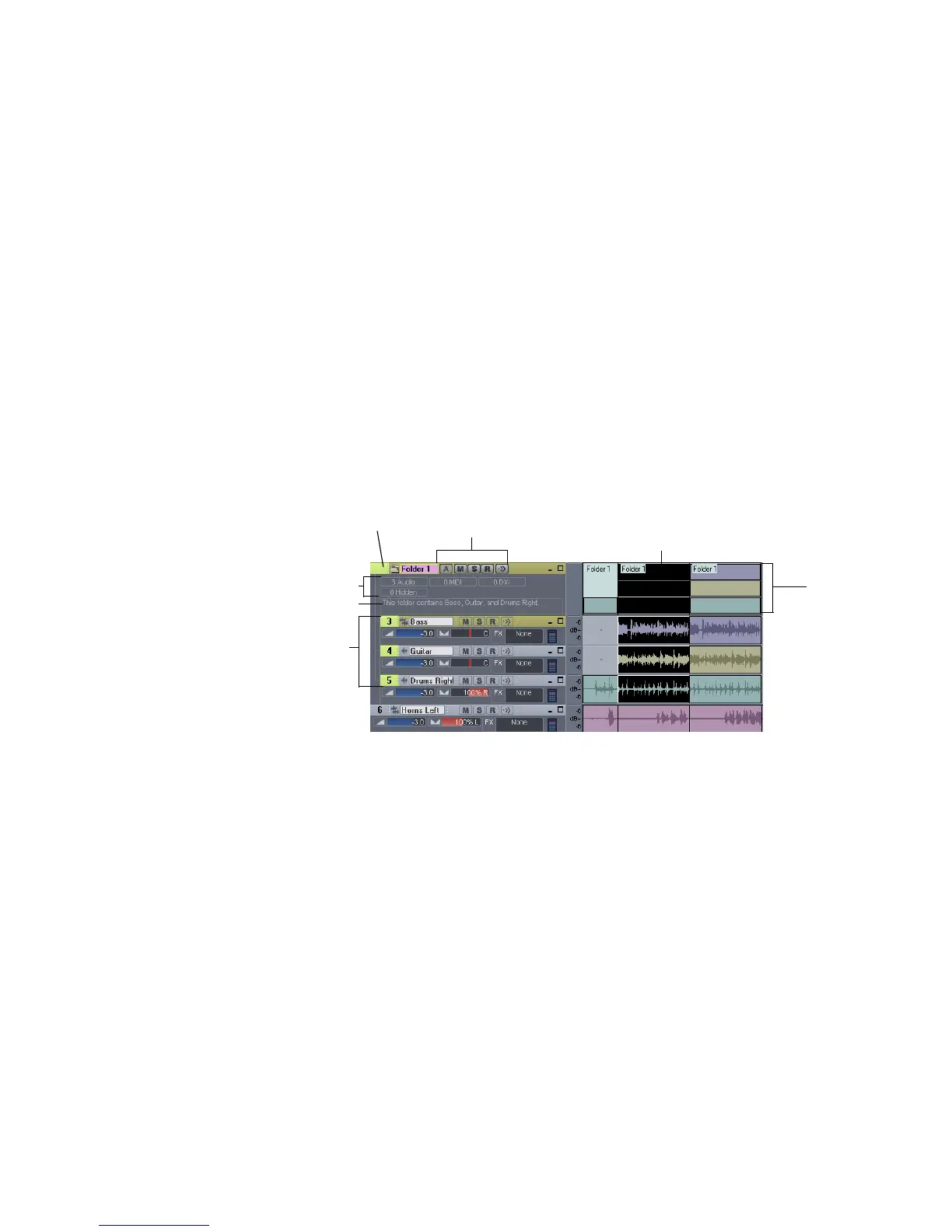
A track folder contains tracks in the Track pane of the Track view. The main
characteristics of a track folder are:
• You can edit all the tracks in the folder as if you were editing a single track—
the track folder displays a composite clip in the Clips pane. Selecting a time
range in the composite clip selects data in all the enclosed tracks in the same
time range; now you can edit the selected area of the composite clip.
• You can hide tracks in a folder, freeing up space on your screen.
• A folder can contain any type of track—you can put MIDI, audio, and synth
tracks in the same folder.
• You can archive, mute, solo, arm, or input monitor all the tracks in a folder
with one click—just click the A, M, S, R, or Input Echo button on the track
folder.
To Create a Track Folder
• Right-click in the Track pane of the Track view, and choose Insert Track
Folder from the popup menu.
Or
•Use the Insert-Track Folder menu command.
Or
• Right-click a track that’s not in a track folder and select Move to Folder-New
Track Folder from the popup menu.
A new track folder appears in the Track pane.
Track folder—click here to select
all data in track folder
The tracks in a
track folder are
indented
Track folder info
Description box
Composite
clip
Selected area of
composite clip
A, M, S, R, and Input Echo buttons



 To Next Page