581
To Change the Note Names for a Patch
1. Drag a note name list from the Names tree onto the Note Names for Patches
folder of the instrument and bank you’re editing in the Instruments tree.
2. Enter the patch number that should use these note names, or enter –1 to
indicate that this list of note names should be used as the default.
SONAR displays the updated patch and note name lists. If necessary, SONAR
adds a new patch to the instrument definition.
To Remove a Note Name List
1. In the Instrument tree in the Note Names for Patches folder of the instrument
you’re editing, highlight the name of the note names list (for example,
“diatonic”).
2. Press the Del key, or right-click on the note name list and choose Delete from
the popup menu.
To Set or Clear the Drum Flag
• Right-click on the patch in the Instrument tree, and choose Drums from the
menu.
Assigning Controller, RPN, and NRPN Names
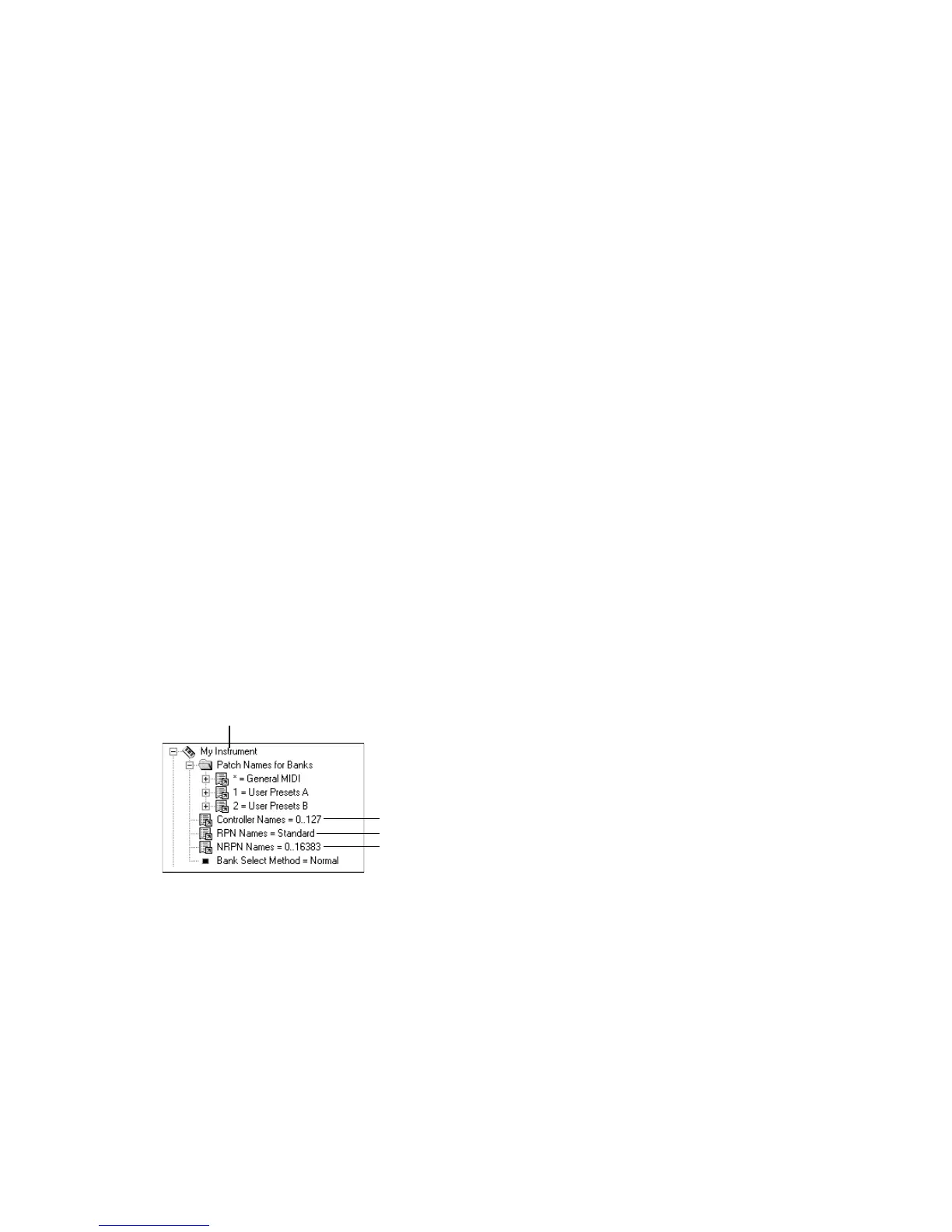
SONAR lets each instrument have its own lists of controller names, RPN names,
and NRPN names. There is always exactly one list of each type per instrument.
To See the Controller, RPN, and NRPN Name Lists
1. Expand the instrument definition by clicking the + sign next to the
instrument name.
To Change the Controller, RPN, or NRPN Name List
1. In the Names tree, expand the branch containing the Controller name lists,
RPN name lists, or NRPN name lists.
2. Drag the desired name list from the Names tree onto the corresponding
branch of the Instrument tree.
SONAR displays the updated Controller, RPN, or NRPN name lists.
RPN name list
Instrument name
NRPN name list
Controller name list



 To Next Page