283
Note Names
You can change the instrument definition for the active track in the Piano Roll
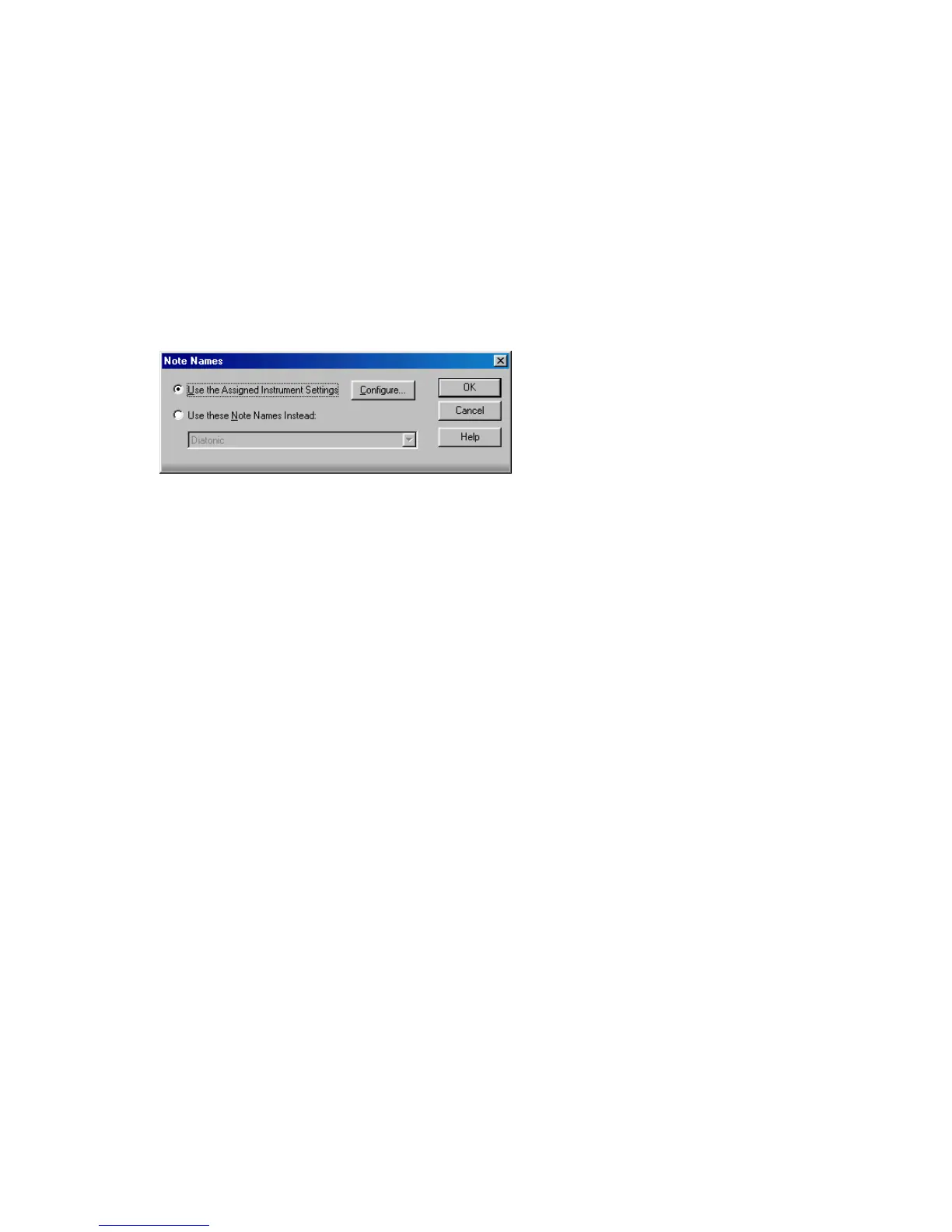
view. Right-click the piano keys in the Note pane to open the Note Names dialog
where you can use note names that are defined as part of any instrument
definition. For more information about instrument definitions, see Chapter 16,
Using Instrument Definitions.
To Change the Active Track’s Instrument Definition
1. Right-click the left side of the Note pane (where the piano keys or note names
are displayed) to display the Note Names dialog box.
2. To use the note names from the assigned instrument (the default), click Use
the Assigned Instrument Settings. Click Configure to change the instrument
definitions.
3. To override the default setting, click Use These Settings Instead, and choose
the note names and mode you want to work with.
4. Click OK when you are done
The Piano Roll view is updated with the settings you request.
Selecting and Editing Events
SONAR has many other editing commands that you can use to modify the events
that make up your project. Here are some of the things you can do:
• Transpose events, clips, tracks, or an entire project to a different key
• Shift events to an earlier or later time
• Stretch or shrink material to a different length
• Reverse the notes in a clip to create new arrangements
• Modify the note velocities
The following sections describe these editing commands and how to use them.
SONAR also has some special commands you can use to modify or clean up a
performance or to search for or select events that meet certain criteria. For more
information, see the following sections of this chapter.



 To Next Page