318
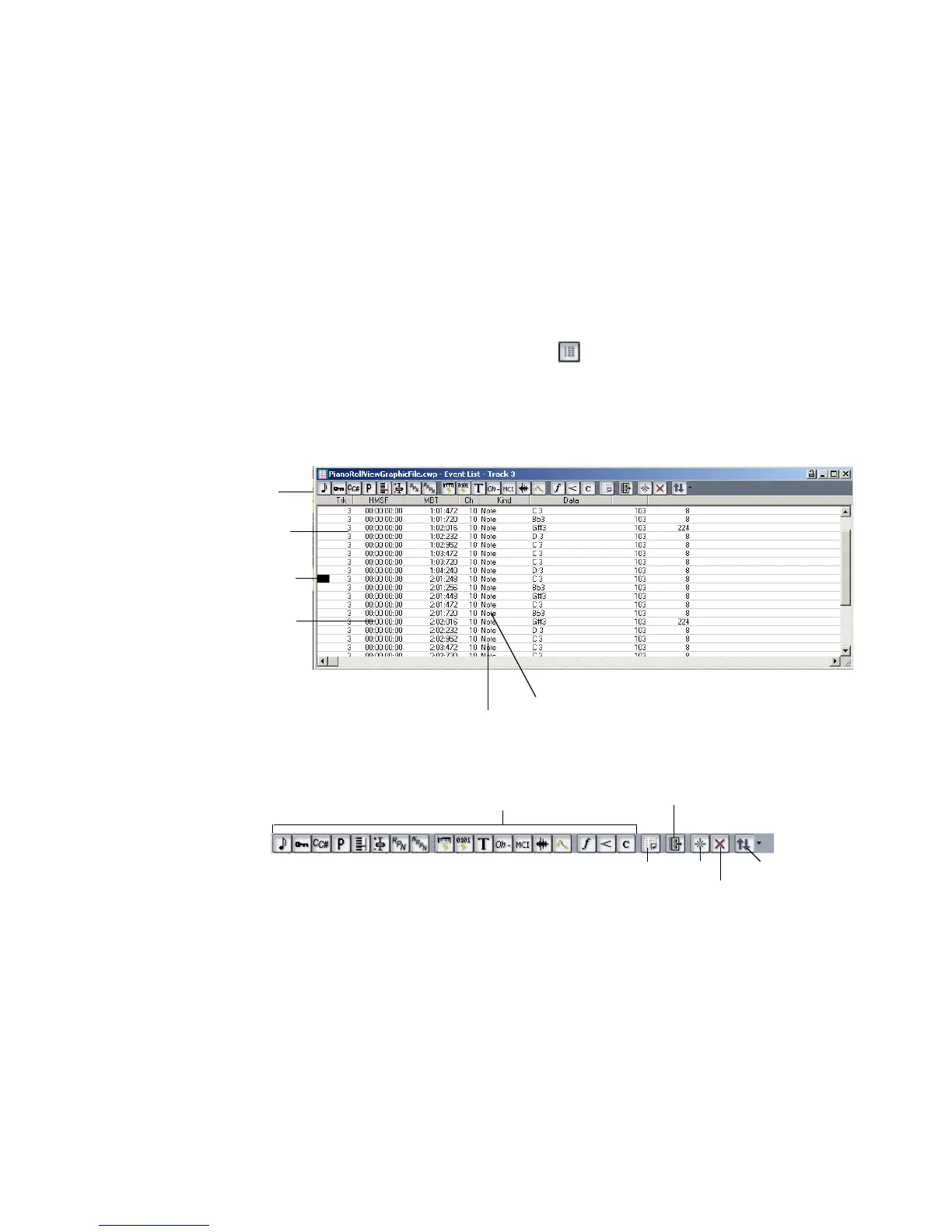
The Event List View
The Event List view shows events in a list format. You can insert, delete, or modify
any kind of event, including notes, pitch-wheel data, velocity, MIDI controllers,
patch changes, Wave files, lyrics, text strings, MCI commands, System Exclusive
meta-events, and more.
There are three ways to open the Event List view:
• Select one or more tracks and choose View-Event List
• Select one or more tracks and click in the Views toolbar
• Right-click a clip in the Clips pane and choose View-Event List from the
popup menu
The events in the selected tracks are listed one per line, from top to bottom. As you
move the highlight through the event list, SONAR updates the Now marker (time
display). During playback, the event list scrolls to display the events at the current
time. The current event is centered in the Event List during playback, and the
highlight is on the correct event when playback stops. Any time you change the
Now time, the event list is updated and the highlight is moved to the event that
will be played next.
This event
is selected
Track
Event time
Event channel
Event type
Toolbar
Event List view
Hide different kinds of events buttons
Event Manager
Show events outside slip edit boundary
Event List toolbar
Insert Pick Tracks
Delete



 To Next Page