371
To Remove Silence
1. Select the audio data to be affected.
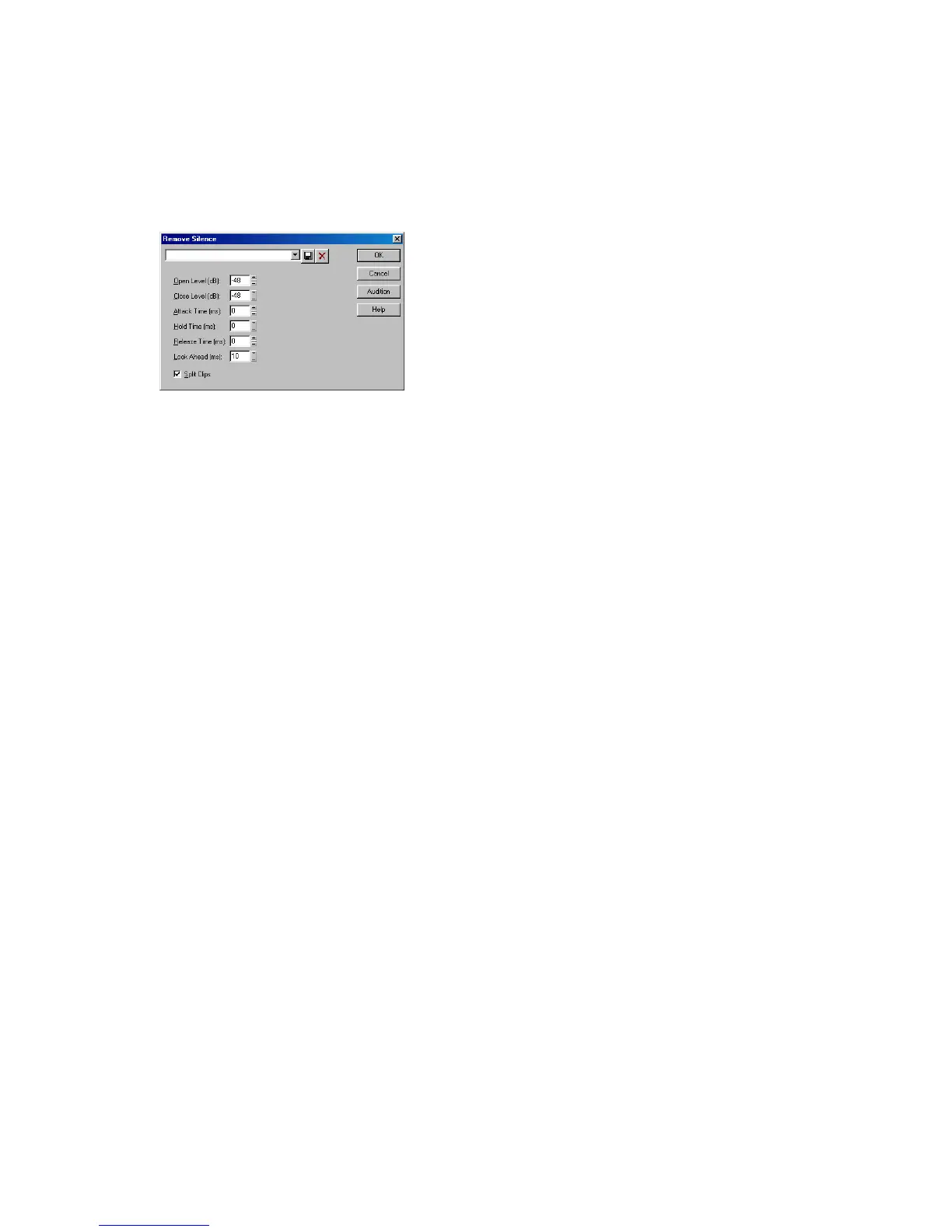
2. Choose Process-Audio-Remove Silence to open the Remove Silence dialog
box.
3. Set the digital noise gate parameters as described in the table above.
4. Check the Split Clips box to delete the silent sections of audio.
5. Click OK to remove silence from the selected data.
SONAR processes the audio as directed.
Extracting Timing
The Extract Timing command creates MIDI notes and (optionally) tempo changes
based on rhythmic peaks in audio.
The Extract Timing command first analyzes the audio for pulses-sudden
percussive changes in volume. Then, from each pulse's position and intensity,
Extract Timing synthesizes new timing information, in the form of note events or
tempo changes.
This command offers exciting ways to get your MIDI data to "groove" along with
audio rhythm tracks. For example, using Extract Timing you can:
• Generate MIDI notes that play along with a rhythm, retaining all the accents
in the rhythm track
• Create templates for the Process-Groove Quantize command, so that your
MIDI tracks play with the same feel as your audio rhythm track
• Adjust the tempo and feel of an existing sequence to match that of a new
rhythm track
• Record a new MIDI sequence on top of an audio rhythm track, letting the
audio track determine the tempo map for the song
Extract Timing works in two steps: Pulse Analysis and Timing Synthesis. In the
first step, the selected audio is scanned for sudden percussive attacks. You must



 To Next Page