250
undo later and asked if you want to go ahead anyway. If you do choose to perform
the operation, you will not be able to undo it. Therefore, you may want to save your
project first.
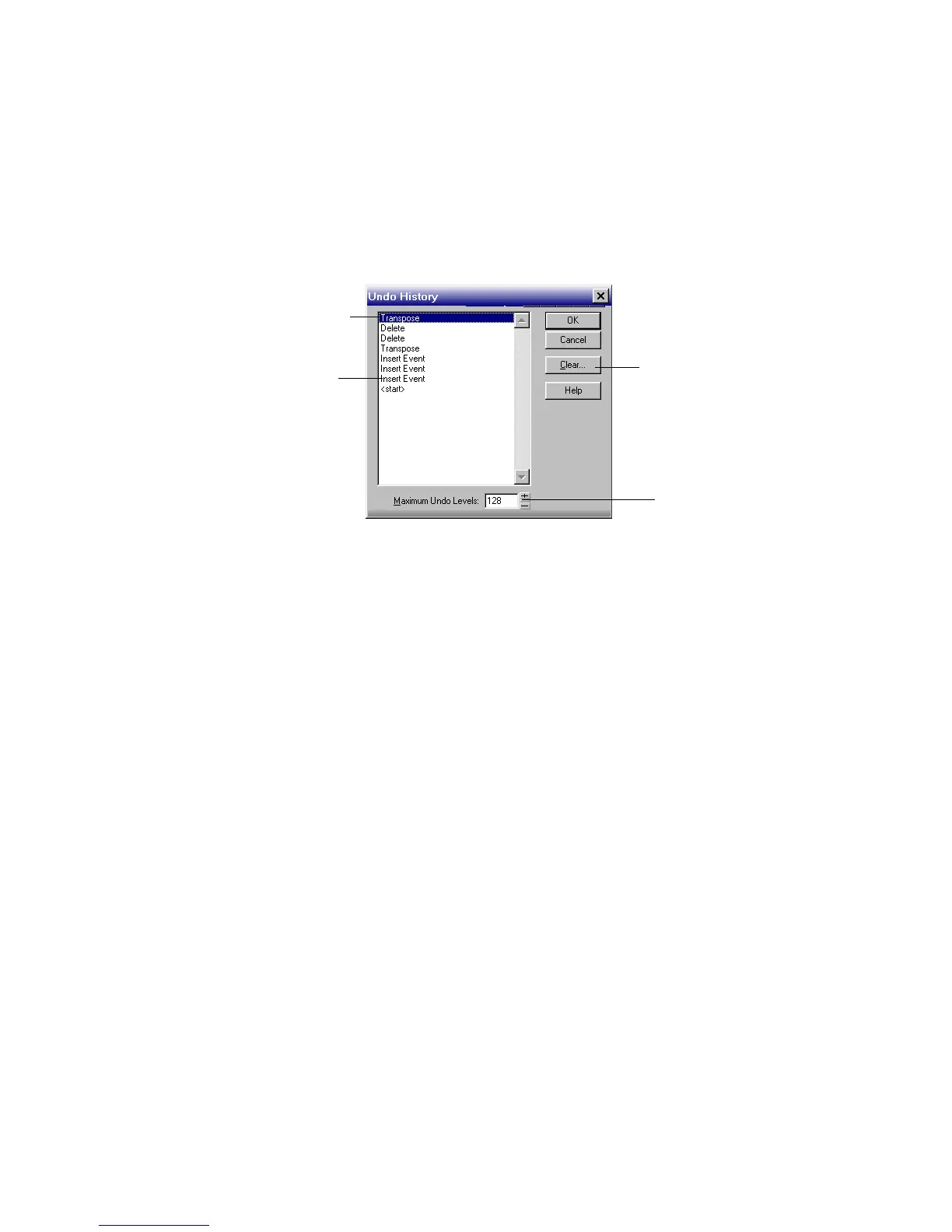
The Edit-History command displays a complete history of the commands and
actions you can undo for the current project. The Undo History dialog box looks
like this:
The History command is grayed out until you make a change to the current
project that can be undone.
The History list is updated every time you make a change to a project. For
example, if you insert a new note into a project using the Piano Roll view, that
action is added to the History list. This entry remains on the list—even if you undo
the change—so that you can redo the change later on. If you use the Erase tool to
delete the note, this change is added to the History list.
You can click the Clear button in the Undo History dialog box to erase the undo
history for the current project and free up some memory. If SONAR is low on
memory, it may offer to erase the History list.
To revert to an earlier version of a project, highlight the entry in the History list
that represents the point to which you’d like to return, and click OK. SONAR
performs the necessary undo or redo actions to take you to that point. Once you
edit the project (for example, by inserting a note), the History list is truncated at
that point. Then, as you do further work, the History list grows again. Any events
occurring before the event you highlighted remain on the list.
By default, SONAR keeps a history of up to 128 editing actions for each open
project. Once that limit is reached, each new action pushes out the oldest item
from the History list. You can raise or lower that number in the Undo History
dialog box.
Click to clear the undo history
Adjust the number of
steps you can undo
Earliest change
Most recent change



 To Next Page