286
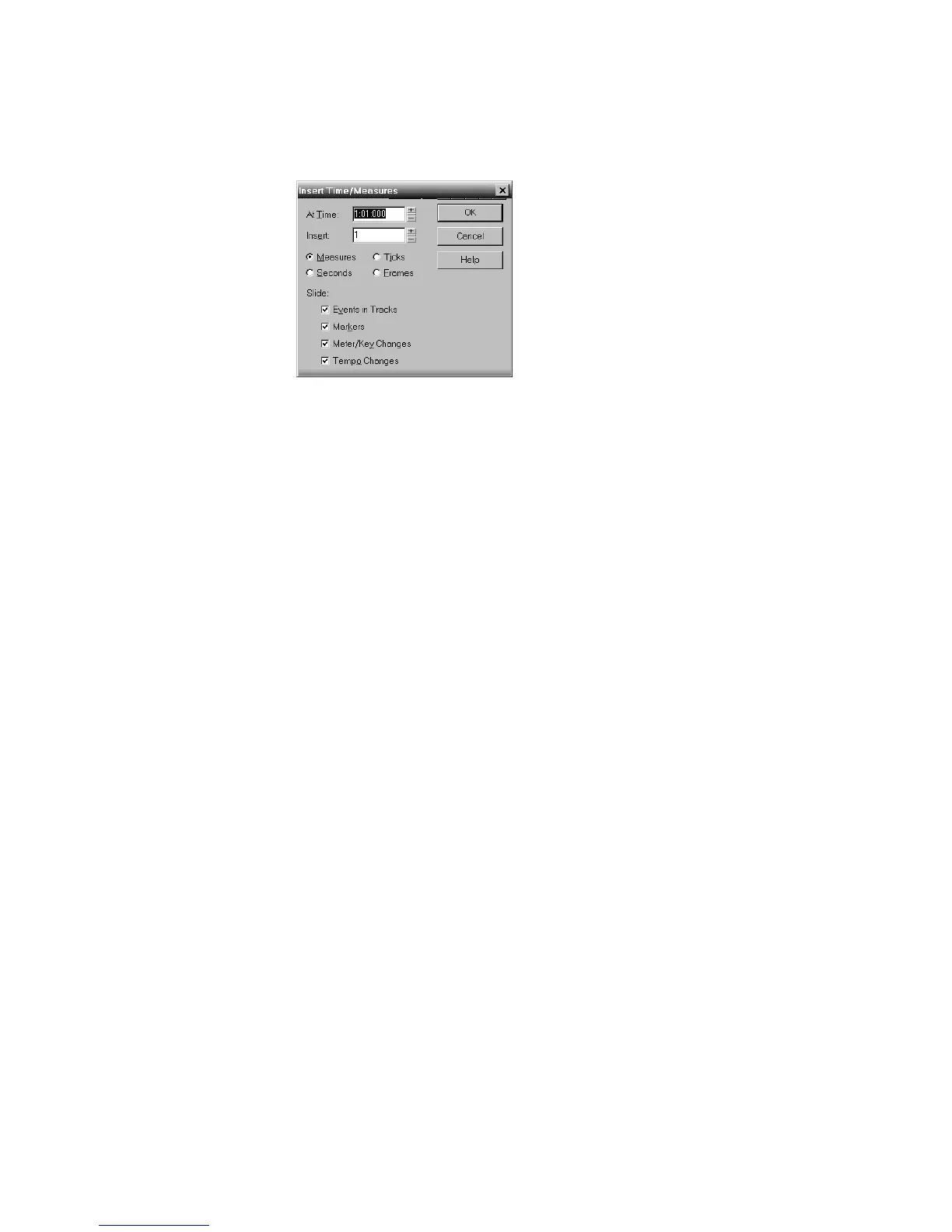
3. Choose Insert-Time/Measures to display the Insert Time/Measures dialog
box.
4. Verify that the settings are correct and click OK.
SONAR inserts a blank measure at the Now time.
To Insert Blank Time or Measures into a Project
1. Press the 5 key on the numeric keypad (Num Lock must be off) or select Edit-
Select-None to make sure that no track or time range is selected.
2. Select the range of time you want to insert by dragging in the Time Ruler.
3. Choose Insert-Time/Measures to display the Insert Time/Measures dialog
box.
4. If necessary, adjust the time at which blank space will be inserted.
5. If necessary, change the length of time to insert by entering a number and
choosing the units you want from the list.
6. Choose the types of events that should be shifted automatically from the Slide
list.
7. Click OK when you are done.
SONAR inserts the desired amount of blank time into the project.
To Insert Blank Time or Measures into Selected Tracks
1. Select the range of time you want to insert by dragging in the Time Ruler.
2. Select one or more tracks by Ctrl-clicking on the track numbers.
3. Choose Insert-Time/Measures to display the Insert Time/Measures dialog
box.
4. If necessary, adjust the time at which blank space will be inserted.
5. If necessary, change the length of time to insert by entering a number and
choosing the units you want from the list.
6. Choose the types of events that should be shifted automatically from the Slide
list.
7. Click OK when you are done.



 To Next Page