297
Swing
Many projects do not have notes positioned on a perfectly even time grid. For
example, projects with a swing feel, though they may be written entirely in eighth
notes, are often played more like eighth-note triplets, with the first note extended
and the second one shortened. The swing option lets you distort the timing grid so
each pair of notes is spaced unevenly, giving the quantized material a swing feel.
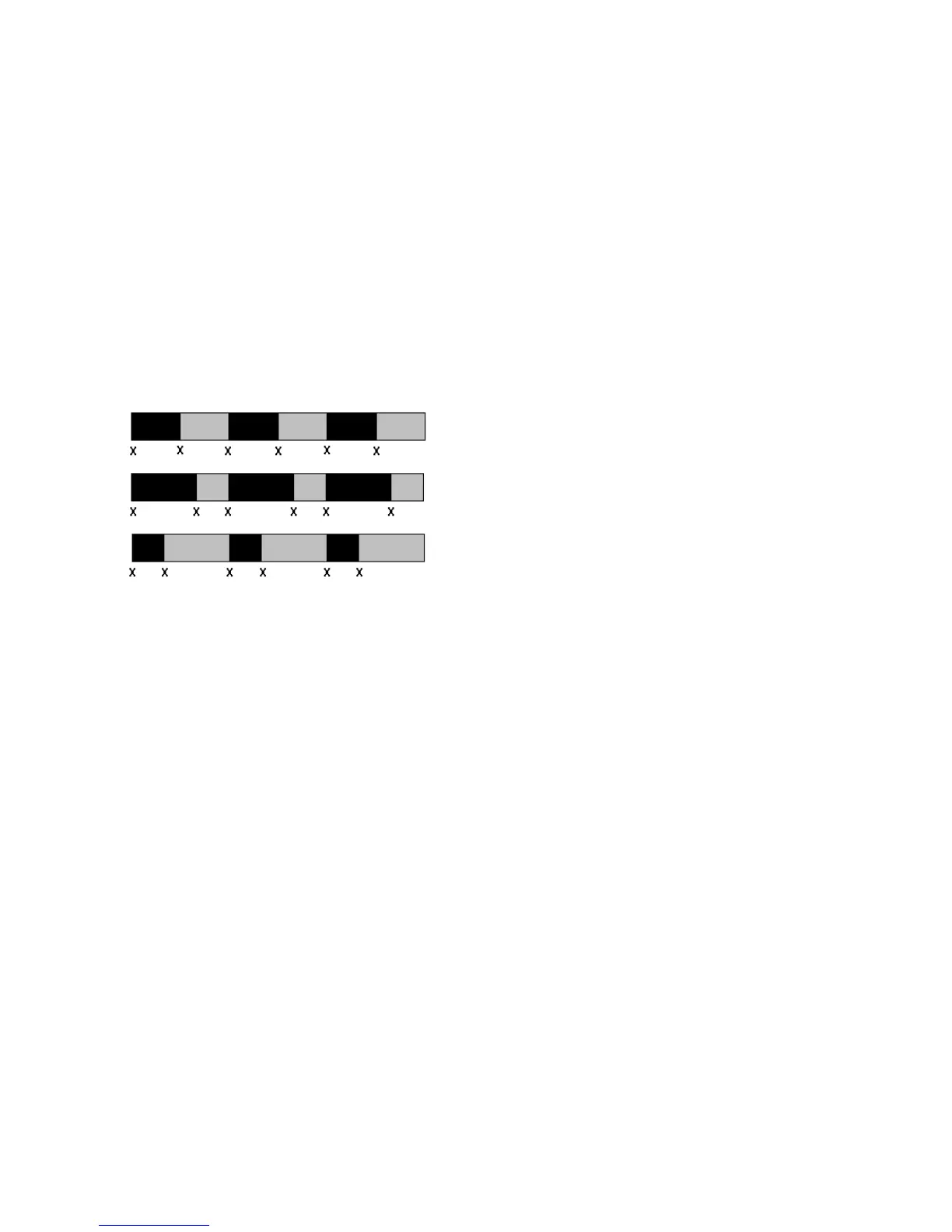
A swing value of 50 percent (the default) means that the grid points are spaced
evenly. A value of 66 percent means that the time between the first and second
grid points is twice as long as the time between the second and third points. The
figure below illustrates the effect of the swing setting on the timing grid:
Window
When you quantize some portion of a project, you might not want to adjust notes
that are very far from the grid. The window, or sensitivity, setting lets you
choose how close to the resolution grid a note must be located for quantize to move
it.
A window of 100 percent includes all notes and guarantees that all notes will be
shifted to lie exactly on the grid. The window extends half the resolution distance
before and after the quantization point. A window of 50 percent extends only a
quarter of the way toward the adjacent quantization points.
Swing = 50%
Swing = 66%
Swing = 33%



 To Next Page