378
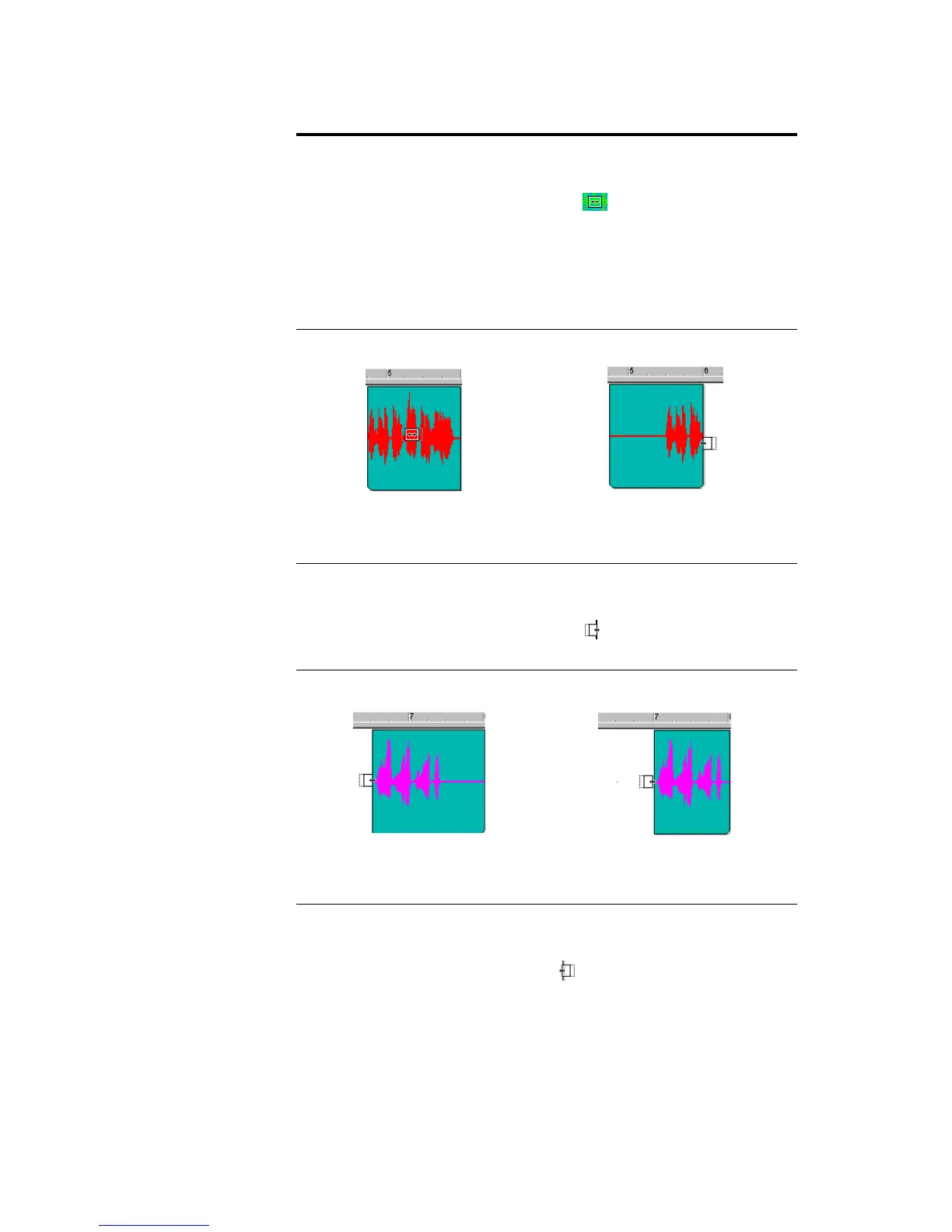
Scroll-trimming a clip (Moving the clip
contents in time while maintaining the
clips start and end time)
Press the Alt+Shift keys while moving
the cursor over the middle of the clip.
When the cursor changes to look like
this , click and drag the clip to the
left or right as desired. The contents
(audio data) in the clip follow the Snap
to Grid resolution, i.e. if your
resolution is set to half note, the
contents of your clip moves in half-
note intervals.
Slide-trimming the beginning of a clip
(Moving the start time of the clip and
the clip’s contents while preserving
the end time)
Press the Alt+Shift keys and move the
cursor over the beginning of the clip.
When the cursor changes to look like
this , click and drag the beginning
to the desired start time.
Slide-trimming the end of a clip
(Moving the end time of the clip and
the clip’s contents while preserving
the clip’s start time)
Press the Alt+Shift keys and move the
cursor over the end of the clip. When
the cursor changes to look like this
, click and drag the end to the
desired location.
The same clip with the
clip shifted by 3 beats
Clip before scroll-trimming
The same clip with the clip
slide-trimmed by 2 beats
Clip before slide-trimming



 To Next Page