571
To Assign Instrument Definitions to MIDI Outputs and
Channels
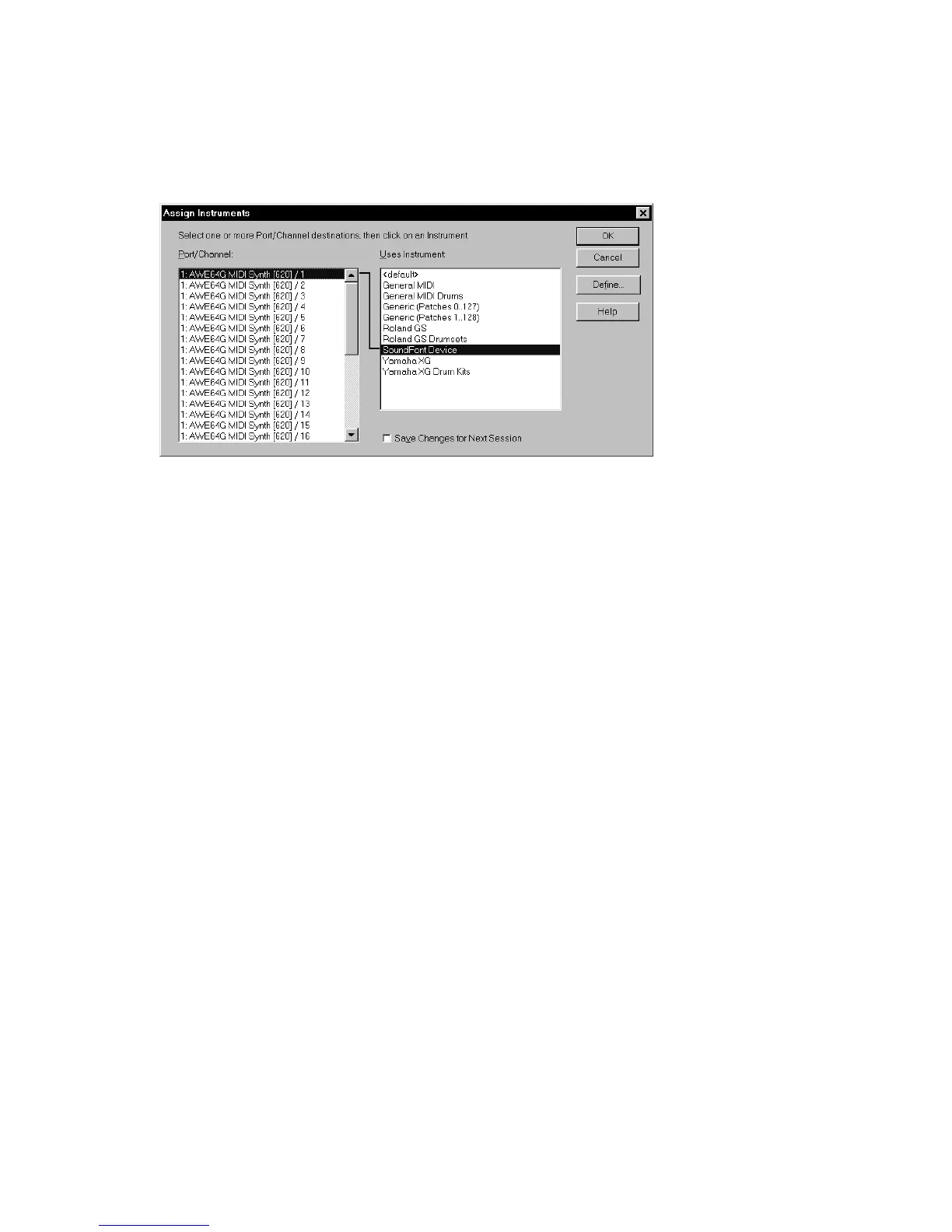
1. Choose Options-Instruments to display the Assign Instruments dialog box.
2. Select one or more MIDI outputs and channels from the Output/Channel list
(use Shift-click and Ctrl-click to select multiple outputs and channels). You
can also drag through a bunch of channels to select them. For example, if you
want to assign the first 16 MIDI channels on output 1 to a certain MIDI
module, drag through the first 16 items in the Output/Channel list to select
them.
3. Choose the instrument definition to which the selected outputs and channels
should be assigned from the Uses Instrument list. A black line connects the
two lists. If your MIDI module’s name doesn’t appear in the list and you don’t
want to use General MIDI bank and patch names for it, see “Importing
Instrument Definitions” on page 572.
4. To save these changes permanently, check the Save Changes for Next Session
box.
5. Click OK to apply your changes.
From now on, the bank, patch, controller, and note names from the assigned
instrument definition are used throughout SONAR on any track that uses one of
the output/channel combinations you selected in the Output/Channel list.



 To Next Page