88
To Loop a Groove Clip
1. Move the cursor over the end of the first Groove clip in Track 2 until the
cursor looks like this .
2. When the cursor changes, click the end of the clip and drag it to the right until
you have created one repetition of the clip (through the end of measure 6).
You can also create a partial loop of a Groove clip if the Snap to Grid setting is set
to less than one measure. You can create a partial loop as small as the Snap to
Grid setting allows. For example, if your Snap to Grid setting is set to quarter
notes, you can create partial repetitions as small as a quarter of a measure.
Now lets edit the clip we copied on Track 2.
To Crop a Groove Clip
1. Click the dropdown arrow on the Snap to Grid button to open its dialog box,
set the Musical Time duration to Quarter, and click OK to close the dialog box.
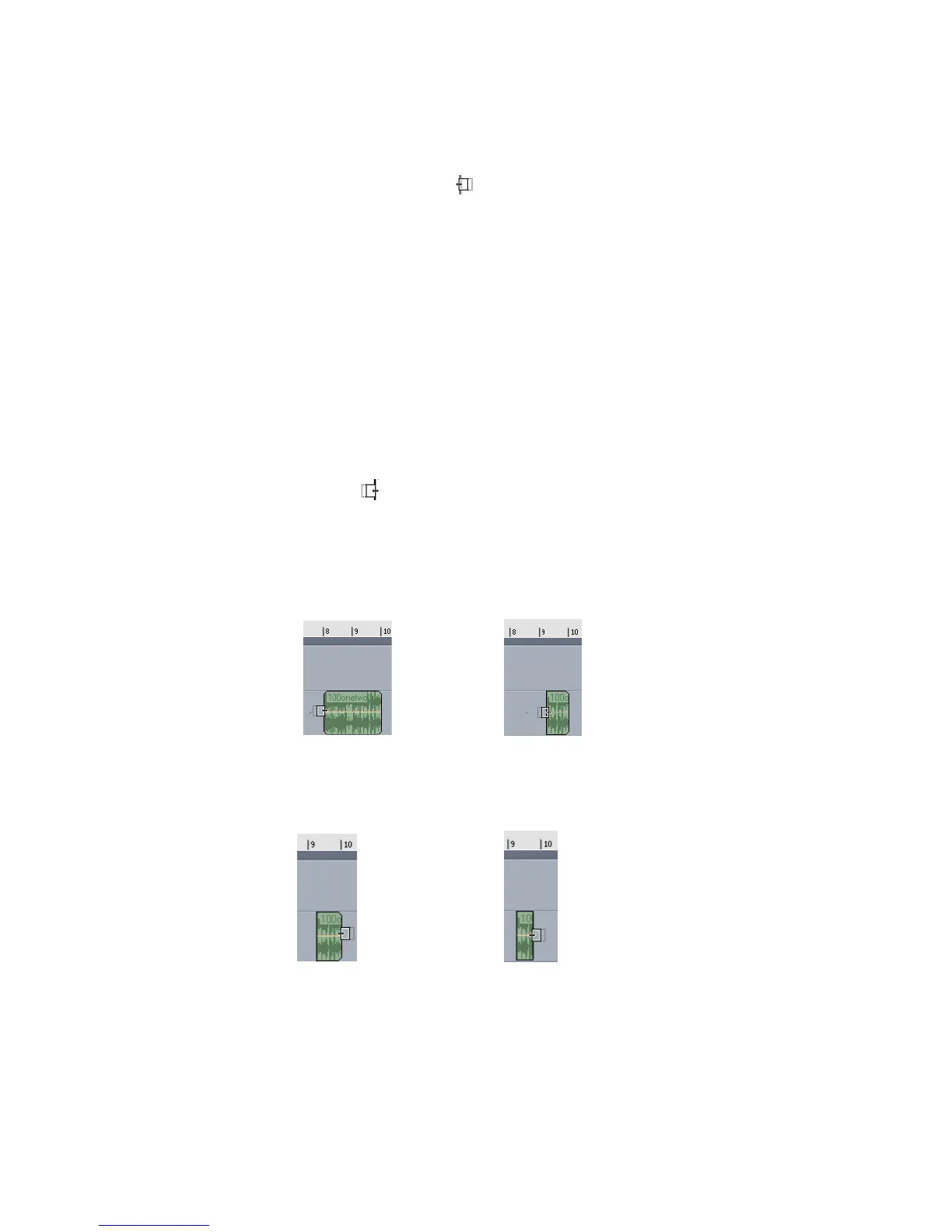
2. Move your cursor over the beginning of the second clip in Track 2 until it looks
like this .
3. “Crop” the beginning of the clip one and a quarter measure (you may want to
expand the Clips pane a little by dragging the Horizontal Zoom slider that’s in
the lower right corner).
Like this:
4. Crop the end of the clip by one quarter measure.
Like this:



 To Next Page