100 User’s Manual TOS93 Series
Earth Continuity Test | Setting Test Conditions
Offset
Contact resistance of test leads, tools, and the like and the resulting voltage drop can be canceled. If the
offset is set to on, appears during testing.
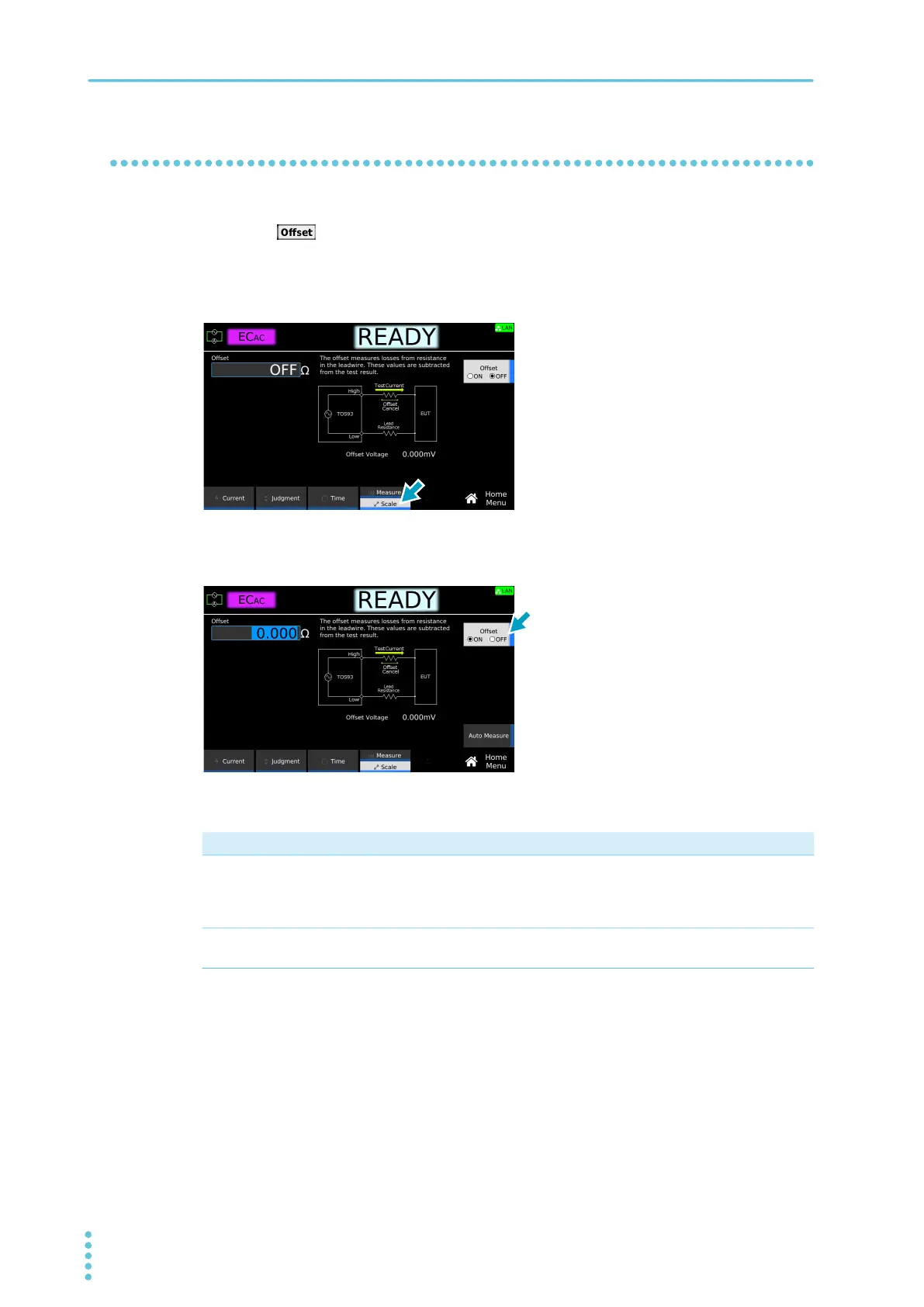
1
On the Home menu screen, press Scale repeatedly until Scale is selected.
Each time you press the key, the setting changes between Measure and Scale.
2
Press Offset to switch between on and off.
Offset switches between on and off each time you press the key.
3
If set to ON, set the Offset value according to the following procedure.
This completes the setting.
Purpose Operation
Measure the Offset value to
set it automatically.
Press Auto Measure. Use the rotary knob or numeric keypad to enter
the test current. Connect test leads to this product, and short the test
leads. Press START. When the measurement stabilizes, press STOP.
The Offset value is set automatically.
Set the Offset value manually. Use the numeric keypad or the rotary knob to enter the value.
Setting range: 0.000 Ω to 10.000 Ω



 To Next Page