TOS93 Series User’s Manual 149
Touch Current Test | Setting Test Conditions
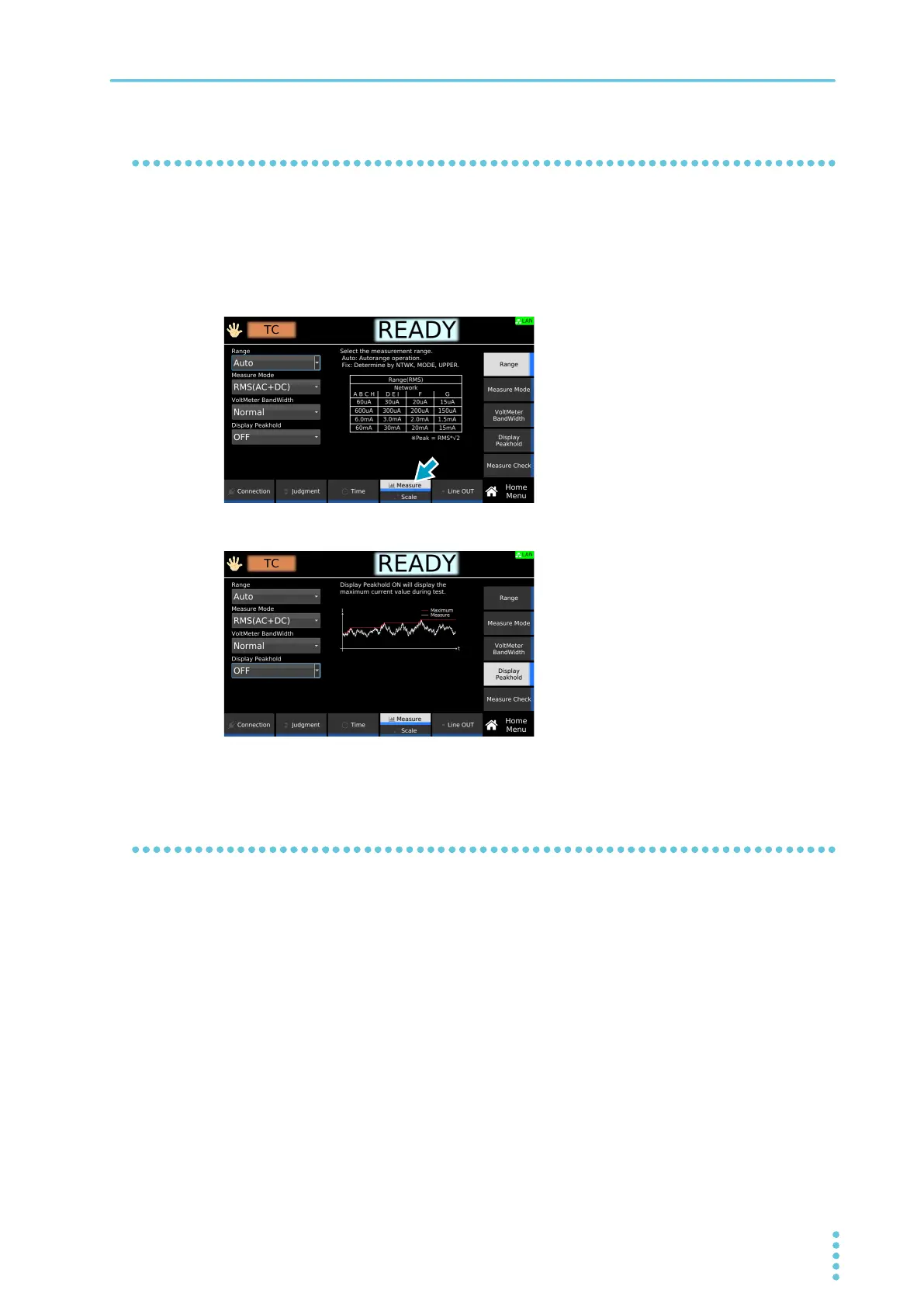
Peak value display (Display Peakhold)
When Display Peakhold is set to on, the peak current measured during testing is displayed. Judgment is
also performed on the peak current.
1
On the Home menu screen, press Measure repeatedly until Measure is selected.
Each time you press the key, the setting changes between Measure and Scale.
2
Press Display Peakhold and then turn the rotary knob to select ON or OFF.
This completes the setting.
Measurement check (Measure Check)
You can run a weak current across the A and B terminals, and check the measurement circuit. For details,
see “Measurement check” (p
.281).



 To Next Page