TOS93 Series User’s Manual 75
Withstanding Voltage and Insulation Resistance Tests | Setting Test Conditions
Using the low-pass filter
This can be set only in insulation resistance (IR) tests.
Turning the low-pass filter on stabilizes measurements when measuring at high sensitivity or when the
measurements are unstable and hard to read. If the low pass filter is set to on, appears during
testing.
1
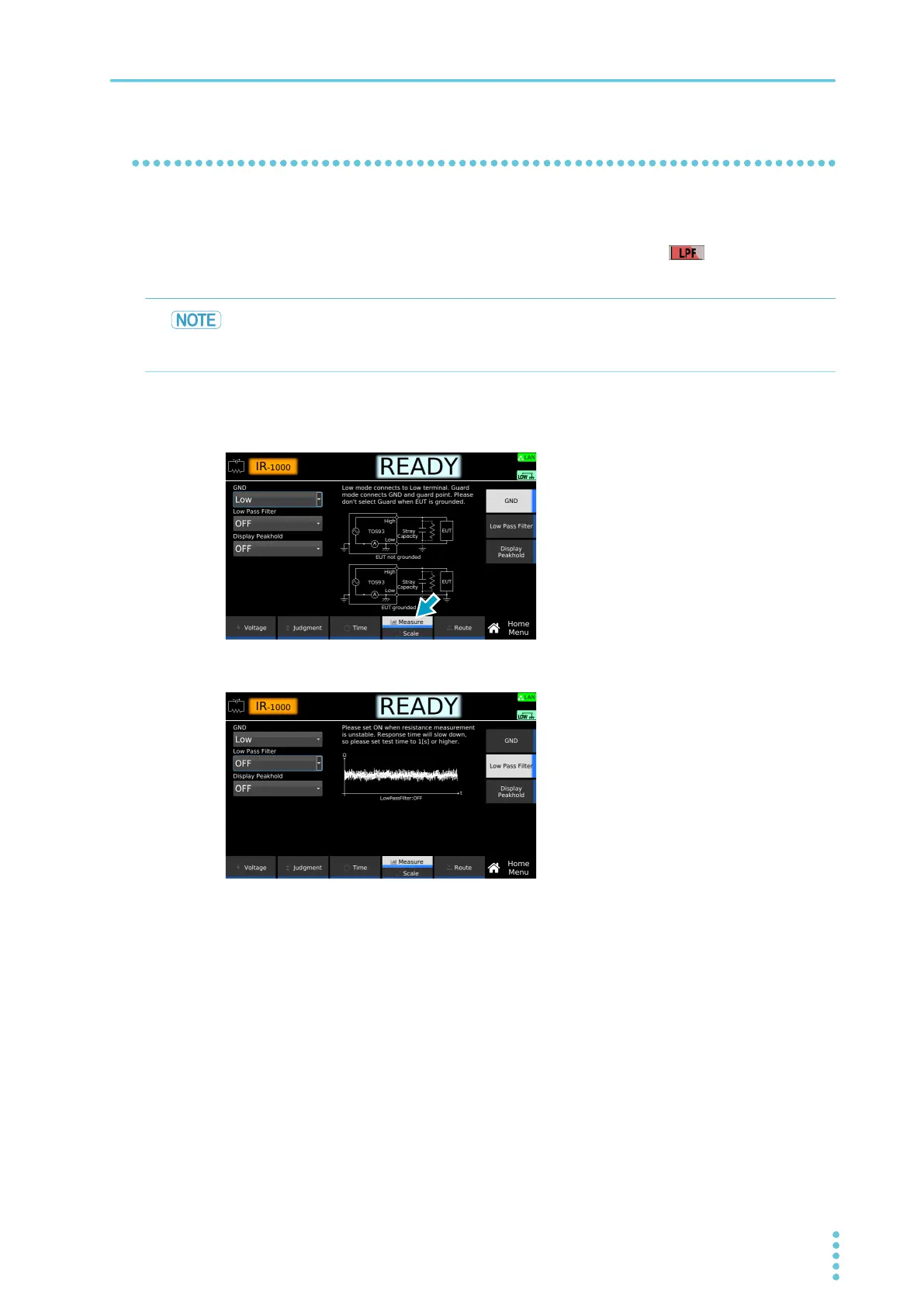
On the Home menu screen, press Measure repeatedly until Measure is selected.
Each time you press the key, the setting changes between Measure and Scale.
2
Press Low Pass Filter, and then turn the rotary knob to select ON or OFF.
This completes the setting.
Because the response will be slow if the low pass filter is set to on, making judgments will
require at least 10 seconds after the rise time ends. Judgments may not be accurate if the
time until a judgment is made is short.



 To Next Page