TOS93 Series User’s Manual 183
Patient Leakage Current Test | Setting Test Conditions
Output from the 110% terminal (110% OUT)
When you set 110% OUT to on and set the polarity, the voltage applied to the AC LINE IN inlet is output
from the front-panel 110% terminal and applied to the EUT while a test is in progress.
By applying a voltage at 110% of the EUT
rating to the AC LINE IN inlet on the rear panel in advance, you
can apply a voltage that takes into consideration the variation in the commercial power supply.
When 110% OUT is on, is shown in the upper right of the display.
1
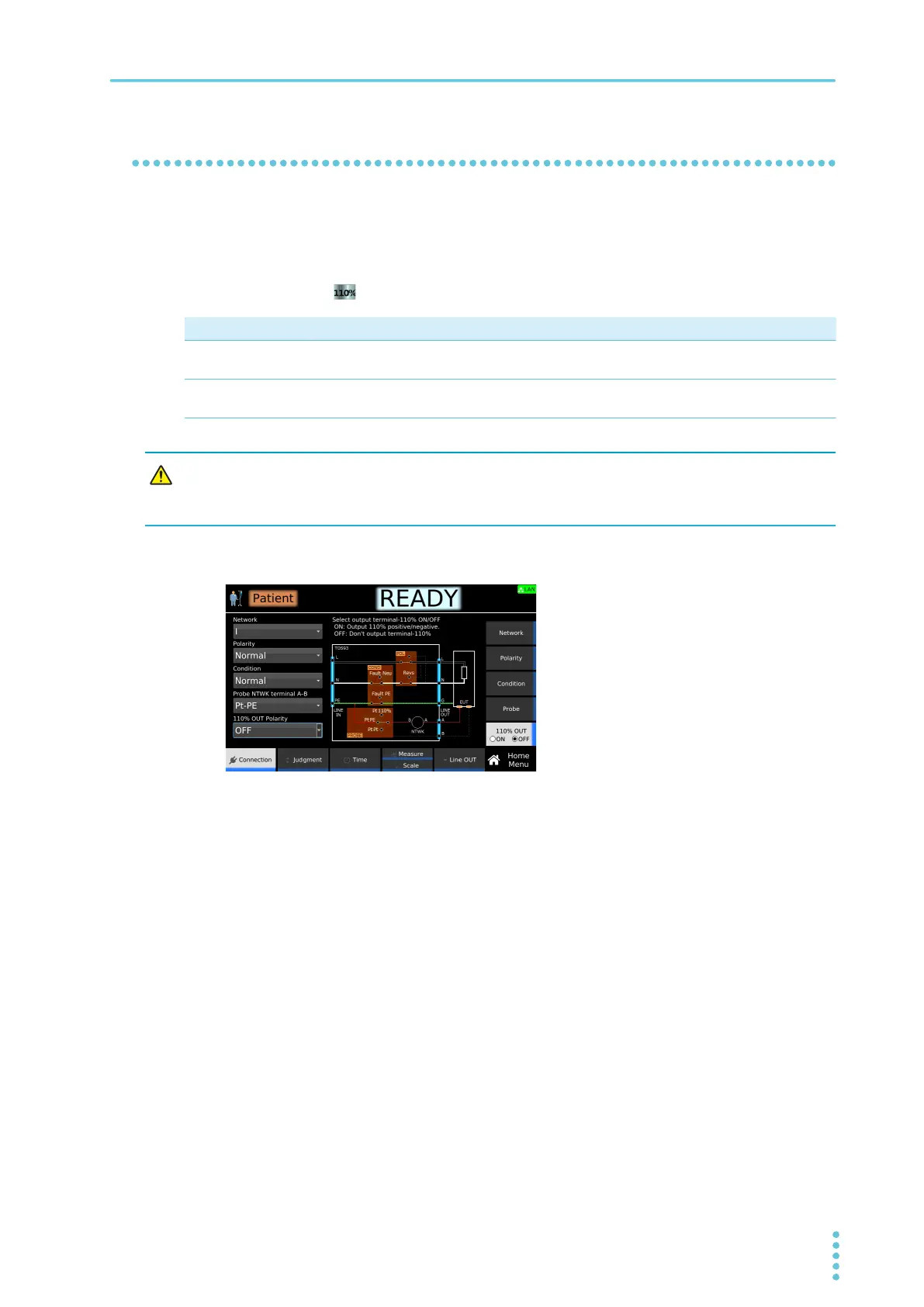
On the Home menu screen, press Connection > 110% OUT.
2
Press 110% OUT to switch between on and off.
110% OUT switches between on and off each time you press the key.
3
If you select on, turn the rotary knob to enter the polarity.
This completes the setting.
Value Description
Normal The voltage applied to the AC LINE IN inlet is output from the 110% terminal and applied
to the EUT with positive polarity.
Reverse The voltage applied to the AC LINE IN inlet is output from the 110% terminal and applied
to the EUT with negative polarity.
Risk of electric shock. If you set 110% OUT to ON, do not touch the tip of the test lead
connected to the 110% terminal with your hand while a test is in progress. A high
voltage will be output from the 110% terminal while a test is in progress.



 To Next Page