TOS93 Series User’s Manual 259
System Settings | Displaying and Changing CONFIG Settings
Panel settings at startup (Power On)
The panel setting state at power-on can be selected from the following.
1
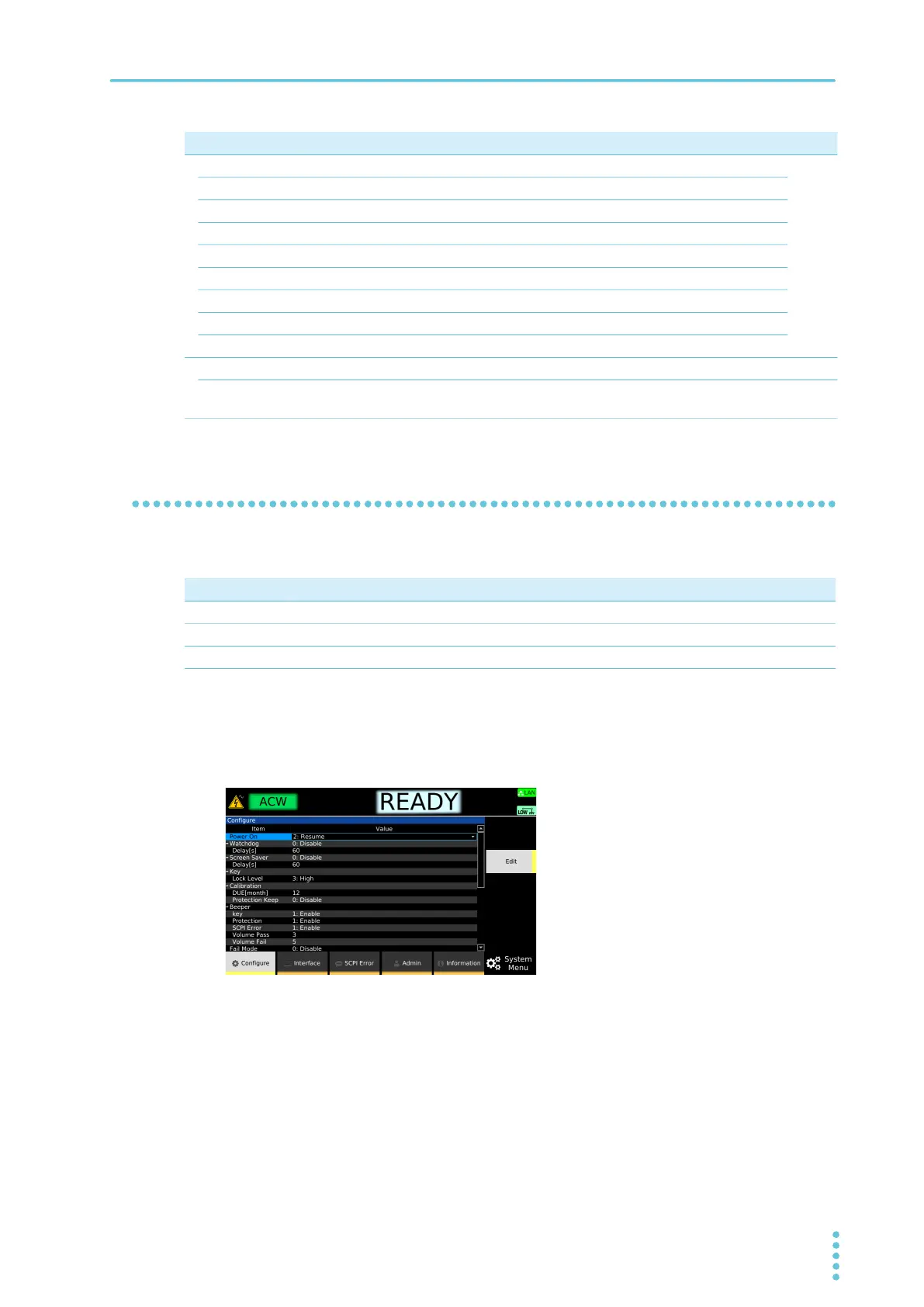
Press SYSTEM > Configure.
The CONFIG setup screen appears.
2
Use the rotary knob to select Power On, and then press Edit.
3
Use the rotary knob to select the items, and then press ENTER.
This completes the setting.
Status Output Conditions for outputting signals from the STATUS OUT connector.
p.268
Upper Fail While the test status is Upper-FAIL.
Lower Fail While the test status is Lower-FAIL.
H.V ON While there is a residual voltage and during testing.
Pass While the test status is PASS.
Power ON While the POWER switch is turned on.
Protection While in PROTECTION mode.
Ready While the test status is READY.
Test While the test voltage is at the specified value.
Signal I/O Signal I/O settings. –
Step END
Judgment
Output judgment results for each step from the SIGNAL I/O connector while an
auto test is running.
p.269
Item Description See
Parameter Description
RST Start with the reset settings (p.315).
RCL0 Start in setup memory (p.249) number 0 (00.info) condition.
Resume Start with the same settings as when the power was switched off the previous time.



 To Next Page