266 User’s Manual TOS93 Series
System Settings | Displaying and Changing CONFIG Settings
Test start settings
The following functions can be used to start tests safely. Either Double Action or Start Long can be
enabled, not both.
1
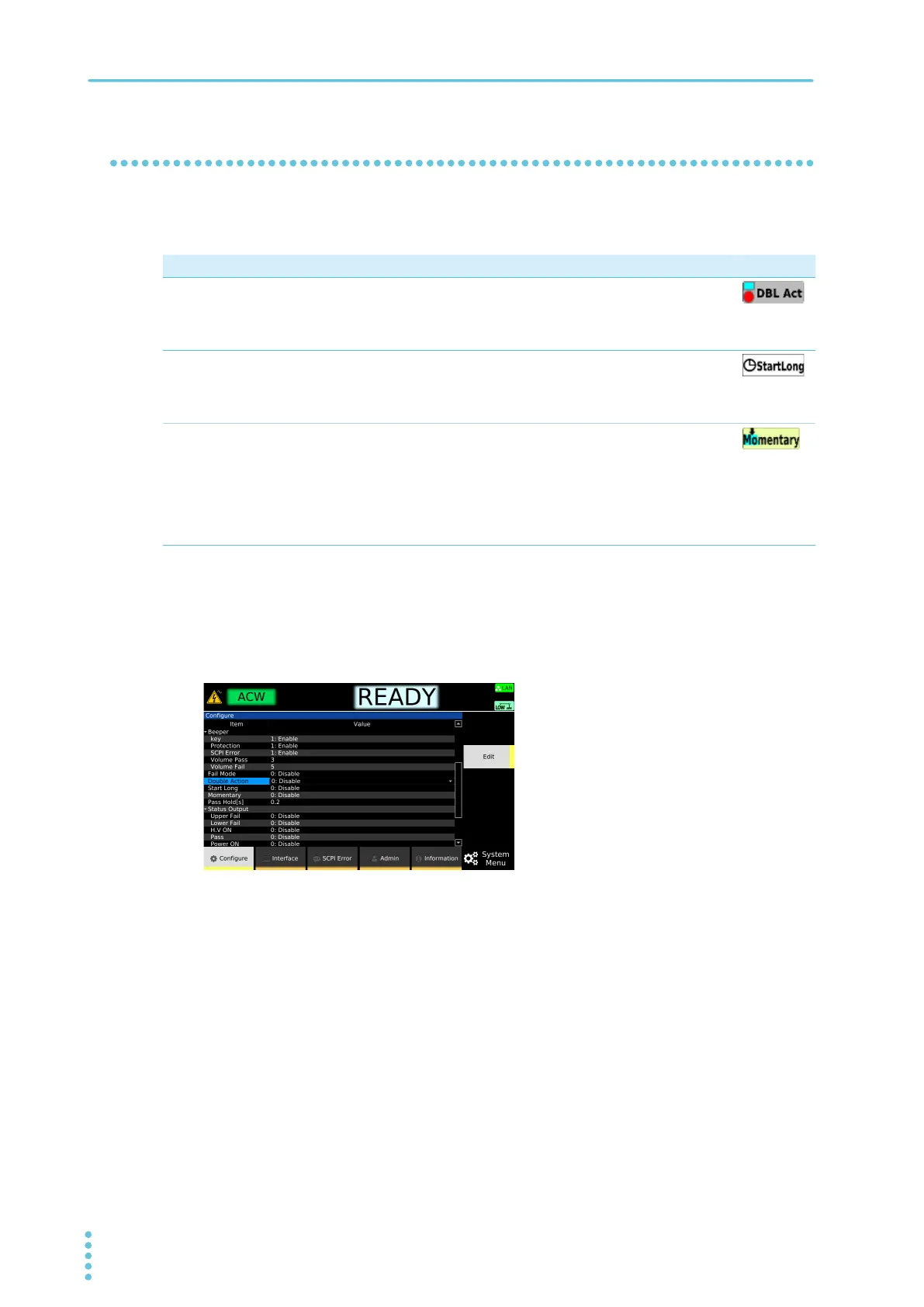
Press SYSTEM > Configure.
The CONFIG setup screen appears.
2
Use the rotary knob to select Double Action, Momentary, or Start Long, and then
press Edit.
3
Use the rotary knob to select Enable or Disable, and then press ENTER.
This completes the setting.
When Double Action is enabled, the screen switches to the test condition setup screen.
Parameter Description Icon
Double Action
When you press and release STOP, “READY” is shown in the upper right of
the display for 0.5 seconds. A test starts only when you press START within
this period.
This prevents a test from being started by pressing START by mistake.
Start Long
A test starts only when the START switch is held down for at least 1 second.
This prevents a test from being started by pressing START by mistake. The
SIGNAL I/O START signal and START signals from the REMOTE connector
are not accepted.
Momentary
A test is executed only while the START switch is held down. If you release
START in the middle of a test, the test stops in the same manner as when
STOP is pressed.
Tests can be performed safely because your hand is fixed on the START
switch while the test is in progress. To perform tests more safely, use the
remote control box (option)
(p.331), which requires you to press the START
switch with both hands.



 To Next Page