46 User’s Manual TOS93 Series
Basic Operation
Basic Panel Operations
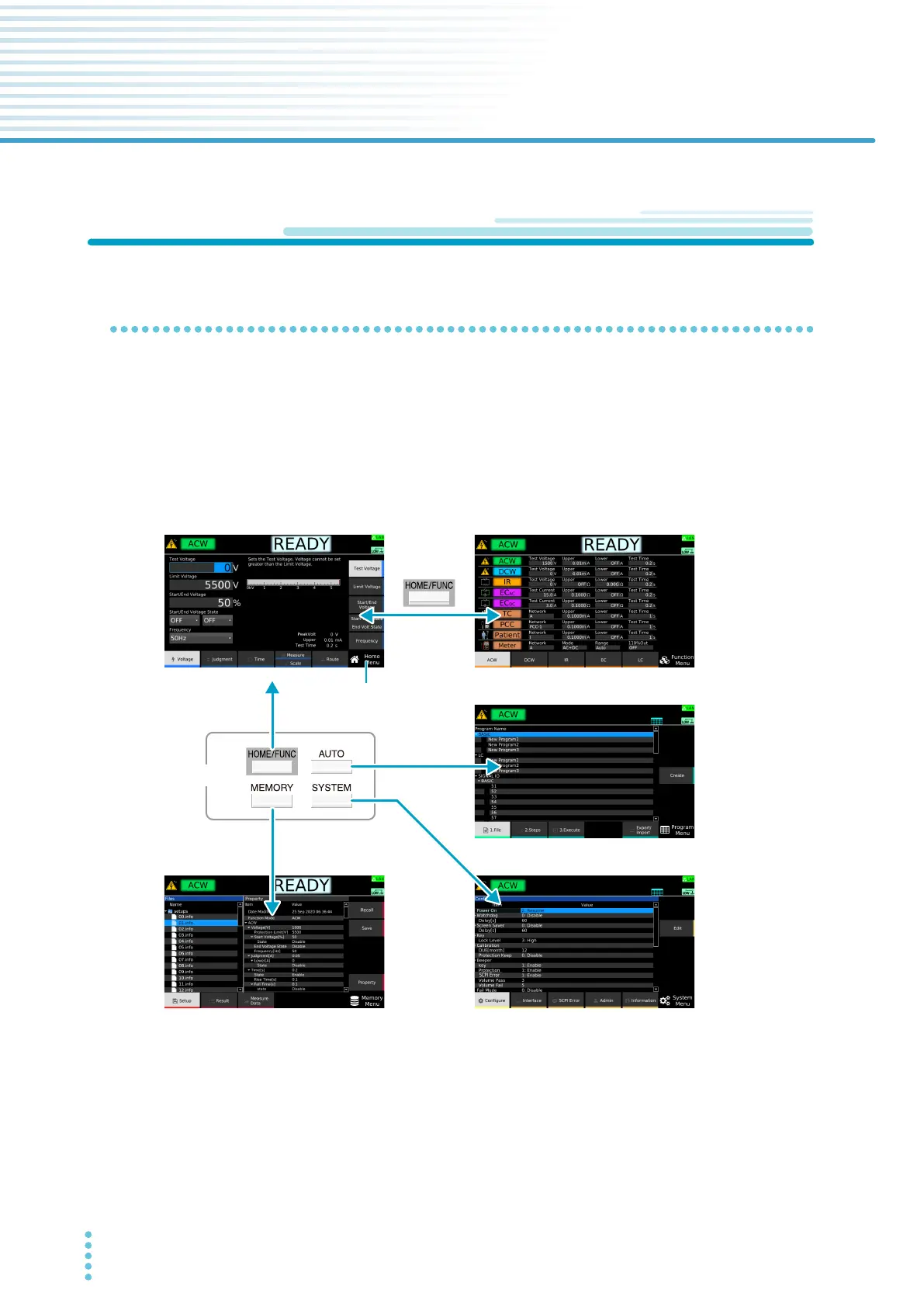
Switching menus
The following menus are available. To switch between menus, press the Menu key.
Home Menu: Set
the conditions of each test. Execute tests.
Function Menu: Display a summary of settings of each test. Swit
ch test modes.
Memory Menu: Use the memory function.
System Menu: Display and change system settings.
Program Menu: Configure and execute auto tests.
* If the Home menu is displayed, the screen switches to the Function menu. Otherwise, the screen switches to
the Home menu.
Menu keys
Home Menu
Memory Menu
System Menu
Program Menu
Function Menu
*
Present menu
name



 To Next Page