80 User’s Manual TOS93 Series
Withstanding Voltage and Insulation Resistance Tests | Setting Test Conditions
Setting scanner channels (Edit)
Set the scanner channels when the TOS9320 high voltage scanner option (p.330) is connected.
Set each scanner channel connection to High, Low, or Open.
1
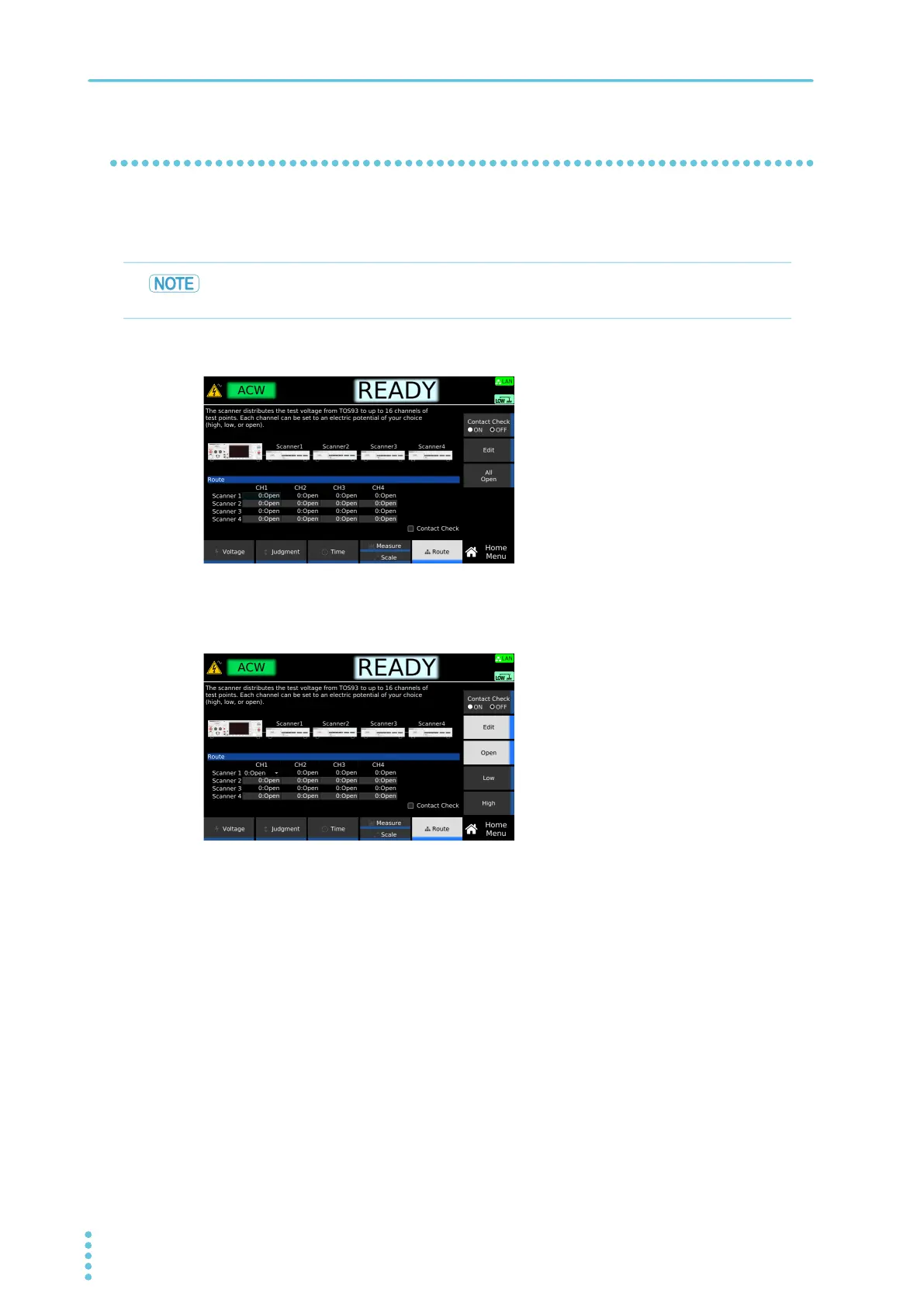
On the Home menu screen, press Route.
2
Use the rotary knob and the arrow (←/→) keys to select a channel, and then press
Edit.
3
Use the sub-function keys to select Open, Low, or High and press ENTER.
4
To continue the settings, repeat step 2 and step 3 .
This completes the setting.
To make the association between the connected test lead and channels clear, affix the
channel labels supplied with the scanner to the test leads.
Example: Home menu screen of ACW



 To Next Page