218 User’s Manual TOS93 Series
Auto Test | Program Configuration
Creating a program
Create an empty program without any steps and assign a name of your choice.
The created program is automatically saved and is not deleted even if the POWER
switch is turned off.
1
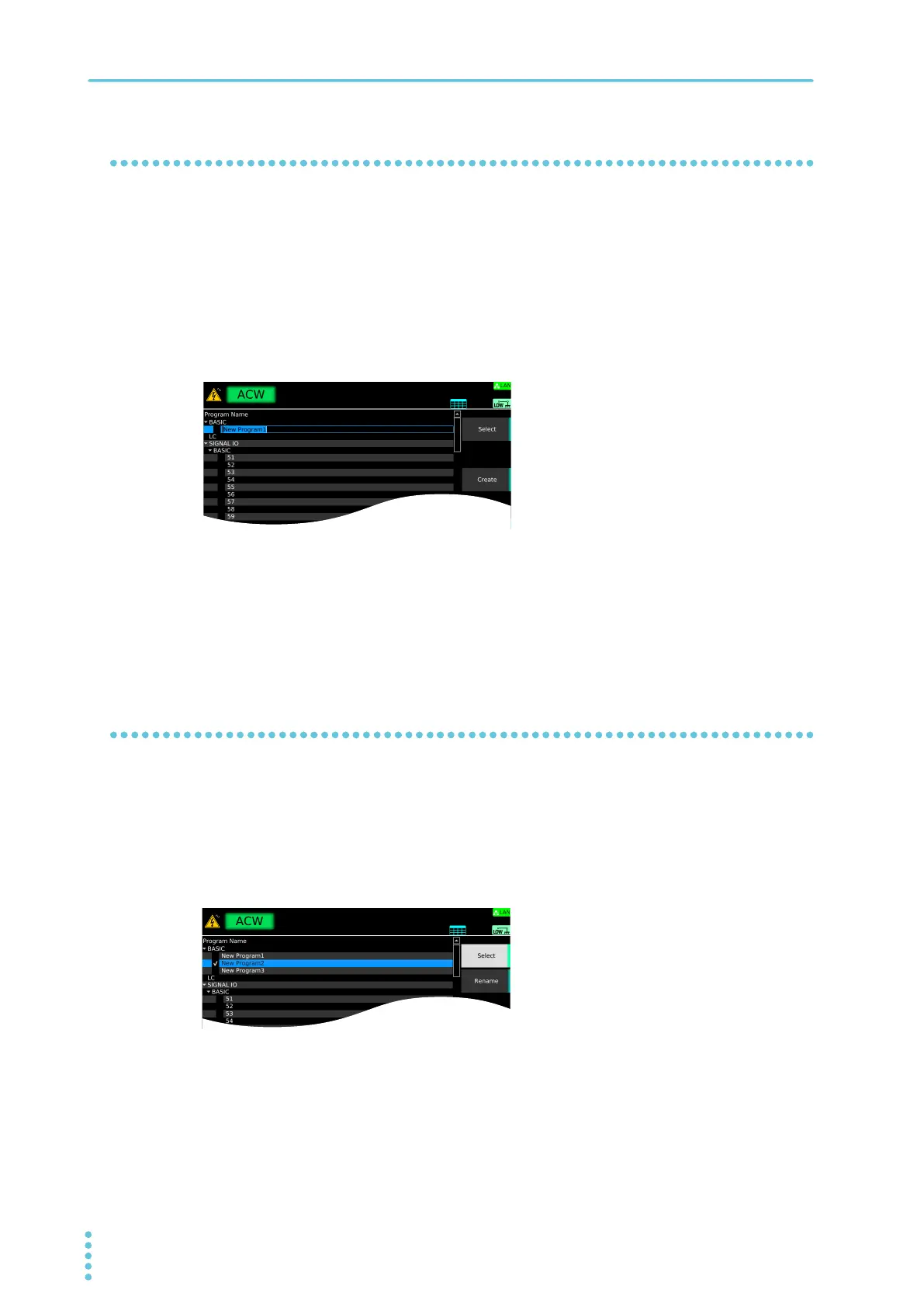
On the program editing screen, use the rotary knob to select the location to create
the program in, and press Create.
A program is created under the selected row.
If there is a check mark on another program, the Create key will not appear. If this happens, press
Sele
ct to remove the check mark.
2
Use the numeric keypad or the rotary knob to enter the program name, and then
press ENTER.
You can enter up to 255 characters for the program name.
An empty program is created. For information about registering steps to a program, see “Setting
Ste
ps”
(p.220).
Changing a program name
You can change the name of a program that you created with a name of your choice. Program names
(memory numbers) under “SIGNAL I/O” cannot be changed.
1
On the program editing screen, use the rotary knob to select the program in, and
press Select.
A check mark appears to the left of the selected program name.
2
Press Rename.
3
Use the numeric keypad or the rotary knob to enter the program name, and then
press ENTER.
The program name is changed.



 To Next Page