262 User’s Manual TOS93 Series
System Settings | Displaying and Changing CONFIG Settings
Key lock
You can lock the operation of the keys to prevent changing the settings or overwriting memory or programs
by mistake. The range of key operations that are locked is divided into the following three lock levels.
While the keys are locked, an icon indicating the lock level is shown in the upper right of the display.
Setting of lock level
1
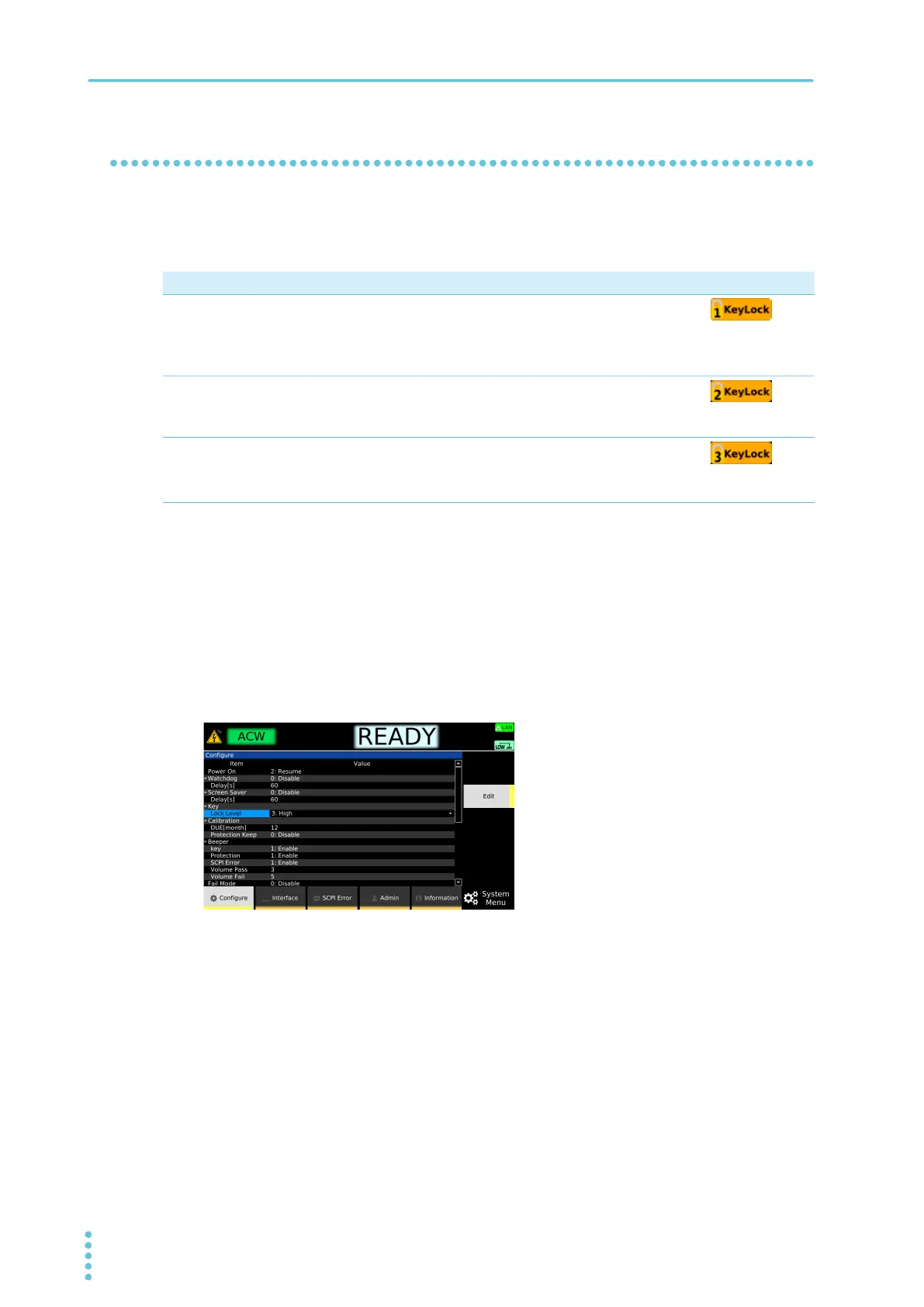
Press SYSTEM > Configure.
The CONFIG setup screen appears.
2
Use the rotary knob to select Lock Level under Key, and then press Edit.
3
Use the rotary knob to select the level.
4
Press ENTER.
This completes the setting.
Locking and releasing key operations
1
Hold down KEY LOCK.
Each time the key is held down, key lock switches between lock and unlock.
This completes the setting.
Parameter Description Icon
Low Locks all operations except the following.
• Release key lock
• START and STOP switches
• Memory recall
Medium Locks all operations except the following.
• Release key lock
• START and STOP switches
High
Locks all operations except the following.
1
• Release key lock
• STOP switch
1 Only the START switch on the front panel is locked. The START switch on an option product connected to
this product is not locked.



 To Next Page