TOS93 Series User’s Manual 249
Memory Function
You can save and recall test conditions, view and save test results, and view and save the values or
captured image of the most recent test.
Saving and Recalling Test Conditions
You can save up to 51 test conditions that you specified as you like and the selected test mode type in the
product memory (setup memory). Each memory location stores all test conditions of tests supported by
the model you are using and the selected test mode type. Test conditions can also be saved in USB
memory devices. System settings
(p.258) are not saved.
How to view the setup memory screen
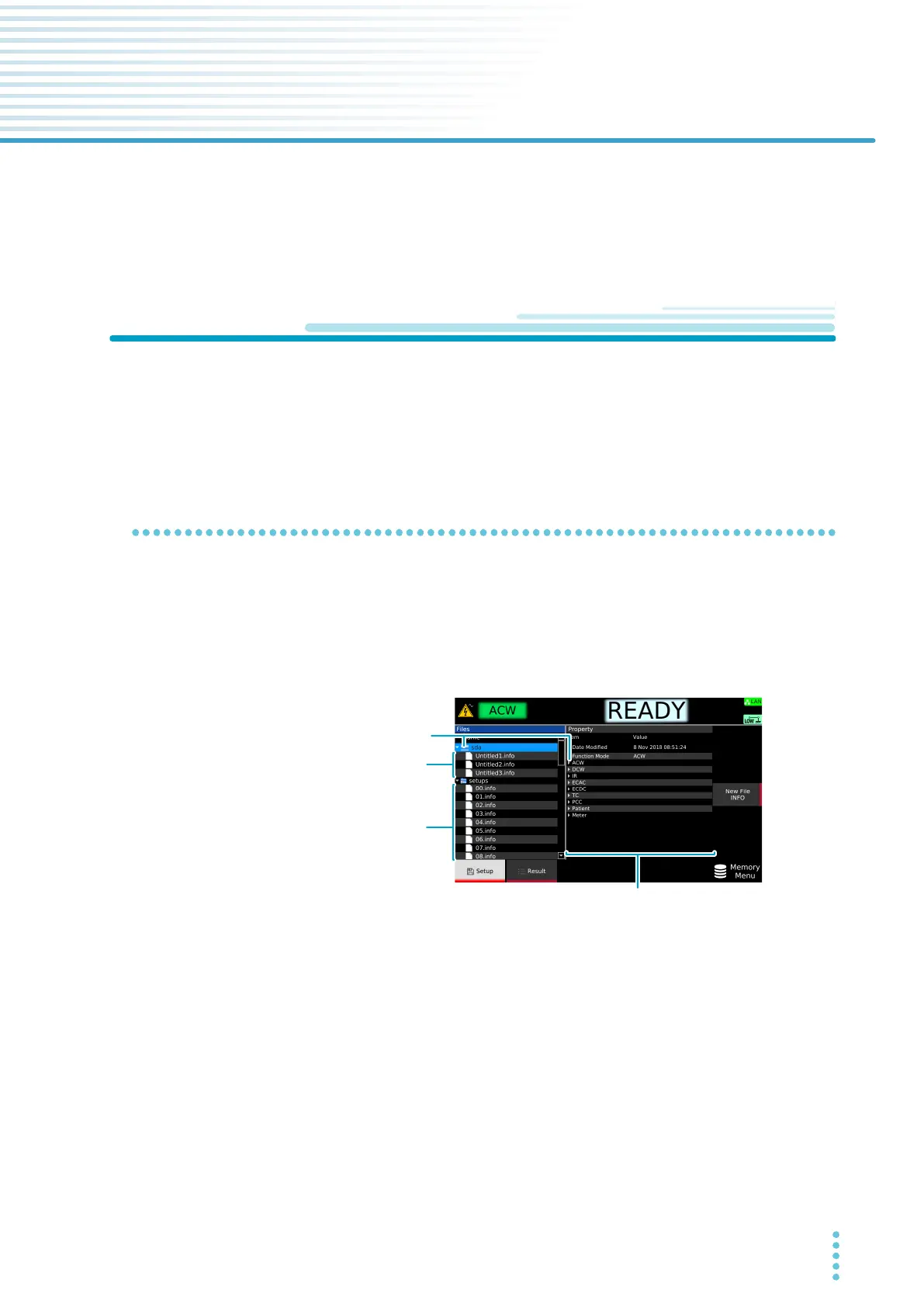
Press MEMORY > Setup to display the setup memory screen. The contents of the internal memory are
shown in the setups folder. The internal memory contains setup memories with default values (00 to 50)
and the test conditions that were in use when the power was turned off the last time (auto.info).
Connecting a USB me
mory device to the USB port on the front panel displays an “sdxx” folder (the “xx”
changes depending on the USB memory device). You can save test conditions to a file name of your
choice in the USB memory device and recall them later.
USB memory deviceUSB memory device
Internal memoryInternal memory
Details of the setup memory (Property)Details of the setup memory (Property)
Select an item and
Press arrow (→) key to open the lower level.
Press arrow (←) key to close the lower level.
Select an item and
Press arrow (→) key to open the lower level.
Press arrow (←) key to close the lower level.



 To Next Page