TOS93 Series User’s Manual 47
Basic Operation | Basic Panel Operations
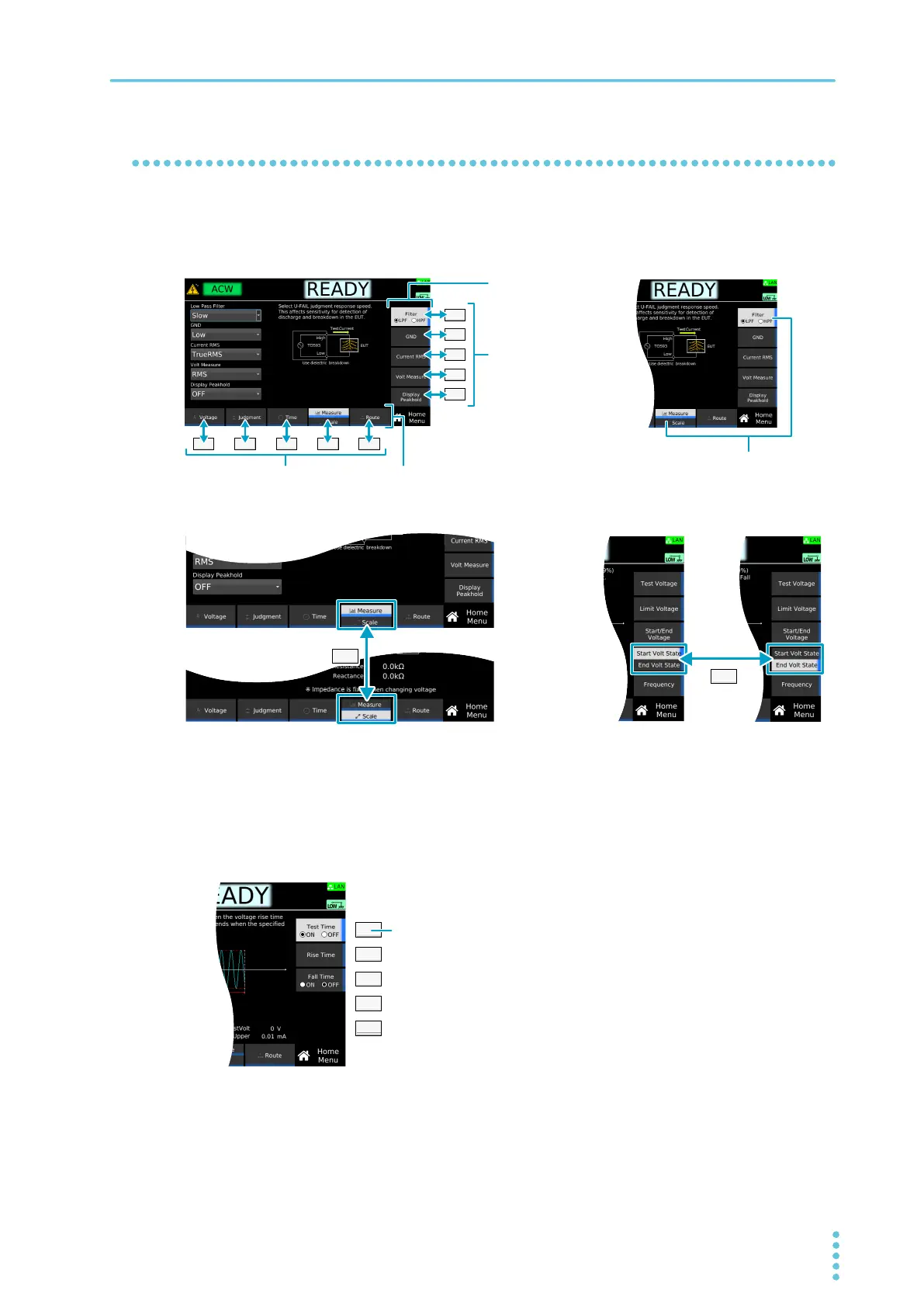
Using the function keys
On the display, the available functions are shown in the function area and sub-function area. You can
execute or select the functions by pressing the corresponding function key or sub-function key. The
selected function is shown with a light gray background.
If several functions are displayed for a single key, the function switches each time you press the key.
Turning a function on and off
If the function can be turned on and off, the sub-function area may show the function name and settings
such as ON and OFF. The function turns on and off each time you press the corresponding sub-function
key.
Start Voltage switches between on and off each
time you press the corresponding key.



 To Next Page