48 User’s Manual TOS93 Series
Basic Operation | Basic Panel Operations
Key names
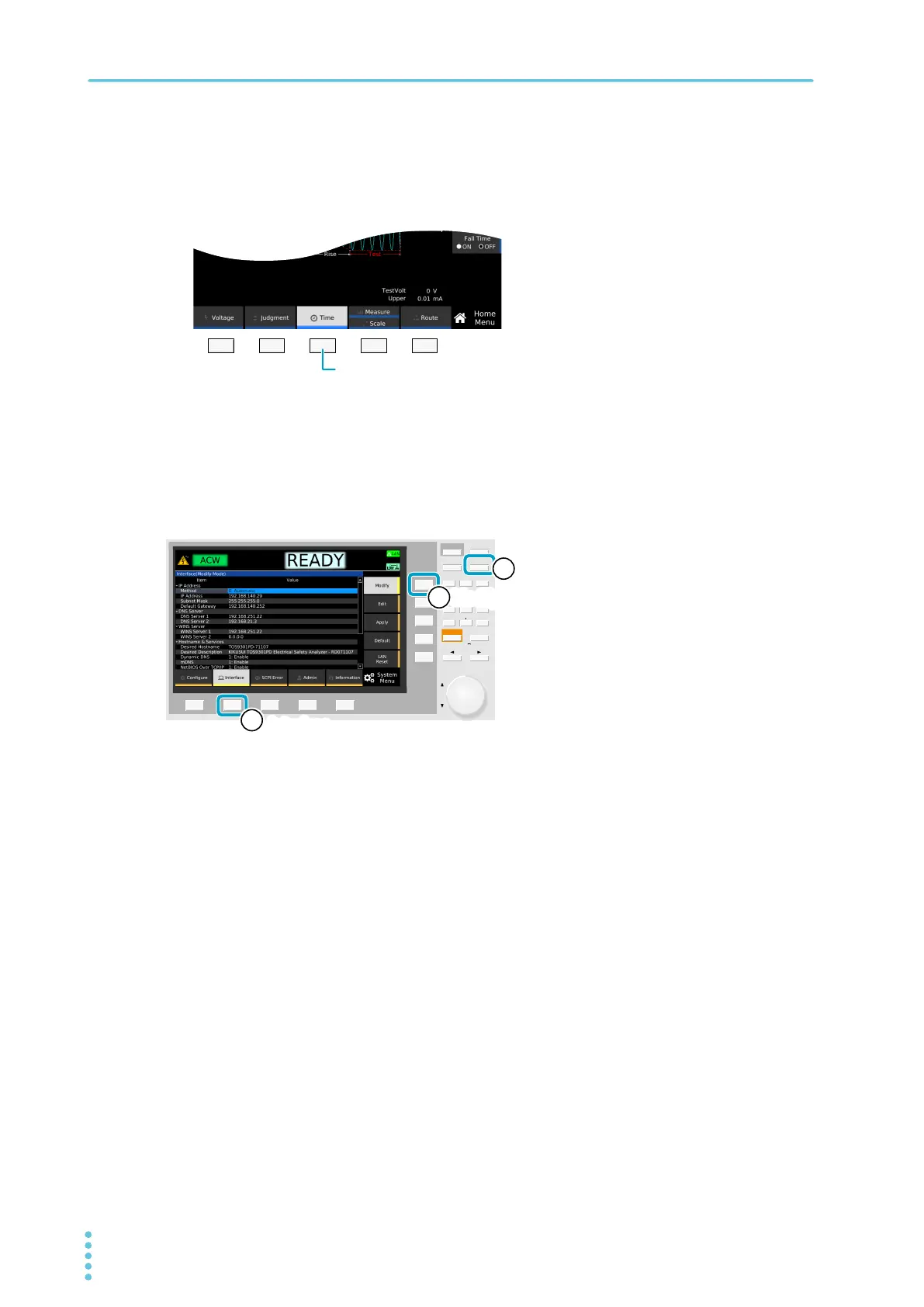
Individual function keys and sub-function keys are distinguished by indicating the function names shown in
the function area or sub-function area as the key names.
Operation example (enabling the editing of the interface settings)
1
Press SYSTEM > Interface > Modify.
In the above step example, press the buttons in the following order.
Ex:
Described as the Time key
AUTO
MEMORY
SYSTEM
ENTERESCAPE
879
546
213
0CLEAR
LOCAL
KEY LOCK
HOME
/
FUNC
InterfaceInterface
22
ModifyModify
33
SYSTEMSYSTEM
11
仮



 To Next Page