52 User’s Manual TOS93 Series
Basic Operation | Selecting the Test Mode
Selecting the test mode
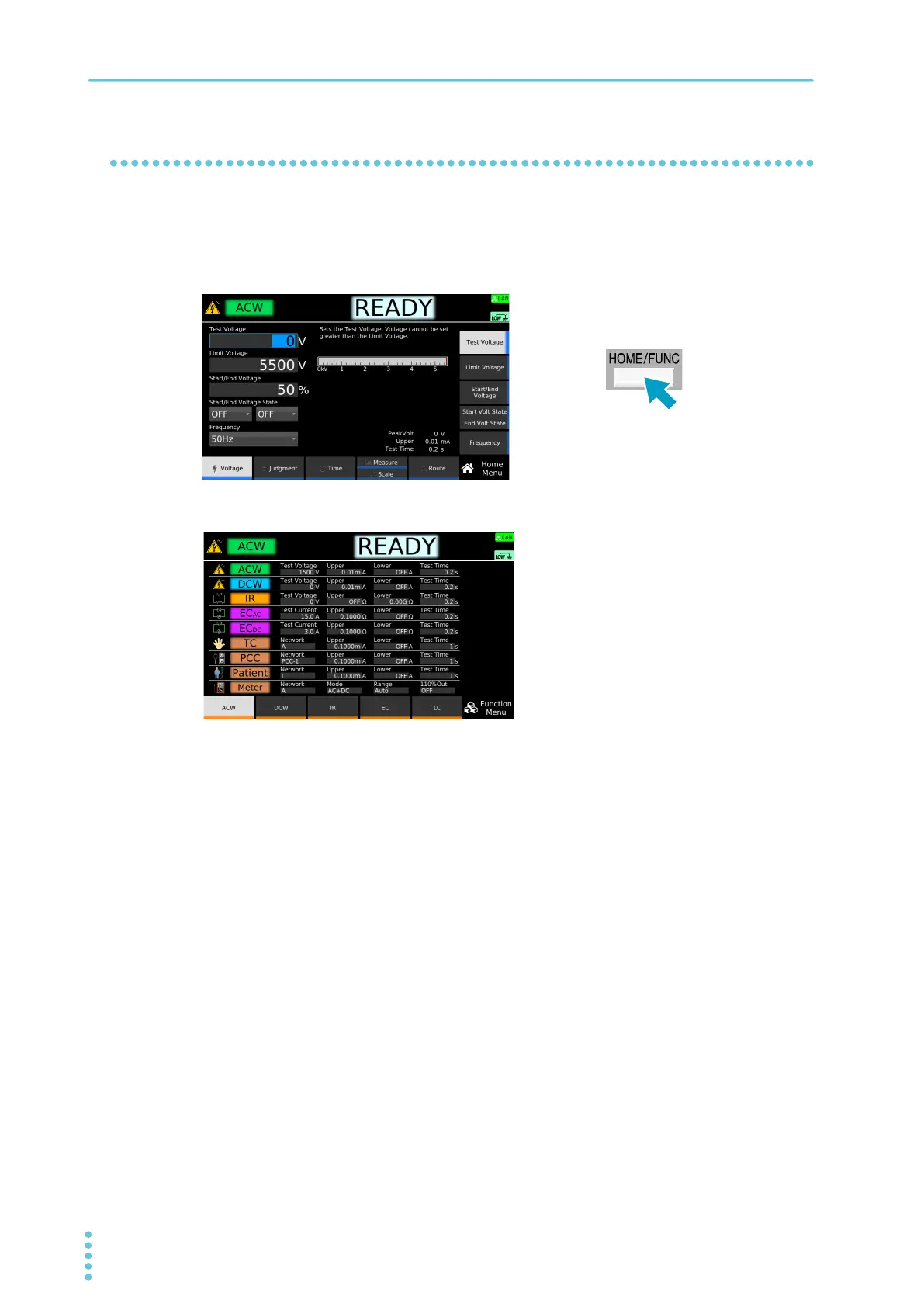
Select the test mode on the Function menu screen. The tests that can be selected varies depending on the
model.
1
On the Home menu screen, press HOME/FUNC.
The Function menu screen appears.
2
On the Function menu screen, press a function key to select the test mode.
If you select IR, EC, or LC, press a sub-function key to select the sub test mode.
This completes the selection procedure.
Example: Home menu screen of ACW
Example: TOS9303LC Function Menu



 To Next Page