204 User’s Manual TOS93 Series
Meter Mode | Setting Measurement Conditions
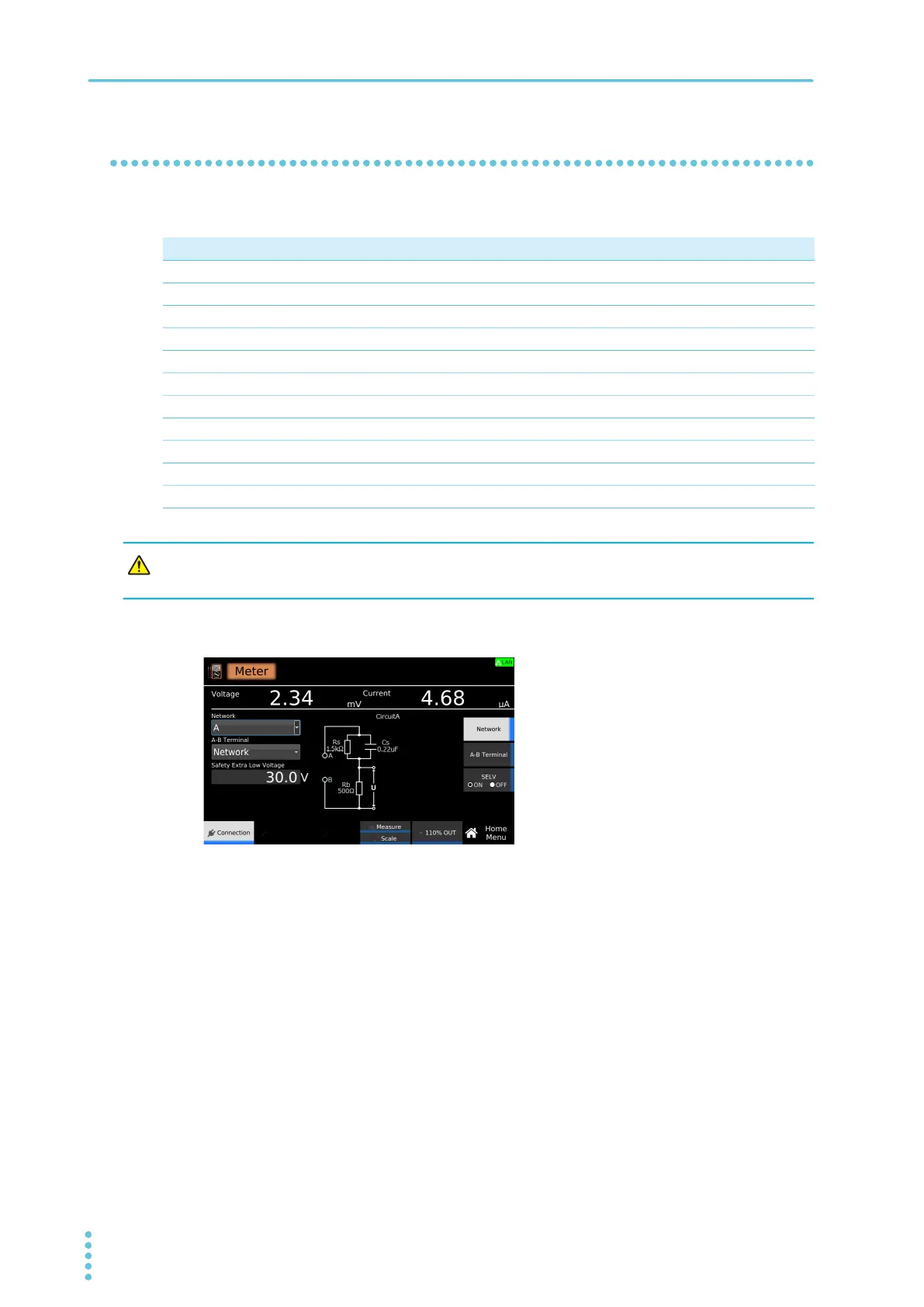
Network
Set the measurement circuit network to use for the measurement.
1
On the Home menu screen, press Connection > Network.
2
Turn the rotary knob to change the value.
This completes the setting.
Value Application example
A IEC 60990 Fig. 3 U1 measurement
B-U1 IEC 60990 Fig. 4 U2 measurement
B-U2 IEC 60990 Fig. 4 U1 measurement
C IEC 60990 Fig. 5 U3 measurement
D Electrical Appliances and Materials Safety Act single frequency
E Electrical Appliances and Materials Safety Act multiple frequencies
F IEC 61029, UL
G IEC 60745
H IEC 61010-1, IEC 61010-1 Wet condition
I IEC 60601-1
J For calibration. Do not use.
CAUTION
If you set Network to J and apply 10 V or more between terminals A and B, the measurement
circuit may break.



 To Next Page