268 User’s Manual TOS93 Series
System Settings | Displaying and Changing CONFIG Settings
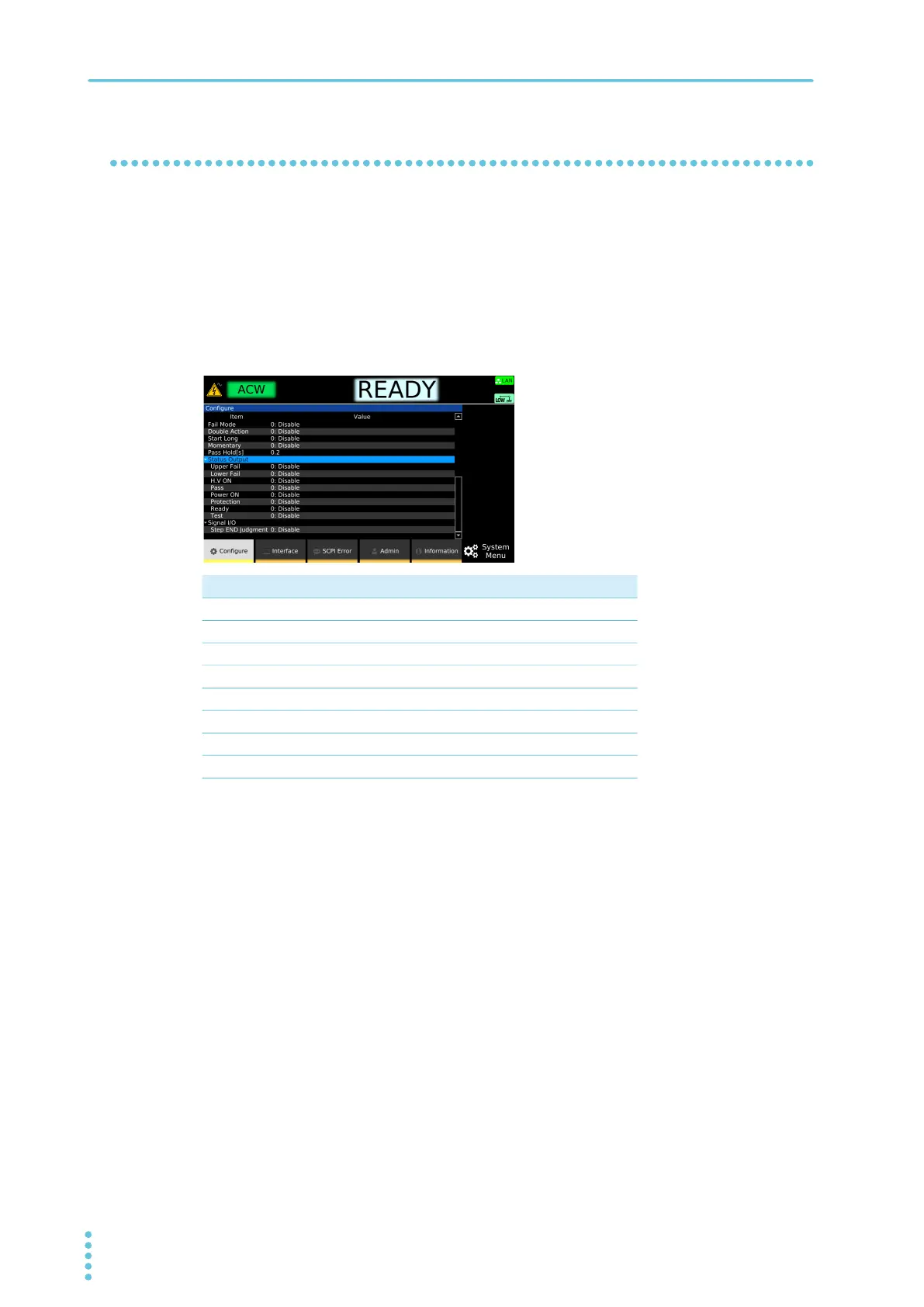
STATUS OUT setting (Status Output)
Set the conditions for outputting 24 Vdc from the STATUS OUT connector. You can use this with the
optional warning light unit (p.332).
1
Press SYSTEM > Configure.
The CONFIG setup screen appears.
2
Use the rotary knob to select the following items under Status Output, and then
press Edit.
3
Use the rotary knob to select Enable or Disable, and then press ENTER.
This completes the setting.
Parameter Output condition
Upper Fail While the test status is Upper-FAIL.
Lower Fail While the test status is Lower-FAIL.
H.V ON While there is a residual voltage and during testing.
Pass While the test status is PASS.
Power ON While the POWER switch is turned on.
Protection While in PROTECTION mode.
Ready While the test status is READY.
Test While the test voltage is at the specified value.



 To Next Page