TOS93 Series User’s Manual 263
System Settings | Displaying and Changing CONFIG Settings
Calibration configuration
You can set the calibration period and the operation performed when the calibration period elapses.
1
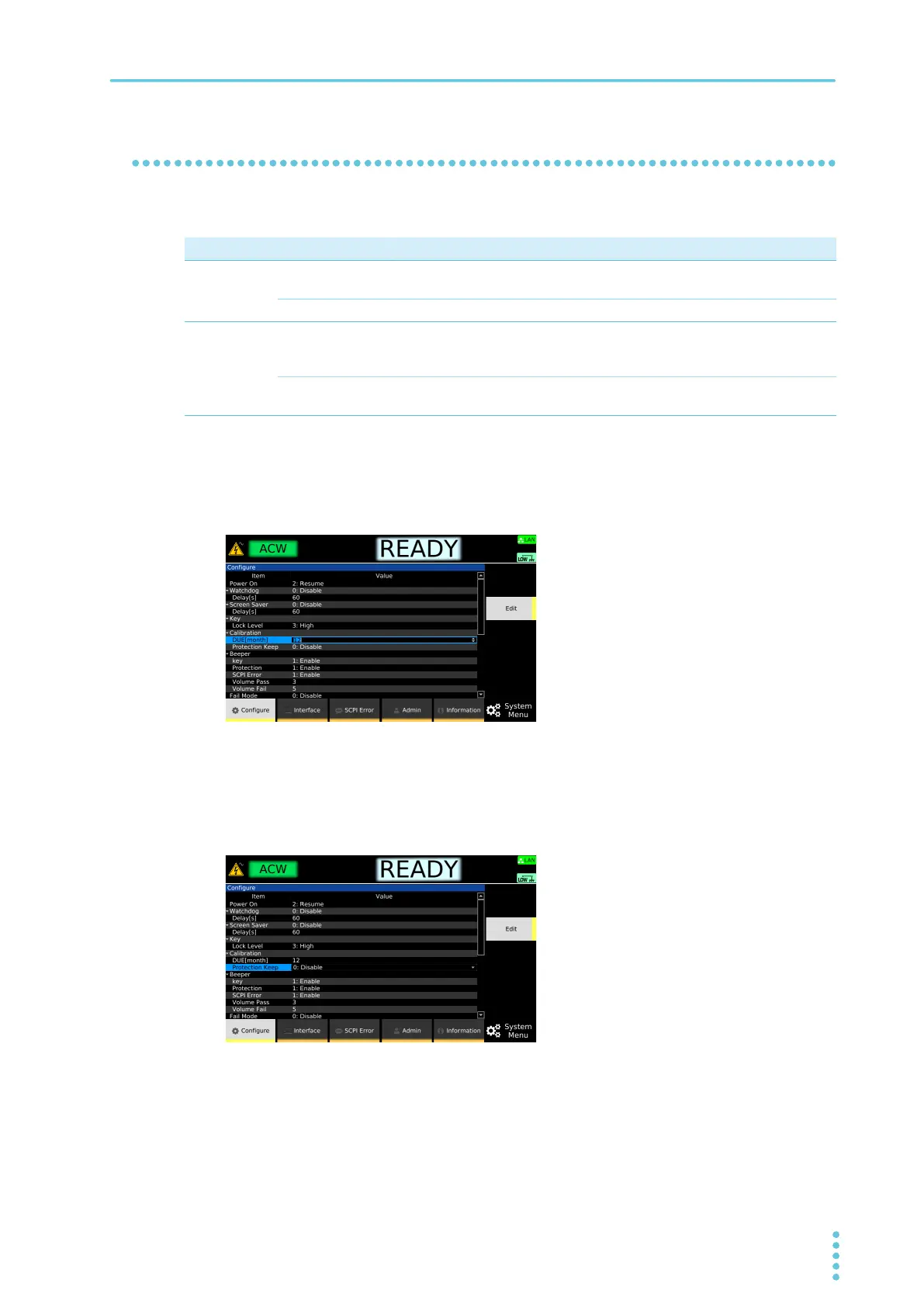
Press SYSTEM > Configure.
The CONFIG setup screen appears.
2
Use the rotary knob to select DUE under Calibration, and then press Edit.
3
Use the rotary knob or numeric keys to enter the calibration period, and then press
ENTER.
The calibration period is set.
4
Use the rotary knob to select Protection Keep, and then press Edit.
5
Use the rotary knob to select Enable or Disable, and then press ENTER.
The operation that is performed when calibration period elapses is set.
This completes the setting.
Parameter Value Description
DUE 1 to 24 (month) Sets a calibration period of months until the next calibration from the last
calibration date.
Infinity Calibration period is not monitored.
Protection
Keep
Enable When the calibration period elapses, the protection function is activated,
and the product switches to PROTECTION mode (CAL). To release the
PROTECTION mode, set Protection Keep to Disable, and press STOP.
Disable When the calibration period elapses, a warning appears on the display
when the power is turned on. To clear the warning, press STOP.



 To Next Page