76 User’s Manual TOS93 Series
Withstanding Voltage and Insulation Resistance Tests | Setting Test Conditions
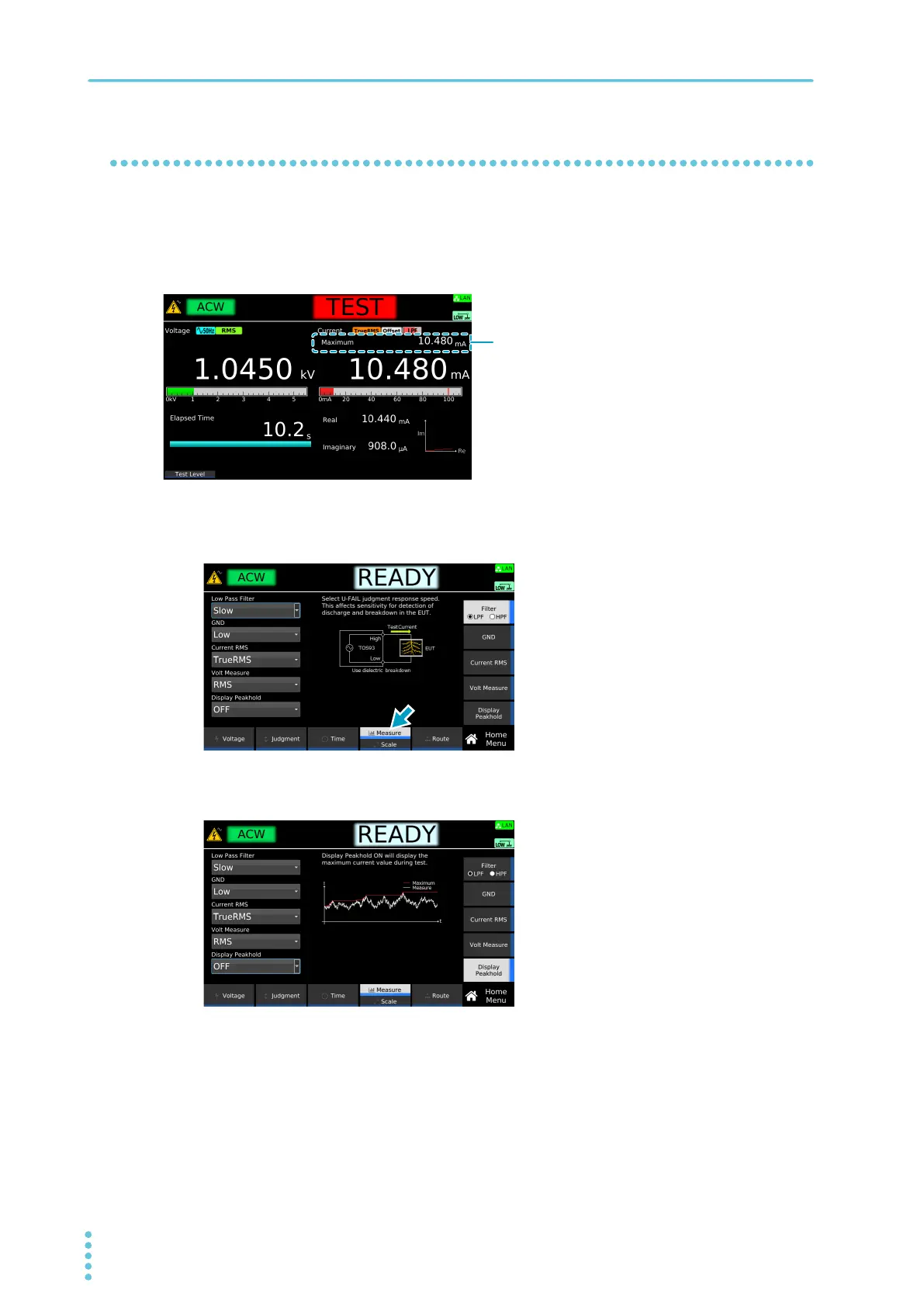
Peak value display (Display Peakhold)
When Display Peakhold is set to on, the maximum value of current is displayed during the test and in the
judgment result for the AC withstanding voltage (ACW) and DC withstanding voltage (DCW) tests.
For the insulation resistance (IR) test, the minimum value of resistance is displayed during the test and in
the judgment result.
1
On the Home menu screen, press Measure repeatedly until Measure is selected.
Each time you press the key, the setting changes between Measure and Scale.
2
Press Display Peakhold, and then turn the rotary knob to select ON or OFF.
This completes the setting.
Example: Home menu screen of ACW



 To Next Page