210 User’s Manual TOS93 Series
Meter Mode | Setting Measurement Conditions
Output from the 110% terminal (110% OUT)
When you set 110% OUT to on, the voltage applied to the AC LINE IN inlet is output from the front-panel
110% terminal and applied to the EUT.
By applying a voltage at 110% of the EUT
rating to the AC LINE IN inlet on the rear panel in advance, you
can apply a voltage that takes into consideration the variation in the commercial power supply. You can set
the polarity with the Polarity parameter (p.211).
If on is specified, you cannot use the menu keys. In addition, the DA
NGE
R LED lights, and appears in
the upper right of the display.
1
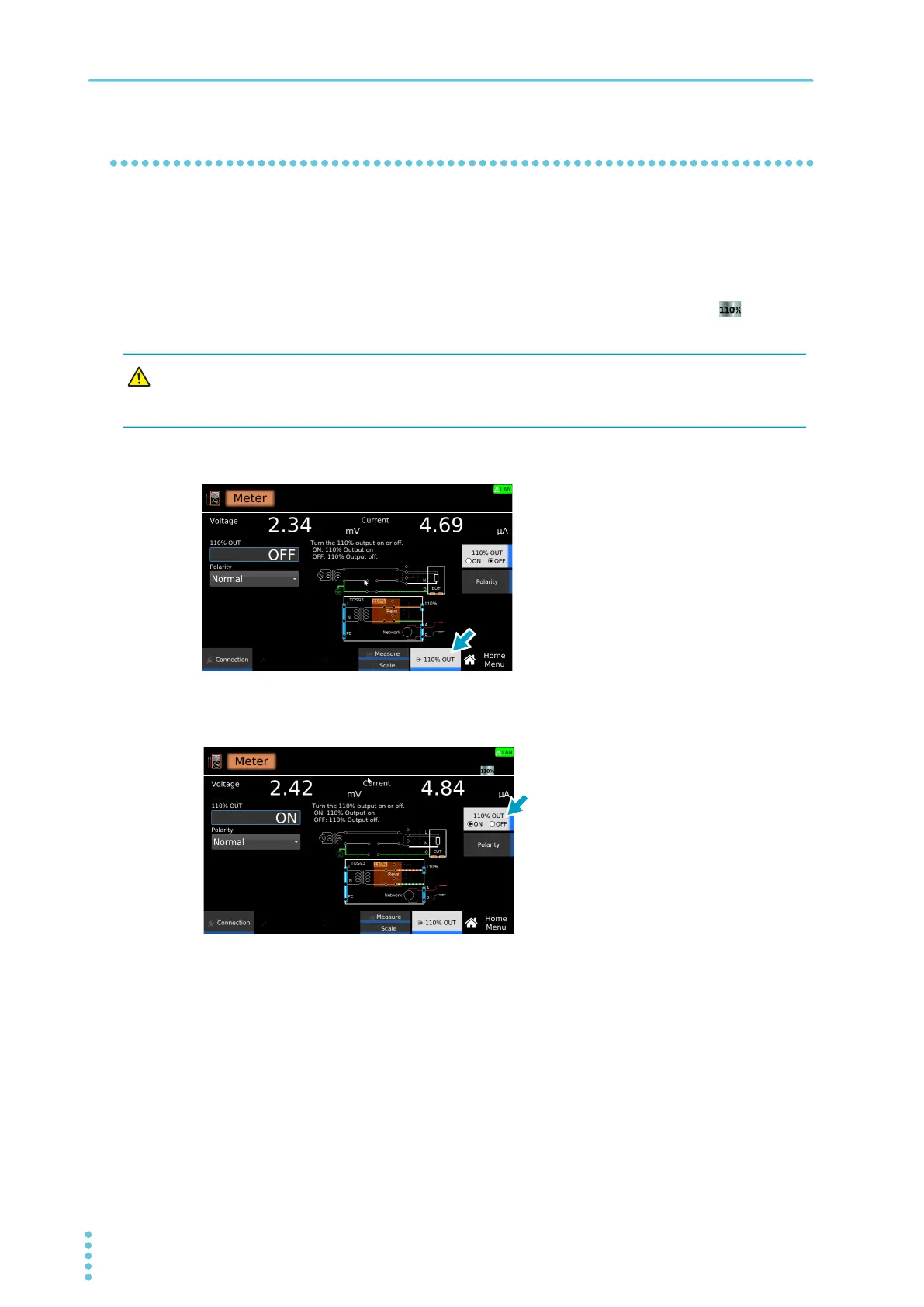
On the Home menu screen, press 110% OUT.
2
Press 110% OUT to switch between ON and OFF.
110% OUT switches between on and off each time you press the key.
This completes the setting.
Risk of electric shock. If you set 110% OUT to ON, do not touch the tip of the test lead
connected to the 110% terminal with your hand. A high voltage will be output from the
110% terminal.



 To Next Page