274 User’s Manual TOS93 Series
System Settings
Changing calibration date
You can change the date on which calibration was carried out at your discretion.
1
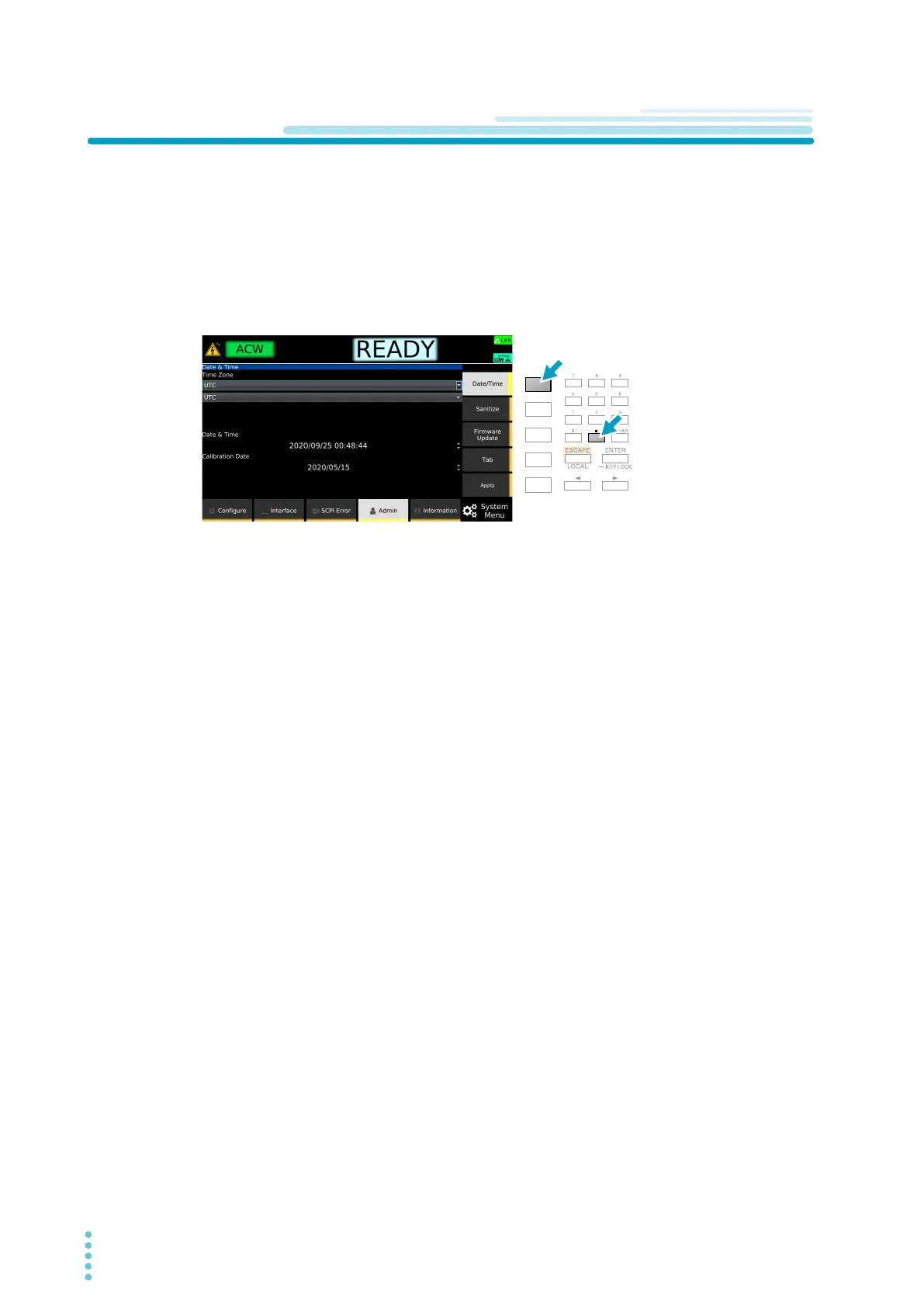
Press SYSTEM > Admin > Date/Time.
The currently set calibration date appears in Calibration Date.
2
Press Date/Time and . simultaneously.
A confirmation screen appears.
3
Use the arrow (→) key to select OK, and then press ENTER.
4
Use the numeric keypad or the rotary knob to enter the data on which calibration
was carried out.
Press Tab to move between entry fields.
5
Press Apply.
A confirmation screen appears.
6
Use the arrow (→) key to select OK, and then press ENTER.
This completes the setting change.



 To Next Page