TOS93 Series User’s Manual 91
Earth Continuity Test | Setting Test Conditions
Description of test conditions
The following table shows the test conditions that you can set for earth continuity (EC) tests.
The test conditions you can set are different for AC t
est and DC test. Test conditions with a check mark
can be used with the corresponding test.
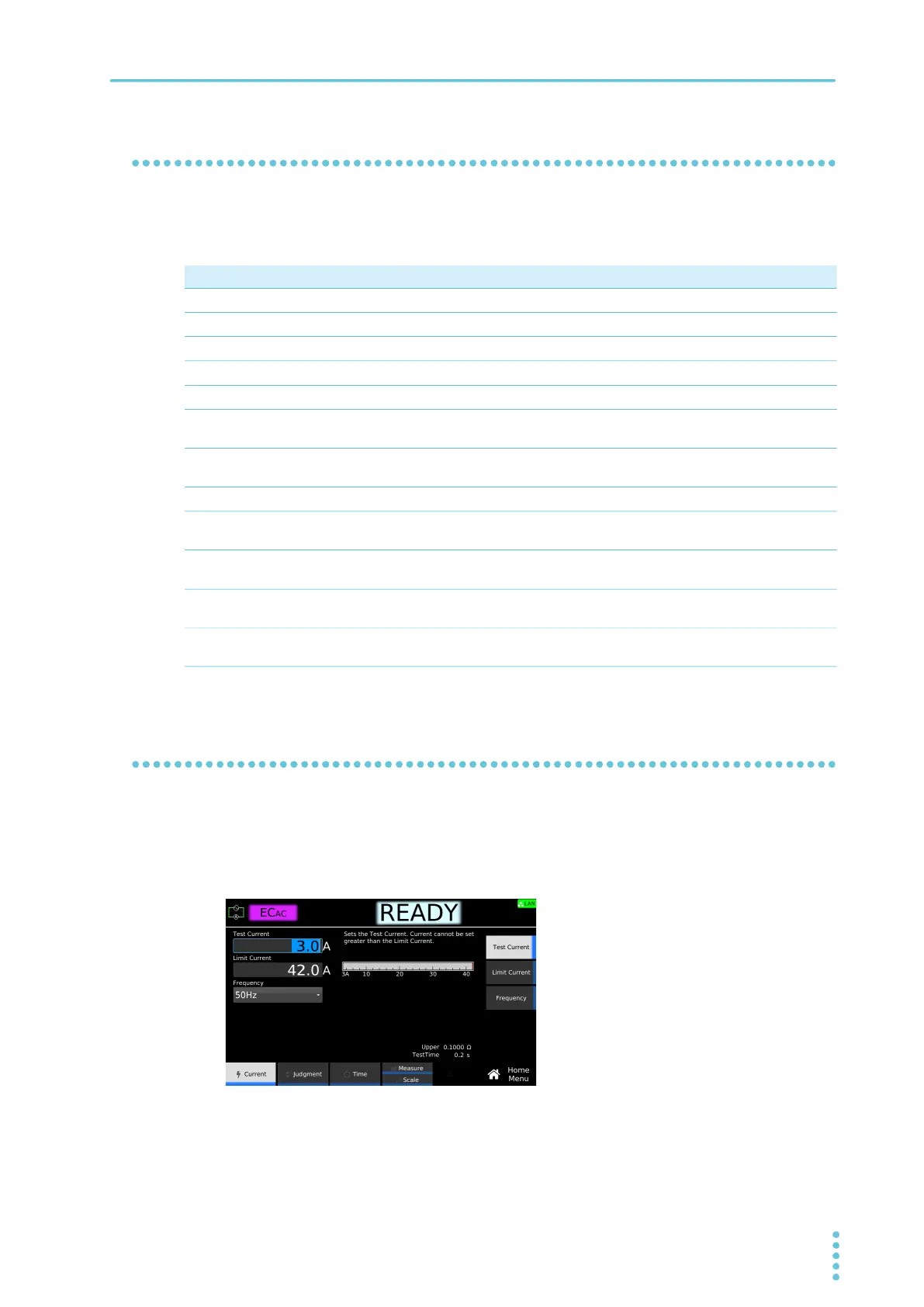
Test current
Set the current to run through the EUT. You cannot specify a voltage that exceeds the limit voltage Limit
current (p.92).
1
On the Home menu screen, press Current > Test Current.
2
Use the numeric keypad or the rotary knob to enter the current.
Setting range: 3.0 A to 42.0 A
This completes the setting.
AC DC Test condition Description See
Test current Current to run through the EUT.
p.91
Limit current Upper limit of current to run through the EUT.
p.92
– Frequency Test current frequency.
p.92
Upper limit Reference resistance or voltage for upper limit judgment.
p.93
Lower limit Reference resistance or voltage for lower limit judgment.
p.94
Test time Time from when the current rise time has passed to the end of
the test.
p.95
Current rise time Time from when the START switch is pressed until the test
current is reached.
p.96
Current fall time The time from a pass judgment until the current falls.
p.96
Terminal wiring method
(Terminals Wire)
Set the method of wiring test leads to four-terminal wiring or
two-terminal wiring.
p.97
Contact check Starts testing when the test leads touch the EUT and current
starts flowing.
p.98
Peak value display
(Display Peakhold)
Display the maximum resistance during the test.
p.99
Offset Cancels the contact resistance of test leads, tools, and the like
and the resulting voltage.
p.100



 To Next Page