130 User’s Manual TOS93 Series
Partial Discharge Test | Starting a Test
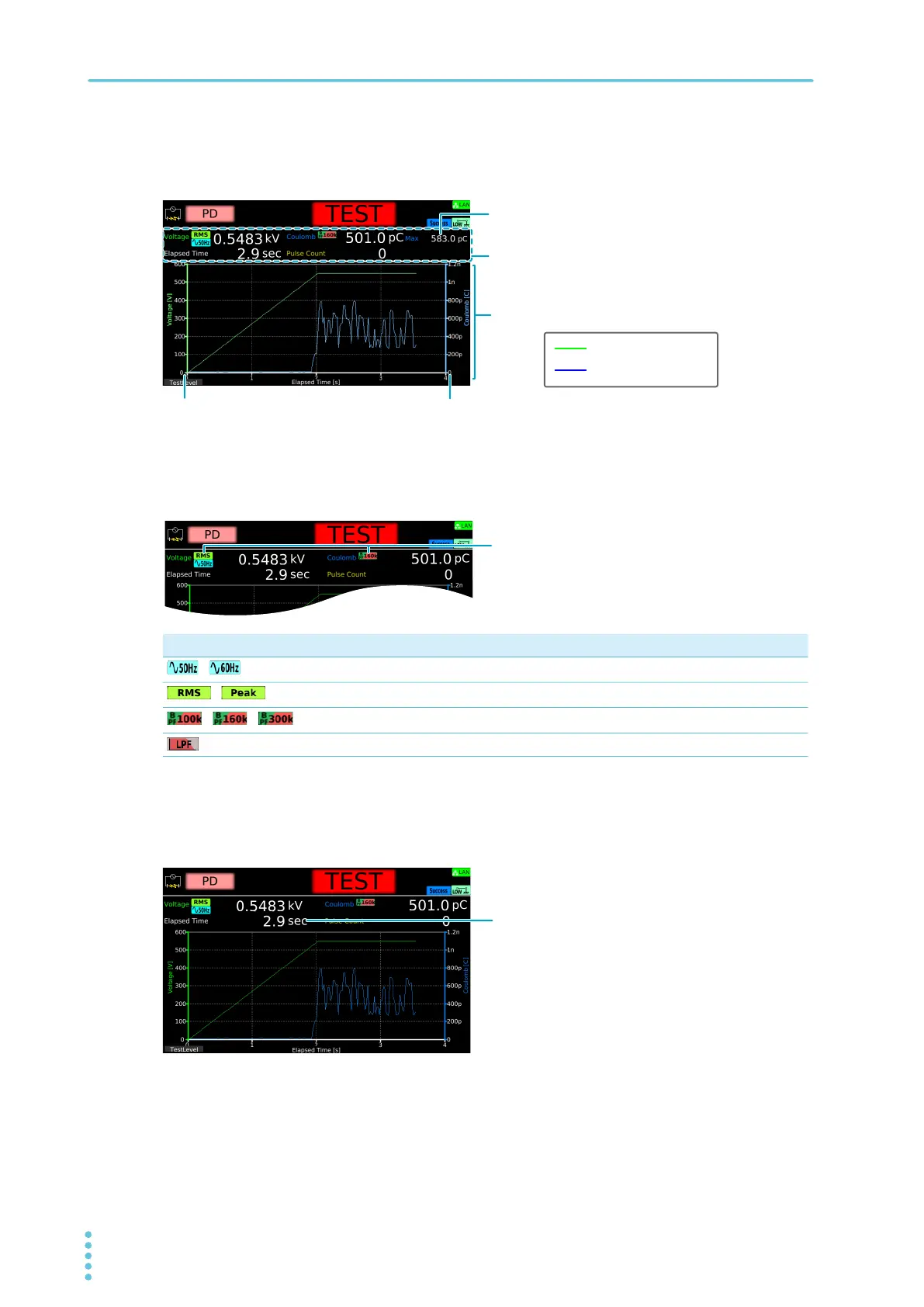
Displaying measured values and graph
During a test, measured values and a graph are shown on the display.
Test condition display
Icons indicating the test conditions appear during testing.
Displaying elapsed time
Displays elapsed time since the test started. Up to 3 600 000.0 seconds are displayed. If the elapsed time
is greater than 3 600 000.0 seconds, the display is fixed at 3 600 000.0 seconds.
Icon Description
/
Frequency setting (50 Hz/60 Hz)
/
Volt Measure setting (RMS/Peak)
/ /
Band Pass Filter setting (100 kHz/160 kHz/300 kHz)
Low Pass Filter is set to ON
Measured values
Electric charge
Voltage
Voltage (green)
Electric charge (blue)
Graph
When Display Peakhold is set to ON, a peak value is disp



 To Next Page