TOS93 Series User’s Manual 153
Touch Current Test | Starting a Test
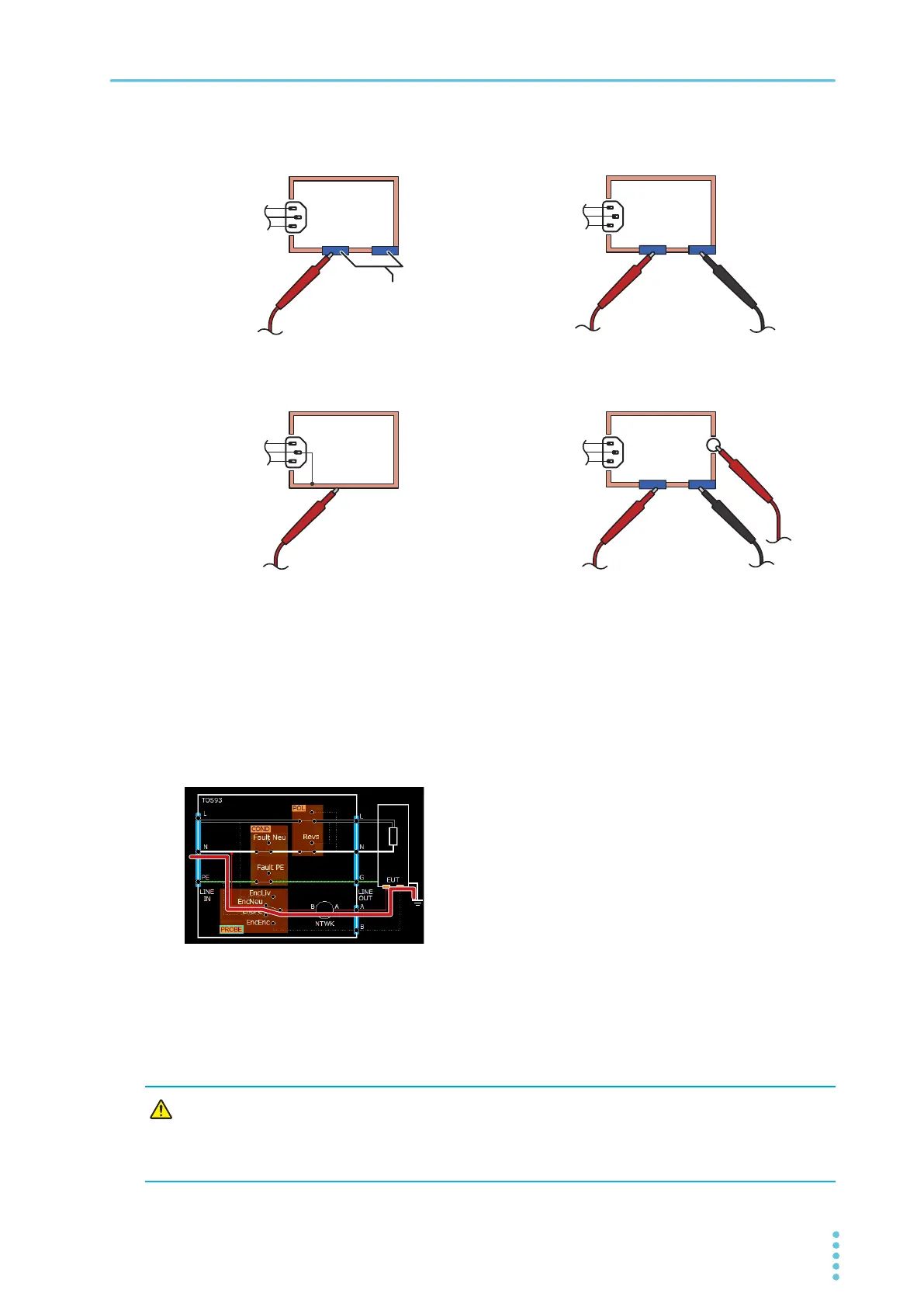
Connection example
Ground check
If the test condition “Probe connection destination” (p.139) is set to “Enc-Liv” or “Enc-Neu”, test lead A is
connected to the power supply line (L or N) through a network inside the product. Therefore, if test lead A
is
connected to a grounded EUT enclosure by mistake, the power line will be grounded through the
network, and this is dangerous.
To perform tests safely, it is necessary to check in advance that the measurement point is not grounded.
Ground check performs this check automatically. A
fte
r you press START, a weak current is run between
test lead A and the ground to check whether the measurement point is grounded before starting the test.
If the measurement point is grounded, when you press START, “Contact-FAIL” is displayed in the top area
of the display, and the test is aborted. Until Contact-FAIL
is cleared, the U FAIL and L FAIL signals of the
SIGNAL I/O connector are set to on simultaneously. To clear Contact-FAIL, press STOP.
To the A terminal
To the AC LINE
OUT terminal
block
AC LINE OUT
To the terminal
block
Enclosure not connected
to protective ground
L
N
G
L
N
G
To the B terminal
To the A terminal
AC LINE OUT
To the terminal
block
L
N
G
110%
terminals
I/O terminal
AC LINE OUT
To the terminal
block
L
N
G
To the B terminal
To the A terminal
To the A terminal
Example 3: Across the enclosure and earth
Example 4: Across two points on the
enclosure (apply 110% voltage)
Example 1: Across the enclosure and power or
across the enclosure and earth
Example 2: Across two points on the enclosure
CAUTION
Be sure to connect the test leads to the measurement point, and then press START.
If you connect the test leads to the measurement point after pressing START
, the instrument
will determine that the measurement point is not grounded, and the ground check will pass.
Incorrect connections will not be detected.



 To Next Page