Setting Scan Transmission Function (Environment Setup) (continued)
10-51
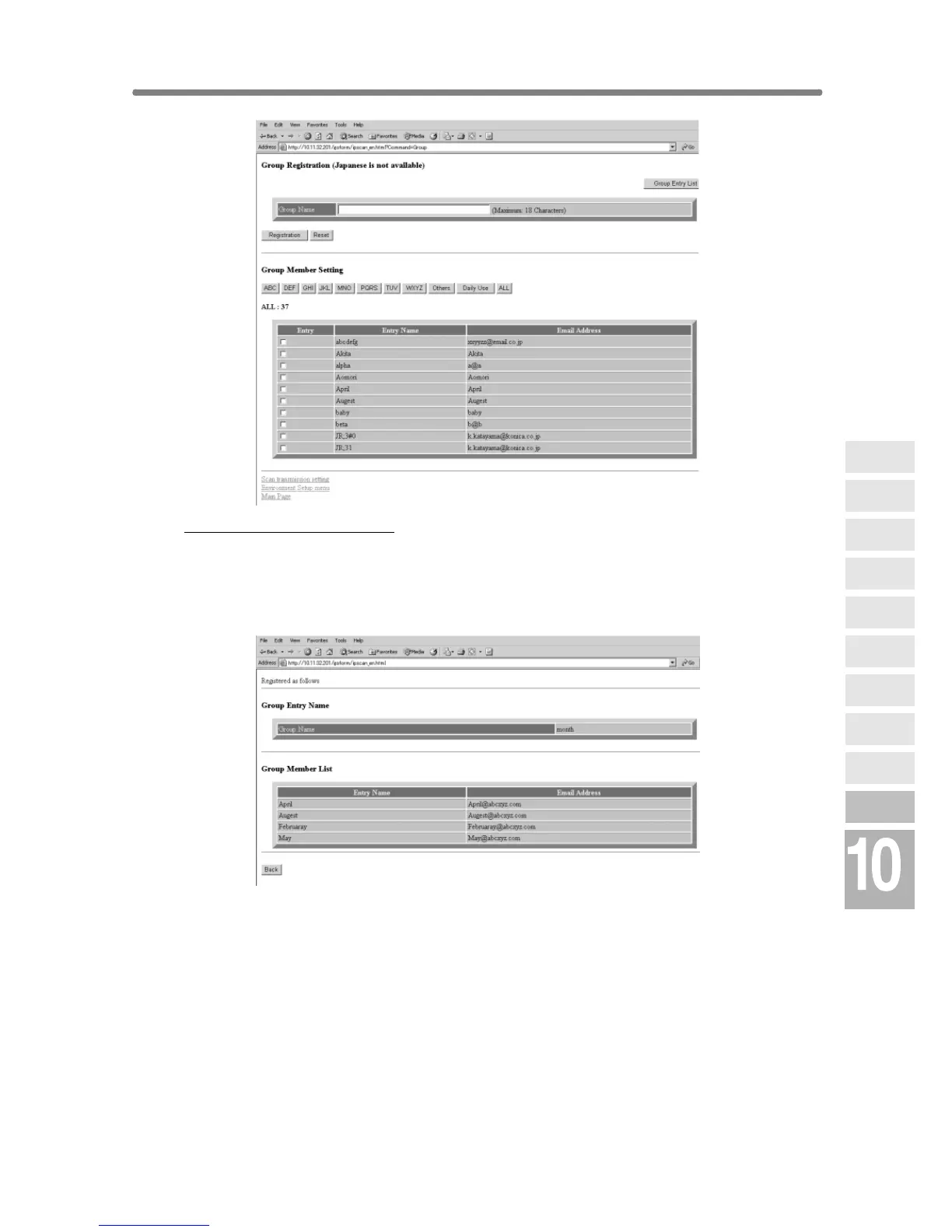
To group the E-mail data:
Enter the desired group name.
Click on an alphabetical order key to display the E-mail data to be included in
the group, click on the check box heading the data, then click on
[Registration]. The registered content will be displayed.
Click on [Back] to return to the Scan Transmission Setting window.
Network
Function
Job Status
Machine
Information
HDD Job
Information
Environment
Setup
To Use Web
Utilities
Image Edit
Image Recall
Image
Store&Output
Image
Store/Delete
Server
Functions










 To Next Page