Transmitting/Editing Machine Setting File (Environment Setup) (contin-
ued)
10-56
5. Edit the machine setting file.
The machine setting file transmitted to a PC is a TAB separated text file
which can be edited using an application software such as Text Editor or
Table Editor. A new setting file can also be created according to the
specifications for each file type. See p. 10-57 to p. 10-58 for details.
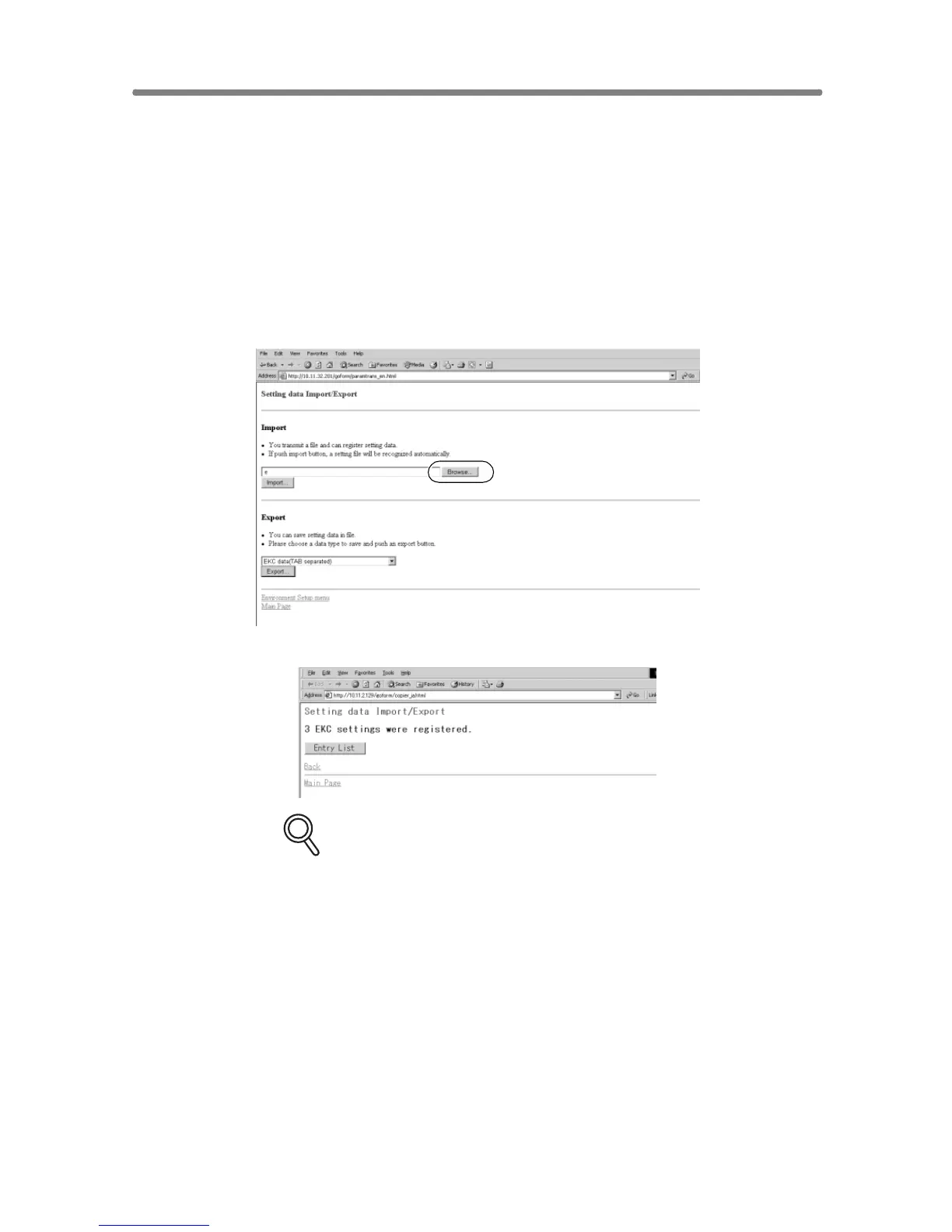
6. Import the machine setting file.
Click on [Browse] to designate the machine setting file to be imported, then
click on [Import].
The result message will be displayed when the registration is completed.
DETAILS: Error Message
If the registration cannot be completed successfully, error messages will
be displayed as follows.
• Can’t transfer data (The machine is busy)
Try again to import the data after the machine operation in
progress is completed.
• The data cannot be recognized
Confirm that the data is the machine setting file.
• Data size is too large
Confirm that the data is the machine setting file.
Check if the file size exceeds 100,000 bytes.
• The data cannot be registered
Check if inappropriate description is made in the machine setting
file. See p. 10-57 to p. 10-58 for details.
Check if the file entries are already over the limit.










 To Next Page