214323 211 Revision B
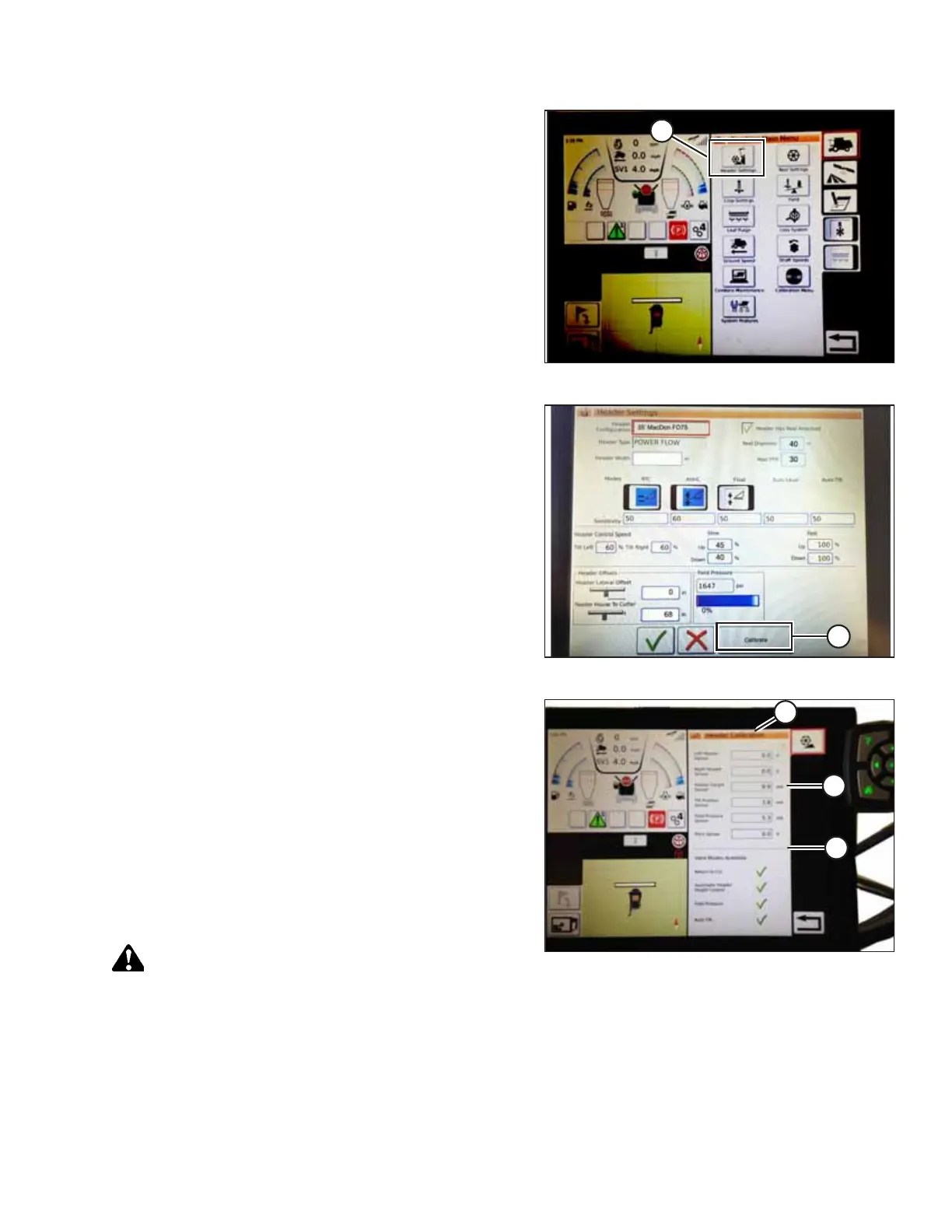
Figure 4.160: Combine Main Menu
1. On the COMBINE MAIN MENU, touch HEADER
SETTINGS (A).
Figure 4.161: Calibration
2. Touch CALIBRATE (A) at the bottom right of the page. The
HEADER CALIBRATION page appears.
Figure 4.162: Header Calibration Page
The right of the page shows calibration information (A).
Results are shown for sensors (B) at the top of the list:
• Left and right header sensor outputs (V)
• Header height sensor (mA)
• Tilt position sensor (mA)
The modes applicable to MacDon headers are shown with
check marks below line (C):
• Return to cut
• Automatic header height control
DANGER
Never start or move the machine until you are sure all
bystanders have cleared the area.
AUTO HEADER HEIGHT CONTROL








 To Next Page